Kepler vs GitHub Copilot: The Ultimate Coding Assistant in 2026
Kepler vs GitHub Copilot: Compare features, speed, context, and privacy to choose the right AI tool for your development workflow.
Introduction
Finding the best tool for your
daily programming workflow requires looking beyond simple marketing claims.
When comparing Kepler vs GitHub Copilot, modern software engineers must
understand how task orchestration differs from inline editor assistance. Writing
clean code across large distributed projects demands powerful context-aware
code completion and seamless multi-file codebase understanding without creating
merge conflicts.
While standard coding assistants
focus primarily on line-by-line typing speed, newer environments prioritize
safe branch isolation and multi-agent coordination. Integrating the right AI
pair programmer into your daily IDE developer workflow helps you deliver
reliable software faster while maintaining high code quality metrics across every
repository.
Kepler vs GitHub Copilot: A Quick Side-by-Side Spec
Comparison
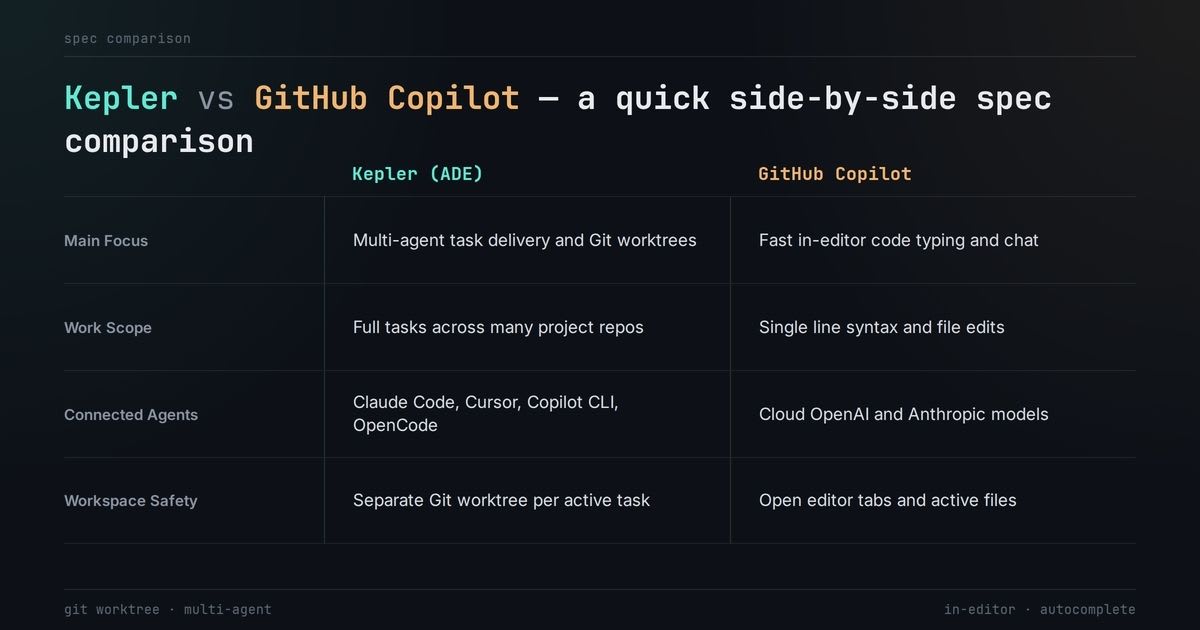
Picking the right tool starts with
looking at your daily technical needs. A simple feature comparison matrix shows
how Kepler manages full tasks while Copilot helps you type. Both platforms
support many supported programming languages to help every AI pair programmer
build great apps.
|
Feature Category |
GitKraken Kepler (ADE) |
GitHub Copilot (IDE Assistant) |
|
Main Focus |
Multi-agent task delivery and Git
worktrees |
Fast in-editor code typing and
chat |
|
Work Scope |
Full tasks across many project
repos |
Single line syntax and file edits |
|
Connected Agents |
Claude Code, Cursor, Copilot CLI,
OpenCode |
Cloud OpenAI and Anthropic models |
|
Workspace Safety |
Separate Git worktree per active
task |
Open editor tabs and active files |
Kepler gives you a control room to
run smart agents across many repos safely. Copilot lives inside your editor to
improve daily workflow efficiency while you write functions. Both tools help
modern developers but they solve different coding problems.
Code Completion Quality: Which Tool Writes Cleaner,
Bug-Free Code?
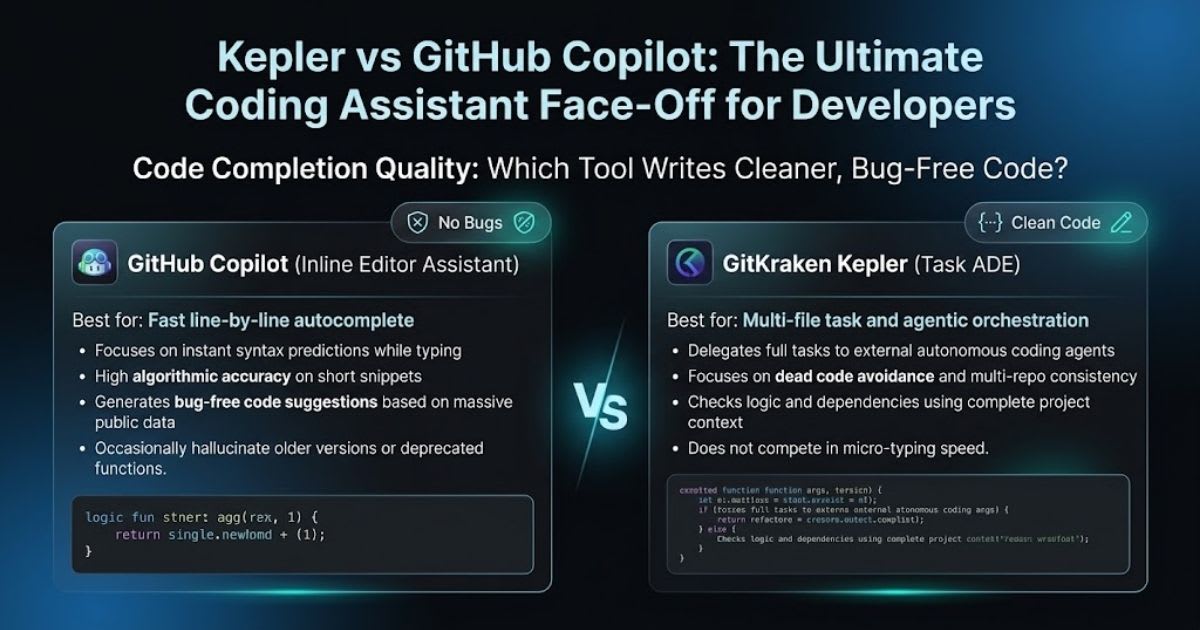
Code quality depends on the type of work you give to your assistant. Copilot uses high algorithmic accuracy to give fast multi-line suggestions as you type new logic. Kepler prevents dead code avoidance by running smart agents that review full features across multiple project files. Copilot gives quick line-by-line autocomplete to help you finish daily typing tasks. Kepler does not compete in tiny typing steps because it sends full jobs to agents. Both tools help you create bug-free code suggestions using solid code quality metrics.
[Your Task Request]
│
├──► GitHub Copilot ──► Line-by-Line
Autocomplete ──► Manual Git Commit
│
└──► GitKraken Kepler ──► Isolated Worktree Agent ──► Automatic Diff & PR
Full-Repository Context: How Well Do They Understand
Complex Projects?
Big projects need smart large
repository indexing to keep all parts working well together. Kepler gives you
deep workspace context awareness by running tasks in clean Git worktrees. Its
quick symbol search tracks shared code across backend and frontend repos at the
same time. Copilot reads your open tabs to guess what code you need next.
Kepler handles full Multi-file codebase understanding across all connected
project folders. This setup makes Context-aware code completion more accurate
when you build large features across many teams.
IDE Compatibility & Setup: Visual Studio Code,
JetBrains, and Beyond
Developer tools must fit your
daily setup without complex setup steps. GitHub Copilot offers great VS Code
extensions and smooth JetBrains plugin support. It fits your regular IDE
developer workflow with an easy one-click setup inside your code editor. You can
also run quick terminal tasks using Copilot CLI commands. Kepler connects your
favorite editors to top AI agents through open tools. Both systems offer an
inline AI chat box to answer coding questions right inside your editor screen.
Speed & Latency: Benchmarking Autocomplete
Response Times Under Heavy Load
Typing speed needs fast replies
without slow network lag. Copilot offers very low Real-time code suggestion
latency for single-line code predictions. Gray text appears on your screen in a
split second while you type standard functions and loops. Kepler works on full
task runs instead of single keystrokes. It runs heavy agent jobs in the
background without slowing down your main Git branch. Our LLM coding companion
benchmark shows Copilot wins for typing speed while Kepler finishes whole tasks
faster.
Refactoring, Debugging, and In-Line Chat: Who
Explains Code Better?
Fixing broken logic is easy when
your tools explain the issue clearly. Kepler helps with Intelligent code
refactoring across full project folders using step-by-step agent plans. It
speeds up Syntax error detection and debugging by testing code changes before
you merge anything. Copilot gives quick answers about old code directly in your
active editor chat. Developers love it for Automated unit test generation on
small single functions. It also takes care of basic boilerplate code generation
so you can focus on building core app features.
Data Privacy & Enterprise Security: Is Your
Proprietary Code Safe?
Engineering leaders must check
code telemetry compliance before using any AI assistant. You need to know how
your private project data gets handled and stored. Look at the security details
in the simple table below to see how each tool protects your code.
|
Security Area |
GitKraken Kepler |
GitHub Copilot |
|
Code Isolation |
Runs locally in Git worktrees per task |
Cloud proxy inside your active IDE |
|
Model Choice |
Connects private or public agents freely |
Hosted Microsoft and GitHub cloud models |
|
Code Review |
Live visual diff review before any commit |
Built-in enterprise policy filters |
Kepler keeps your code isolated to
block proprietary codebase training data sharing. Copilot provides an official
IP indemnification policy with verified SOC2 compliance. You can choose
on-premise vs cloud-based AI to keep enterprise data security high and follow
your data retention policy with open source license filtering.
Pricing, Free Trials, and Hidden Limits: Which
Offers Better Value?
Checking total costs helps
software teams find the best return on money spent. The regular GitHub Copilot
monthly pricing offers low-cost plans for solo coders and teams. You get
unlimited typing suggestions without complex limits during your daily work
hours. Kepler comes with clear free trial tier limits through GitKraken plans.
Teams checking the AI tool ROI for software engineers will find good value in
both options. Your final enterprise license cost depends on whether you buy
agent task seats or simple typing seats.
Kepler Pros & Cons: Where It Dominates and Where
It Falls Short
Kepler shines at running multiple
coding agents across many Git repositories. Its clean worktree system prevents
messy code breaks and speeds up code reviews. This clear Kepler vs GitHub
Copilot review shows Kepler is the top pick for big task management. However
Kepler is not a simple inline typing tool for single words. If you only want
fast line hints you will not need an agent tool. It needs good Git habits to
give your team its full daily workflow efficiency.
GitHub Copilot Pros & Cons: The Industry Standard's
Real Limitations
Copilot gives you fast setup and
instant autocomplete inside every major code editor. Its deep link with GitHub
makes it a natural tool for every developer. In this Kepler vs GitHub Copilot
comparison Copilot stands as the easiest choice for daily code typing help. Its
main limit is handling large tasks across several separate project
repositories. Copilot cannot run multiple background Git worktrees on its own.
You still have to switch branches by hand and test multi-file changes using
your own code quality metrics.
Final Recommendation: Which AI Coding Assistant
Should You Pay For?
Your best choice depends on what
slows down your development work the most. If you use many AI agents and fight
Git branch issues across repositories choose Kepler. This Kepler vs GitHub
Copilot test shows how smart task control fixes big repo headaches. If you want
fast typing help and quick chat answers inside your editor buy Copilot. It
gives top daily workflow efficiency and great value for money. Copilot leads
our developer productivity benchmark for simple pair programming while Kepler
wins for multi-agent project delivery.
Frequently asked questions
Can you use GitKraken Kepler together with GitHub Copilot?+
Yes, you can use both tools together in your daily workflow. Kepler manages multi-repo agent tasks in clean Git worktrees while Copilot provides fast inline code typing inside your editor.
Does GitKraken Kepler replace my code editor?+
No, Kepler does not replace your primary IDE or code editor. It works alongside your existing environment as an agent orchestration control plane to organize tasks safely.
Which tool is better for multi-repository software projects?+
Kepler is better for multi-repository projects because it coordinates autonomous coding agents across separate repos simultaneously. Copilot is limited primarily to your currently active files and open workspace tabs.
How does GitHub Copilot protect proprietary business code?+
GitHub Copilot protects business code through enterprise privacy policies, SOC 2 compliance, and public code match filters. Business tier agreements block user code from being used to train public AI models.
Is Kepler an AI code autocomplete tool like GitHub Copilot?+
No, Kepler is an Agentic Development Environment (ADE) designed for managing end-to-end coding tasks and agents. Copilot is an inline coding assistant built for real-time line-by-line syntax autocomplete.
Related articles
 Comparisons
Best AI SEO Tools in 2026: 10 Tools Compared & Evaluated
Compare the 10 best AI SEO tools in 2026 — Semrush, Ahrefs, Surfer, and more. Verified US pricing, features, pros and cons, and AI-search (AEO/GEO) visibility.
 Comparisons
ChatGPT vs Claude vs Gemini: which should you use?
A side-by-side comparison of the three leading AI assistants across writing, coding, reasoning and price.
 Comparisons
GitHub Copilot vs Cursor: Which AI Coder Wins in 2026?
GitHub Copilot vs Cursor compared for 2026 — pricing, agents, and IDE support. Find the AI coding assistant that fits your workflow.
New AI tool reviews, in your inbox.
Get new reviews and comparisons in your inbox. No spam, unsubscribe anytime.
Comments (0)
Be the first to comment.