Best AI Chatbots for Small Business: The Top Picks for 2026
Compare the best AI chatbots for small business in 2026 — pricing, features, and real results. Find the right fit for your team.
The best AI chatbots for small business compared on what they do, what they really cost per month, and how each one bills you. The tools: Tidio, ManyChat, Chatfuel, Landbot, Intercom, Zendesk, Tars, Agentforce, and Drift.
1. Introduction
Your customers do not wait for business hours anymore. They message at midnight, expect a fast answer, and move on if they do not get one.
That is the problem the best AI chatbots for small business solve. A good chatbot answers routine questions while you sleep, captures leads you would have missed, and hands the tricky cases to a human.
This guide compares the best AI chatbots for small business on three things: what each tool does, what it really costs, and how its billing behaves as you grow.
Who this guide is for
You run a small business and answer customer messages yourself, or with a tiny team. You sell online, book appointments, or run a service — and the same questions land in your inbox every day.
You do not need an enterprise platform. You need one tool that fits your main channel: your website, your social accounts, or your support inbox.
How this guide was made
This is a researched comparison of the best AI chatbots for small business. It is based on each vendor's published features and pricing pages.
It is not a hands-on test. No tool in this list was tested by us for this article.
Prices were checked on each vendor's own pricing page on 1 November 2026. Prices change often, so confirm the price at checkout before you subscribe.

2. Quick Verdict: Which Tool Should You Choose?
Each tool on this list of the best AI chatbots for small business wins a different job. There is no single winner — there is a winner per job.
Best budget all-rounder: Tidio
Live chat and an AI agent in one place, priced per account, not per seat. The easiest paid start for a small shop or service business.
Best for Instagram and WhatsApp sellers: ManyChat
Built for social DMs. If your customers live on Instagram or WhatsApp, this is the specialist.
Best for beginners: Chatfuel
A visual, no-code builder. If you have never built a bot before, this is the gentlest start.
Best for landing-page leads: Landbot
Turns dull forms into conversations. Strong when your whole job is capturing leads from one page.
Best for growing support teams: Intercom
A real support platform with a strong AI agent. It costs more, and it is built for teams that plan to grow.
Best for ticket-heavy teams: Zendesk
The support-desk heavyweight. Choose it when tickets, not simple chats, run your day.
Best if you already run Salesforce: Agentforce
Salesforce's own AI agents. Powerful inside that ecosystem — and only sensible inside it.
The one rule to remember
Pick by your main channel and by how the tool bills you. Do not pick the tool with the longest feature list.
3. The Best AI Chatbots for Small Business at a Glance
Prices for these tools are hard to compare at first sight. Some tools bill per seat, some per conversation, and some per contact.
The table below puts all ten side by side. Every price is labelled by how it is billed.
| Tool | Best for | Price | Free option | How it works |
|---|---|---|---|---|
| Tidio | Budget all-rounder, e-commerce | Starter $29/month billed monthly ($24.17/month billed annually) | Free plan: 50 conversations; Lyro AI 50 conversations one-time | Live chat plus Lyro AI agent, billed per account by conversations |
| ManyChat | Instagram & WhatsApp sellers | Essential $17/month billed monthly ($14/month billed annually) for 250 contacts; Pro $39 ($29 annually) for 2,500 contacts | Free plan: 25 active contacts | Social DM automation, billed per active contact |
| Chatfuel | Beginners, no-code | Business from $20/month billed monthly ($18/month billed yearly) | Free trial | Visual bot builder, priced by monthly AI credits |
| Landbot | Landing-page lead capture | Starter $45/month billed monthly ($36/month billed annually), 500 chats incl. 100 AI chats | Free plan: 100 chats/month, no AI chats | Conversational forms and WhatsApp bots, billed per chat volume |
| Intercom | Growing support teams | Essential $39/seat/month billed monthly ($29/seat billed annually), plus Fin AI from $0.99 per AI outcome | 14-day free trial | Support platform with the Fin AI agent, billed per seat plus usage |
| Zendesk | Ticket-heavy support teams | Suite Team $55/agent/month billed annually; Support Team $19/agent/month billed annually | 14-day free trial | Support desk with AI add-ons, billed per agent |
| Tars | High-ticket lead funnels, agencies | Premium from $499/month for 500 conversations/month | Free plan: 50 conversations/month | Conversational landing pages, billed by conversation volume |
| Agentforce | Businesses already on Salesforce | Flex Credits $500 per 100,000 credits; add-ons from $125/user/month | $0 Salesforce Foundations start | AI agents inside Salesforce, billed by consumption |
| Drift | B2B sales teams | Custom pricing only — no public prices | No free plan | B2B sales chat, quote-only |
| Slackbot | Internal teams only — not customer-facing | Included in Slack Business+ at $18/user/month billed monthly | Not in Slack's free plan | Your team's AI assistant inside Slack |
Prices checked: 1 November 2026, from each tool's own pricing page. Prices change often, so confirm the price on the checkout page before you subscribe.
Read the table as a map of the whole field. The sections below explain what each tool does with that money — and what the headline price leaves out.
4. What an AI Chatbot Can Do for a Small Business
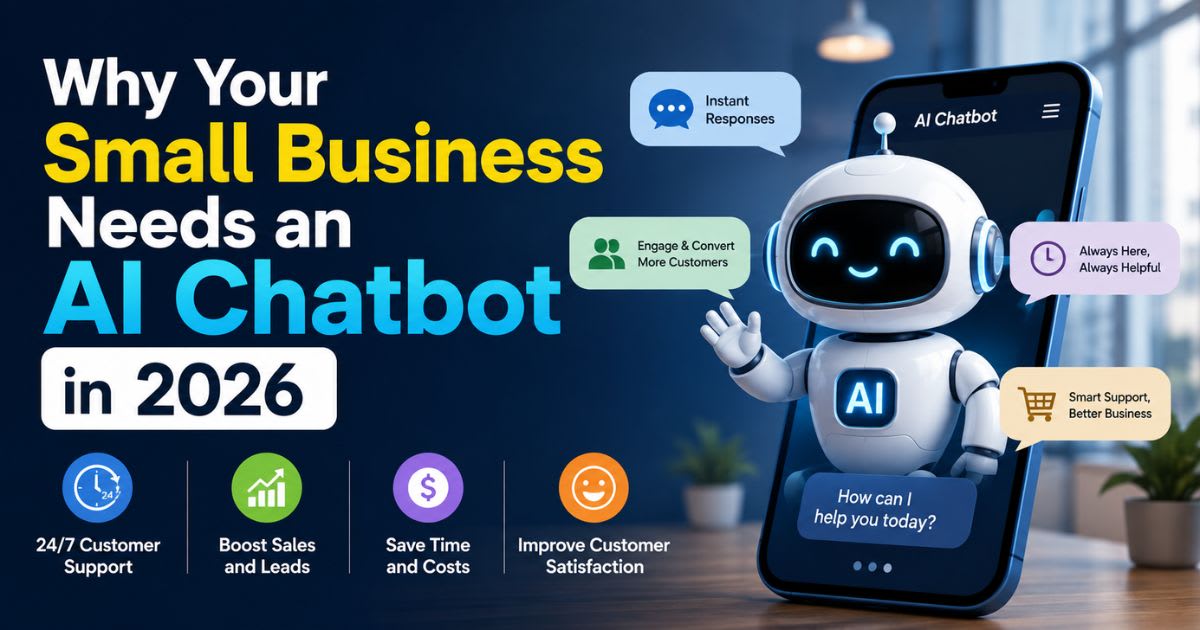
Good chatbots earn their money on repeat work. They do not replace your judgment, and they should never pretend to be human.
Answer questions around the clock
Most small-business chats are the same twenty questions: prices, hours, delivery, booking, returns. A chatbot answers those instantly, at midnight as well as noon.
Your team then spends its time on the questions that actually need a person.
Capture leads while you are busy
A chatbot can ask two or three smart questions, take a name and number, and save the lead for you. That beats a contact form that nobody fills in.
For online stores, it can also nudge a visitor back to an abandoned cart. If e-commerce is your main channel, our guide to the best AI tools for e-commerce covers the wider toolkit.
Book appointments and confirm them
Service businesses use chatbots to offer slots, confirm bookings, and send reminders. Fewer phone calls, fewer missed appointments, no extra software for the customer to learn.
Handle social DMs at scale
If you sell through Instagram or WhatsApp, the chat is your shop floor. Automation there answers product questions, sends links, and follows up — in the app your customers already use.
A chatbot is one part of a small-business AI setup. Our pillar guide to AI tools for small business shows where it sits alongside marketing, accounting, and admin tools.
5. The Tools, One by One
The best AI chatbots for small business below cover different jobs. Two are support platforms, most are specialists, and two are enterprise tools that we label honestly.
Tidio — best budget all-rounder
Tidio combines live chat, a help desk, and its Lyro AI agent in one dashboard. It is built for small shops and service businesses that want humans and AI in the same inbox.
Pricing
The free plan covers 50 billable conversations, and the first 50 Lyro AI conversations are free — once, not every month. Starter costs $29/month billed monthly ($24.17/month billed annually) for 100 billable conversations. Growth starts at $59/month ($49.17 billed annually) from 250 conversations.
Ongoing AI answers need the Lyro add-on, from $39/month ($32.50 billed annually). Prices are per account, not per seat — self-serve plans include up to 10 seats.
Who it suits — and one limit
It suits owners who want one affordable tool for website support. The limit is the AI allowance: on the lower plans the included Lyro conversations are a one-time starter amount, so a busy site will need the add-on.
ManyChat — best for Instagram and WhatsApp sellers
ManyChat automates Instagram, WhatsApp, and Messenger conversations. It is the tool social sellers reach for when DMs are their main sales channel.
Pricing
ManyChat bills by active contacts — the people you interact with each month. The free plan now covers only 25 active contacts. Essential costs $17/month billed monthly ($14 billed annually) for 250 contacts.
Pro costs $39/month ($29 billed annually) for 2,500 contacts, and Business costs $99/month ($69 billed annually) for 7,500.
Past your allowance, each extra contact costs a few cents or less, depending on the plan. A 14-day free trial covers Essential and Pro.
Who it suits — and one limit
It suits businesses that sell through social apps. The limit is the billing model itself: your price grows with your audience, and WhatsApp adds Meta's own conversation fees on top (see Section 7).
Chatfuel — best for beginners
Chatfuel is a visual bot builder for Facebook, Instagram, WhatsApp, and websites. You drag blocks together instead of writing logic, which makes it a gentle first bot.
Pricing
Chatfuel now prices its plans by monthly AI credits: the plan price equals the credit amount. Business plans run from $20/month billed monthly ($18 billed yearly) for $20 of AI credits, up to $500/month for $500 of credits. Agency plans start at $100/month.
A free trial with a starting balance is offered; the pricing page does not state its length. Every plan includes the AI chatbot, a shared team inbox, and a built-in CRM.
Who it suits — and one limit
It suits first-time builders who want a working bot this week. The limit is predictability: because you pay in credits, your real monthly cost depends on how much your customers chat.
Landbot — best for landing-page leads
Landbot turns forms into conversations. Instead of a static form, visitors answer one friendly question at a time — on a landing page, or inside WhatsApp.
Pricing
The free plan is free forever: 100 chats a month, one seat, but no AI chats. Starter costs $45/month billed monthly ($36 billed annually) for 500 chats, including 100 AI chats, with extra chats at $0.05 each.
Professional costs $110/month ($88 billed annually) for 2,500 chats and removes Landbot's branding. The WhatsApp version of Professional costs $220/month ($176 billed annually).
Prices are in dollars outside the EU and euros inside it. A 14-day trial includes everything, then drops you to the free plan.
Who it suits — and one limit
It suits businesses whose main job is capturing leads from ads or a landing page. The limit is cost at volume: if you need WhatsApp plus high chat volume, the bill climbs quickly.

Intercom — best for growing support teams
Intercom is a full support platform — inbox, help center, and the Fin AI agent — aimed at teams that expect to grow. Among all the tools here, it is the one that behaves most like a support department.
Pricing
Intercom bills per seat, plus usage. Essential's list price is $39 per seat/month billed monthly, or $29 per seat/month billed annually. New customers currently pay less — $29 monthly or $19 annually per seat — but treat that as an introductory price, not the standard one.
Advanced costs $99 per seat/month billed monthly ($85 billed annually). On every plan, Fin's AI answers cost from $0.99 per AI outcome on top of the seat price. A 14-day free trial needs no credit card.
Who it suits — and one limit
It suits support teams with several agents and a help center worth automating. The limit is stacking: seats plus per-outcome AI charges means a busy three-person team pays far more than the headline seat price (Section 7 shows the maths).
Zendesk — best for ticket-heavy teams
Zendesk is the long-running support desk. If your business lives on tickets, email queues, and several agents, this is the heavyweight option.
Pricing
Prices are per agent, shown on annual billing. Support Team costs $19 per agent/month. Suite Team costs $55 per agent/month, and Suite Professional $115.
The Copilot AI add-on costs another $50 per agent/month.
A 14-day free trial starts on Suite Professional. Monthly-billing prices are higher than the annual figures shown on the pricing page.
Who it suits — and one limit
It suits teams where support is a department, not a side task. The limit is fit: for a one-person business that just needs website chat, Zendesk is more platform than you will ever use.
Tars — best for high-ticket lead funnels
Tars builds conversational landing pages — chat-style pages that qualify leads for services like coaching, agencies, and finance. It is a favourite of agencies building funnels for clients.
Pricing
The free plan covers 50 conversations a month. Paid pricing is by conversation volume: Premium starts at $499/month billed monthly ($4,999 billed yearly) for 500 conversations a month, and rises with volume. Enterprise pricing is custom.
Who it suits — and one limit
It suits businesses where one lead is worth a lot of money. The limit is obvious: at $499 a month, Tars is not a micro-budget tool, whatever its landing pages promise.
Agentforce — best if you already run Salesforce
Agentforce is Salesforce's AI agent platform. Its agents work inside Salesforce, pulling on your customer records to answer questions and complete tasks.
Pricing
Agentforce is billed by consumption. The current model is Flex Credits: $500 buys 100,000 credits, and Salesforce's own example prices a standard action at 20 credits — about $0.10. Add-on licences for existing Salesforce clouds start at $125 per user/month, and Salesforce Foundations lets existing customers start at $0.
Salesforce no longer publishes a simple per-conversation price for new customers. If an older roundup quotes you one, it is out of date.
Who it suits — and one limit
It suits established businesses already deep in Salesforce. The limit is the ecosystem itself: Agentforce makes little sense as a first chatbot for a business that does not run Salesforce.
Drift — a B2B sales tool, priced by quote
Drift, now part of Salesloft, is a sales chat tool built for B2B teams: it spots target accounts visiting your site and routes them to a salesperson.
Pricing
There is no public pricing. Both the old Drift pricing page and Salesloft's pricing page now lead to a sales call. So no plan prices can be verified — including the figures older articles quote.
Who it suits — and one limit
It suits mid-size B2B sales teams with account-based marketing. The limit for readers of this guide is simple: most small businesses are not Drift's market, and a tool with no public price is rarely a small-budget tool.
One internal tool, not a customer chatbot: Slackbot
Slackbot appears in many roundups of the best AI chatbots for small business, but it does not talk to your customers. It is your own team's AI assistant inside Slack — it summarises channels and answers internal questions.
On Slack's pricing page, Slackbot is included in the Business+ plan ($18 per user/month billed monthly) and above, not in the free or Pro plans. Buy it for internal work if your team lives in Slack — just do not count it as customer support.
Related reading: Dante AI review.
6. Best Tools by Job
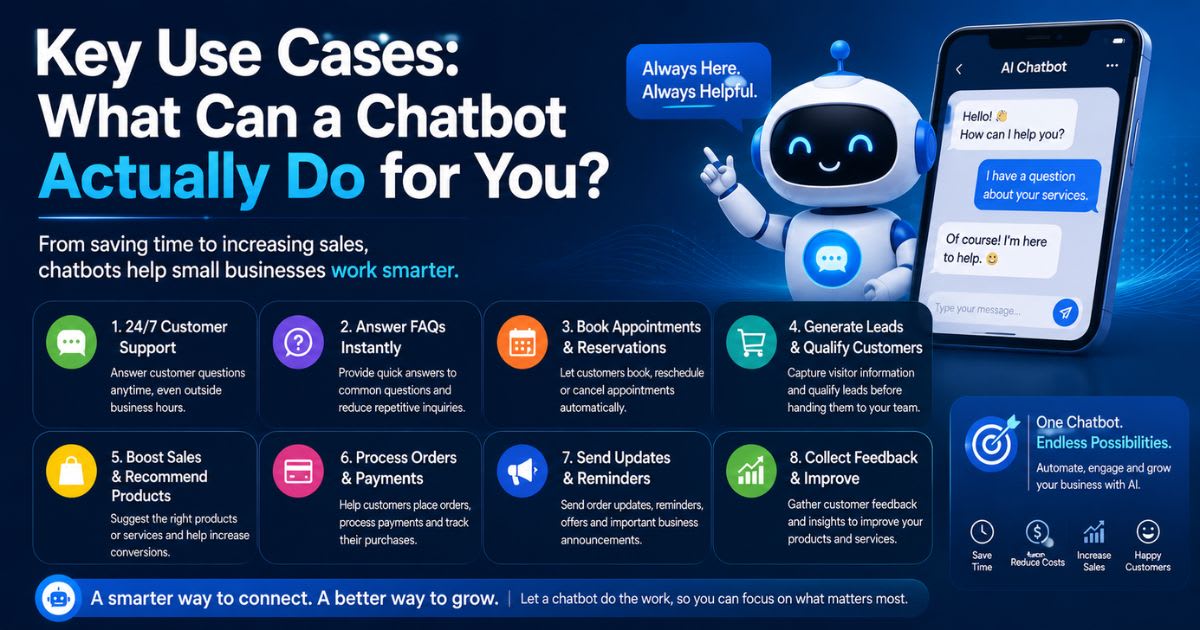
If you already know your main job, start here. The tools split cleanly by the work they do best.
For website customer support
Start with Tidio if budget matters, or Intercom if your team and ticket volume are growing. Both keep humans and AI in one inbox, with a clean handoff when the bot is stuck.
For sales and lead capture
Landbot wins for landing pages and lead forms. Tars wins when each lead is valuable enough to justify its price. Drift belongs to B2B sales teams with named target accounts.
For Instagram and WhatsApp selling
ManyChat is the specialist, with Chatfuel as the simpler alternative for beginners. Budget for Meta's WhatsApp conversation fees on top of either tool.
Related reading: AI marketing tools for small businesses.
For ticket-heavy support desks
Zendesk is the safe heavyweight. Intercom is the better pick when you want the AI agent to resolve questions, not just organise them.
For businesses already on Salesforce
Agentforce is the natural choice — it is the only tool here that works natively inside your CRM. Every other tool on this list would sit beside Salesforce, not inside it.
7. Hidden Costs and Billing Traps
The headline price of the best AI chatbots for small business is rarely the price you pay. These are the traps that catch small teams.
Trap 1: Per-seat pricing multiplies quietly
A $29 seat sounds small. Three seats on Intercom Essential at the annual list price cost $87/month before the AI answers a single question.
Add Fin's AI outcomes — say 200 resolved outcomes at $0.99 — and the same team pays about $285 that month. On monthly billing the seats alone would be $117.
Trap 2: "Free AI" that runs out
Several free plans include AI only as a starter taste. Tidio's free and Starter plans include 50 Lyro AI conversations once, not monthly. Landbot's free plan includes no AI chats at all.
A free plan is still a good test. Just know which line in the table is a monthly allowance and which is a one-time sample.
Trap 3: WhatsApp charges twice
If your bot runs on WhatsApp through ManyChat or Chatfuel, Meta charges its own fee per 24-hour conversation window, on top of your software subscription. The fee varies by country and by conversation type.
For a busy WhatsApp seller, that second bill is real money. Check Meta's current rates for your country before you commit.
Trap 4: Branding removal and add-ons
Free and entry plans often carry the vendor's badge on your chat widget. Removing it usually means a higher plan — Landbot, for example, removes branding at Professional ($110/month billed monthly).
AI itself is also an add-on in several tools: Tidio's Lyro add-on starts at $39/month, and Zendesk's Copilot add-on is $50 per agent/month.
What a real setup costs: three examples
A solo shop owner can start on Tidio's free plan at $0. When AI volume grows, Starter ($29/month) plus the Lyro add-on ($39/month) totals $68/month — still per account, with seats included.
A three-person support team on Intercom Essential pays about $285/month in the Trap 1 example: $87 for seats on annual billing, plus roughly $198 for 200 AI outcomes.
A social seller on ManyChat Pro pays $39/month billed monthly for 2,500 active contacts ($29/month billed annually). Growth to 7,500 contacts moves them to Business at $99/month ($69 billed annually) — plus WhatsApp fees if that is their channel.
8. How to Choose AI Chatbots for Small Business
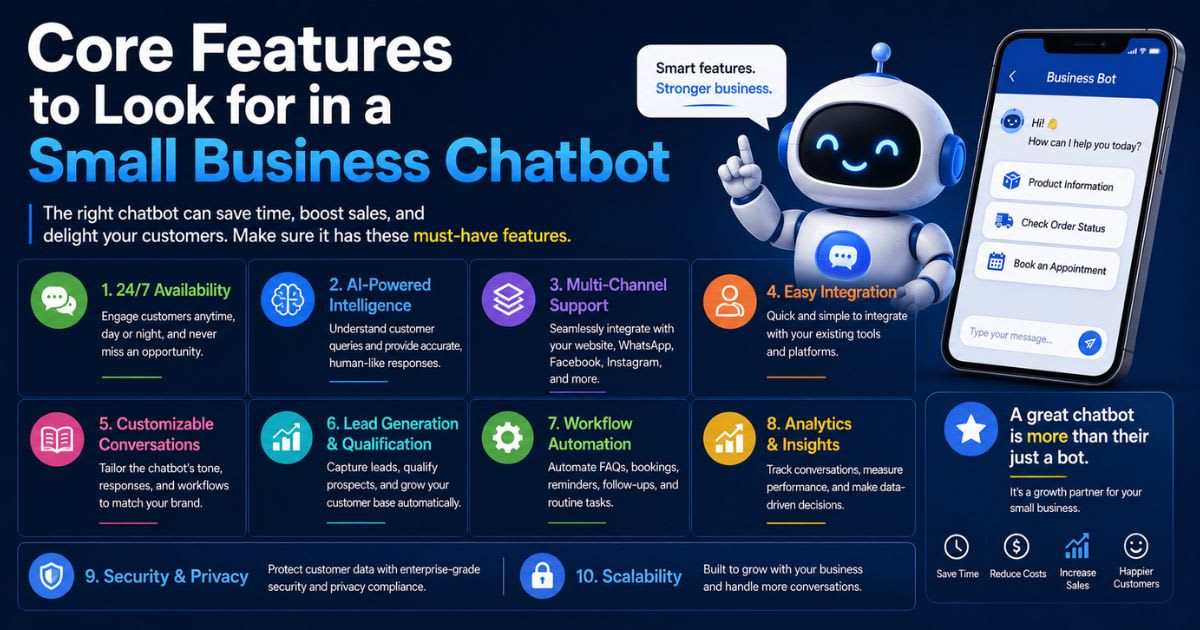
Work through these four steps and the right tool usually picks itself.
Step 1: Start with your channel
Where do customers actually message you? Website visitors point to Tidio, Intercom, or Zendesk.
Instagram and WhatsApp point to ManyChat or Chatfuel. A landing page points to Landbot or Tars.
Step 2: Count what you will be billed for
Each billing model counts something different: seats, conversations, contacts, chats, or AI outcomes. Estimate your real monthly number for that unit before you compare prices.
Step 3: Test on the free plan or trial
Every tool here except Drift offers a free plan or a trial. Run it on your real questions for a week. A bot that fails on your own FAQs will not improve on a paid plan.
Step 4: Compare the total, not the headline
Add the plan, the AI add-on or outcomes, and any channel fees together. That total — not the "from" price — is what these tools will actually cost you.
9. Common Mistakes
Most chatbot disappointments come from setup choices, not from the tools. These are the mistakes we see repeated.
Buying a per-seat suite for a one-person business
If you are the whole support team, a per-seat support platform is wasted money. Start with a per-account tool like Tidio, or a free plan, and upgrade when a second person joins.
Launching with no human handoff
A bot that cannot hand over to a person will trap an angry customer in a loop. Every tool here can pass a chat to a human — set that path up on day one, and make it obvious.
Feeding the bot nothing real
An AI bot is only as good as the material it answers from. Give it your real prices, policies, and top questions. A bot trained on guesses will repeat those guesses to customers.
Hiding that it is a bot
Tell customers they are talking to a bot, and offer a human option. It builds trust, and it avoids the awkward moment when a customer realises they were misled.
Ignoring WhatsApp's second bill
As Section 7 explains, WhatsApp automation carries Meta's own conversation fees. Businesses that skip this check get a surprise at the end of the month.
10. Your First Chatbot: A One-Week Setup Plan
You do not need a developer for any of these tools. This plan gets a simple, honest bot live in a week.
Day 1: Pick one goal
Support or sales — choose one. A bot that tries to do everything on day one usually does nothing well.
Day 2: Collect your top 20 questions
Pull them from old emails, DMs, and chat logs. Write the answers in your own words, exactly as you would say them to a customer.
Related reading: automate your inbox with AI.
Day 3: Build on one channel
Connect the tool to one channel only — usually your website, or your main social account. Load your 20 questions and answers.
Day 4: Test it like a customer
Ask your own questions badly: typos, shortcuts, half-sentences. Fix every answer that sounds wrong, robotic, or too confident.
Days 5–7: Watch it daily
Read every conversation for the first week. You will find gaps you did not expect — a question you never listed, a policy you stated two ways. Fix them the same day.
Before you expand
Only add a second channel, or a paid plan, when the first channel runs cleanly for a few weeks. Growth on top of a shaky bot just multiplies the mess.
11. Chatbots vs AI Agents: What Is the Difference?
The short version: a chatbot answers, an agent acts.
A traditional chatbot works from your content and rules. It answers questions, captures details, and follows the flows you built. Ask something outside that material and it should hand over to a human.
An AI agent goes further. Given permission, it can look up an order, process a refund, or update an account while it chats. Intercom's Fin and Salesforce's Agentforce work this way.
For most small businesses, the answer is sequence, not either/or. Start with a chatbot on your top questions. Move toward an agent when "answering" stops being the bottleneck and "doing" becomes the bottleneck.
12. Final Verdict
There is no single winner among the best AI chatbots for small business, because small businesses do not share one problem.
If you sell through your website on a budget, start with Tidio. If you sell through Instagram or WhatsApp, start with ManyChat. If you are a beginner who wants a bot live this week, start with Chatfuel — and if leads from one page are your whole game, look at Landbot.
If support is a growing team effort, Intercom earns its higher price. If tickets already run your business, Zendesk is the safe heavyweight. Agentforce belongs to Salesforce businesses, Tars to high-ticket funnels, and Drift to B2B sales teams — three good tools that most small businesses should skip.
Whichever you choose, judge it the same way: total monthly cost at your real size, a free test on your real questions, and a human handoff that always works. The best AI chatbots for small business are not the ones with the longest feature lists. They are the ones your customers stop noticing, because their questions simply get answered.
Frequently asked questions
Which AI chatbot is best for business?+
Choose by your main channel and billing model. Tidio suits budget website support, while ManyChat suits Instagram and WhatsApp selling. Intercom fits growing support teams, and Agentforce is sensible for businesses already using Salesforce.
What are the top 5 AI chatbots?+
There is no universal top-five ranking in this comparison. Tidio, ManyChat, Chatfuel, Landbot, and Intercom cover different specific customer-facing jobs, from website support to social selling and lead capture. Zendesk, Tars, Agentforce, and Drift suit other setups described in the guide.
Is there a better chatbot than ChatGPT?+
ChatGPT is a general-purpose AI assistant, not the same as a dedicated business-support platform. This guide points to Tidio for budget website support and Intercom for growing support teams. Choose a tool for your actual customer channel and workflow, rather than treating every chatbot as interchangeable.
What are the best AI chatbots for free?+
Tidio, ManyChat, Landbot, and Tars offer free plans, but their allowances differ. Free live chat does not always include ongoing AI answers. Slackbot is an internal assistant included from Slack Business+, not in Slack's free plan; it is not a free customer chatbot.
Is there a free AI chatbot that has no restrictions?+
No. Every free option has limits, so count the unit the tool bills for before you commit. ManyChat's free plan covers 25 active contacts, and Landbot's free plan includes no AI chats. Check the allowance against your own monthly workload.
Related articles
 AI for Business
Best AI Tools for Small Business That Pay for Themselves
Best AI tools for small business that pay for themselves fast — real picks for marketing, support, and accounting.
 AI for Business
Best AI Tools to Apply for Jobs: Apply Faster In 2026
Find the best AI tools to apply for jobs in 2026. Tailor resumes, track applications, and apply faster with these top picks.
 AI for Business
Best AI Virtual Staging Tools in 2026: Real Estate Guide
Transform empty listings with AI virtual staging. Add photorealistic furniture in seconds to attract buyers and sell homes faster.
New AI tool reviews, in your inbox.
Get new reviews and comparisons in your inbox. No spam, unsubscribe anytime.
Comments (1)
Nexversal Admin
Aug 23
good