Dante AI Review 2026: I Tested This AI Chatbot Platform
I tested Dante AI on the Pro plan. This Dante AI Review covers chatbot setup, lead capture, voice calls, model credits, pricing, and the limits I found.
Many website owners want a chatbot that answers visitors for them. I wanted to know if it really works, so I tested Dante AI on the Pro plan. Can you test it without adding it to your site? Does it learn from files? Can it collect leads? Which AI models can you choose? How good is the voice agent? I tested each part myself and checked the dashboard. I used real questions and real calls, not just the settings page. In this Dante AI Review, I share my real results, my problems, and the full prices. I also list what I did not test. Read the verdict before you pay.
Dante AI Review Verdict
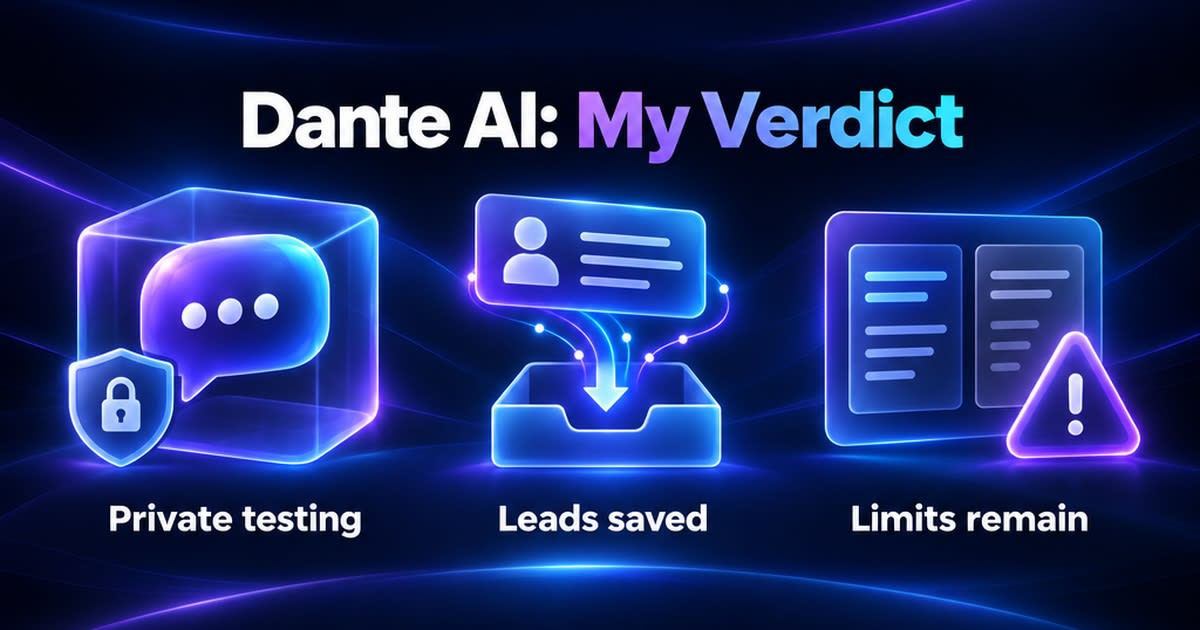
Overall, Dante AI is a good tool for the tasks I tested. I liked it. I could test my AI privately without adding the chatbot to my site. The inbox, insights, and model choice were useful too.
But it is not perfect. Some parts still say "Coming Soon." The compare view also would not scroll for me. This Dante AI Review covers only what I tried myself. Start with the free plan before you pay.
| What I liked | What I did not like |
|---|---|
| Private test with just a website URL | Compare view would not scroll for me |
| Choice of Claude, GPT, and Gemini models | Phone number purchasing is Coming Soon |
| Inbox saves leads and full chat history | Email Management shows Coming Soon |
| Insights show top questions and response time | Free plan shows only a few inbox messages |
What Is Dante AI?
Dante AI is a platform for building AI agents. The agent learns from your own content. Then it answers customer questions.
It has a website chatbot and a separate voice agent. There are also two names you should not mix up.
- Dante AI: The main platform where you build and manage agents.
- Dante AI Echo: The official WordPress plugin. I did not test it.
- Embed code: Works for custom-coded websites. I used this method.
For a broader shortlist, see our guide to AI tools for small business.
Dante AI Pricing and Plans
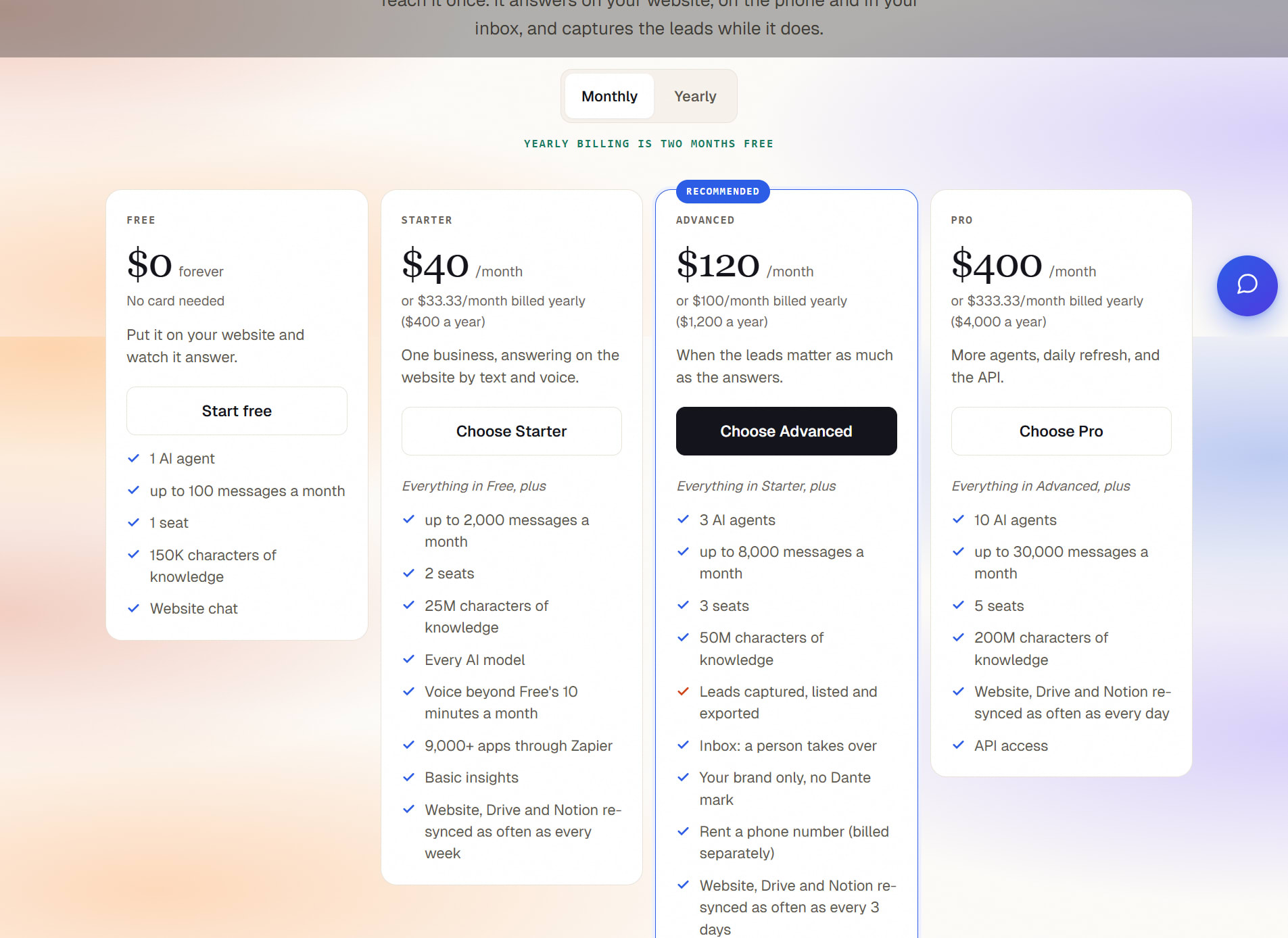
Dante has a free plan and three paid plans. Here are the full prices for this Dante AI Review. Every message uses credits. The cost depends on the AI model you pick.
| Plan | Monthly price | Monthly credits | AI agents | Team seats |
|---|---|---|---|---|
| Free | $0 | 100 | 1 | 1 |
| Starter | $40 | 2,000 | 1 | 2 |
| Advanced | $120 | 8,000 | 3 | 3 |
| Pro | $400 | 30,000 | 10 | 5 |
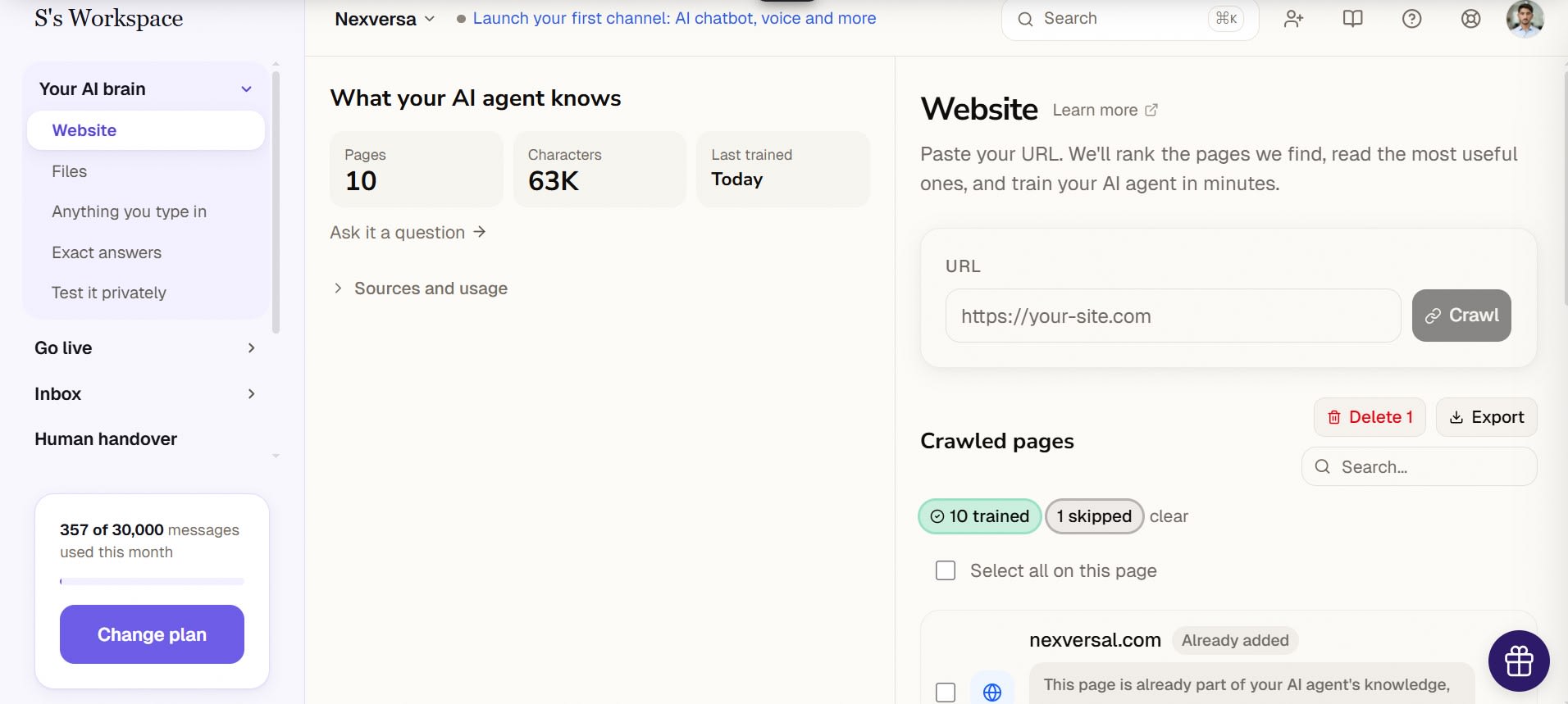
I used the Pro plan. After my tests, my dashboard showed 357 of 30,000 credits used this month. Dante's pricing page says lead capture and human handover start from Advanced. Pro adds API access. Voice works on every plan — Free includes 10 minutes a month, and paid plans include more.
On yearly billing, Dante gives two months free: Starter costs $33.33 a month, Advanced $100 a month, and Pro $333.33 a month, billed once a year.
Knowledge limits are also different by plan: Free allows 150K characters, Starter 25M, Advanced 50M, and Pro 200M.
Prices checked: 6 November 2026
How I Tested Dante AI
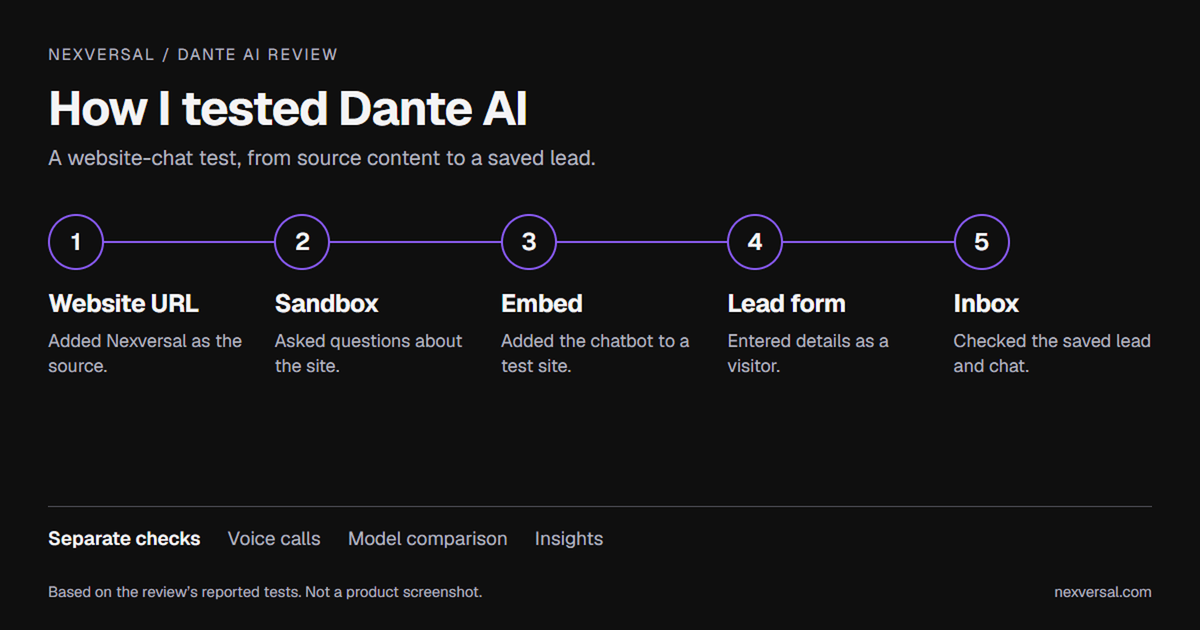
Test-workflow illustration based on my reported checks, not a Dante dashboard screenshot.
I gave Dante AI a real job. I added my Nexversal website and checked how it answered. Then I put the chatbot on a custom-coded test site with the embed code.
| Test | What I did | What happened |
|---|---|---|
| Sandbox | Gave my website URL and asked questions | It answered about my site |
| Website chatbot | Pasted the embed code on my test site | Chatbot showed up |
| Lead form | Filled the form as a visitor | Lead reached my inbox |
| Voice agent | Made three short test calls | Calls saved with text |
| Model compare | Asked two models one question | Both answered, but no scroll |
| Insights | Opened the report page | Saw questions and speed |
Test Dante AI Privately Without Your Website
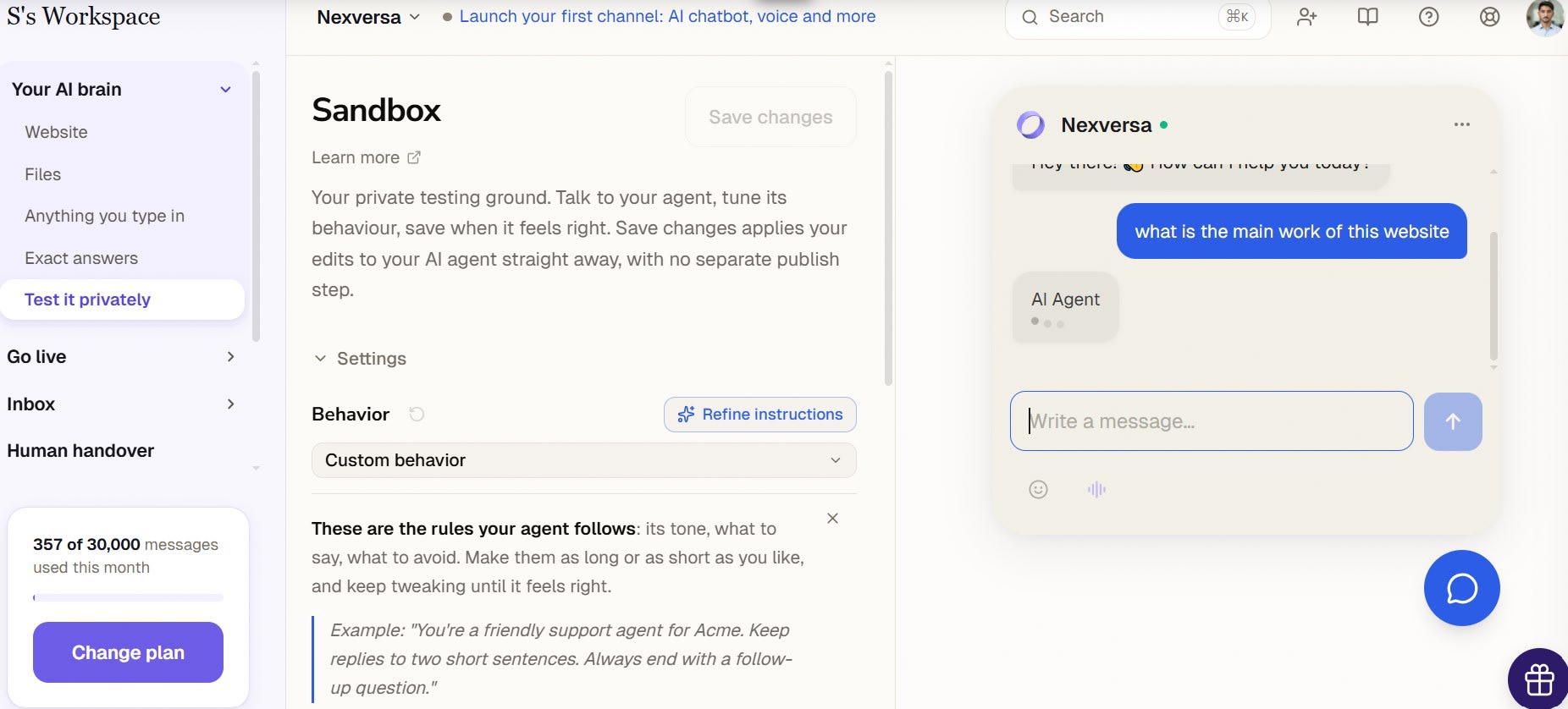
You do not need to add the chatbot to your site to test it. Give Dante your website URL. Then ask questions in the Sandbox. The agent answers using that website. This was the easiest part of my Dante AI Review.
Dante saves these chats too. In my conversations list, Sandbox chats and website chatbot chats showed up in the same place. Each one had a label.
How You Teach the AI
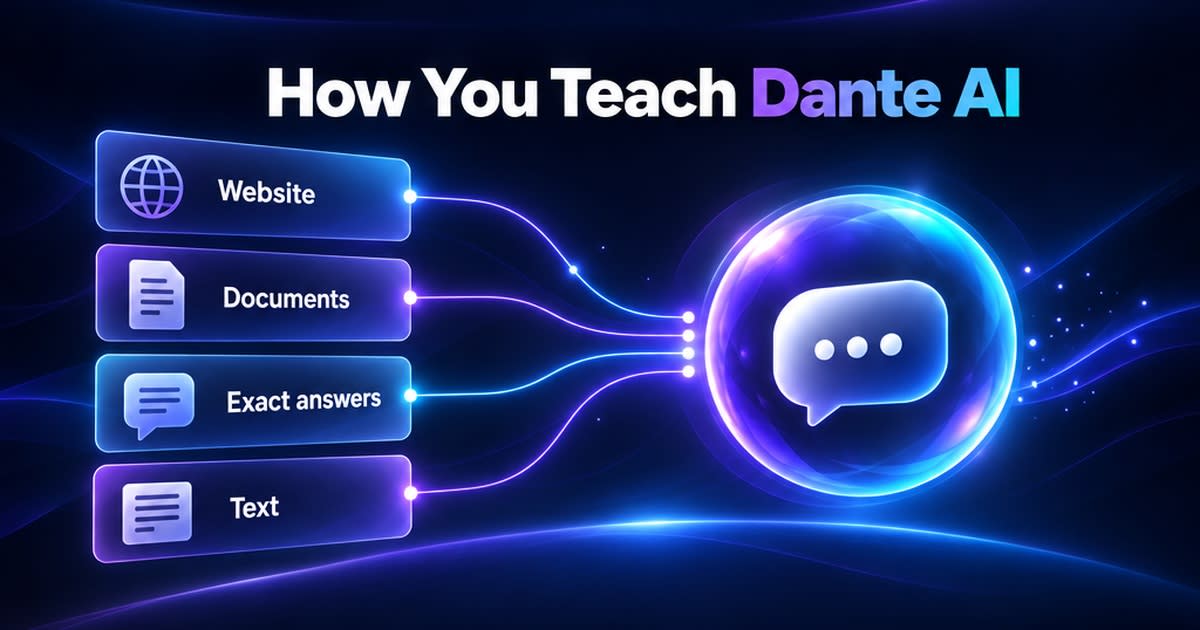
You can add more than a website. Here is what I found in the dashboard.
- Website: Add a URL and Dante learns from it.
- Documents: Upload a file. Then ask the agent what is inside it.
- Exact answers: Add a question and your own answer. For example, add "What are your business hours?" with "We are open Monday to Friday." The agent gives that answer instead of making one up.
- Text: Add a title and content. For example, the title "Shipping policy" with "We offer free shipping on all orders over $50. Standard delivery takes 3-5 business days."
You can also write your own instructions for the agent. The box showed a 6,000 character limit. You can add a custom welcome message too. It shows up in the chatbot.
If answering questions from uploaded sources is your main goal, our Gemini Notebook review covers a separate research-focused tool.
Which AI Models Can You Choose?
On the Pro plan, I could pick Claude, GPT, and Gemini models. On the free plan, I used GPT-5.4 Nano. The Versatile and Most powerful models showed a lock icon there.
| Group | Credits per message | Models I saw |
|---|---|---|
| Fast and cost-efficient | 1 | GPT-4o Mini GPT-5.4 Nano |
| Fast and cost-efficient | 2 | Gemini 3.1 Flash-Lite Gemini 2.5 Flash GPT-4.1 Mini |
| Fast and cost-efficient | 5 | Gemini 3 Flash GPT-5.4 Mini Claude Haiku 4.5 GPT-5.6 Luna |
| Versatile and highly intelligent | 10 | GPT-5 GPT-5.1 GPT-5.2 GPT-5.4 GPT-4.1 GPT-4o GPT-5.6 Terra Gemini 3.1 Pro Gemini 2.5 Pro |
| Versatile and highly intelligent | 15 | Claude Sonnet 4.6 |
| Most powerful at complex tasks | 25 | Claude Opus 4.6 Claude Opus 4.7 GPT-5.5 GPT-5.6 Sol |
This matters for your credits. One reply from Claude Opus costs 25 times more than one reply from GPT-5.4 Nano. Pick the model with care.
For background on the providers, read our ChatGPT vs Claude vs Gemini comparison. Model choice is also part of managing single AI provider risk.
Compare Two Models: My Scroll Problem
Dante lets you compare two models on the same question. I compared Claude Sonnet 4.6 and GPT-4o Mini. I asked about my website. Sonnet asked me which website I meant. GPT-4o Mini answered right away.
Then I hit a problem. Both answers appeared, but the panels would not scroll. I could not read the long answers. I am not sure why. It may be my screen or a bug.
Dante AI Lead Capture and Inbox: My Actual Test
In my Dante AI Review test, I turned on lead capture. The chatbot answered my first message normally.
When I sent a second message, an optional lead-capture form appeared inside the chatbot. I could fill in my details and submit it.
If I did not want to share my details, I could close the form with the X button and continue chatting. Submitting the form was not required to keep the conversation going.
After I submitted the form in my test, the lead went straight to my Inbox. The Inbox also kept the full chat history.
- Inbox: Shows every chat from the chatbot, with the full history.
- Contacts: A person appears here when they first talk to an agent or leave their details.
- Leads: The details a visitor typed into the form land here.
- Free plan: The Inbox showed only a few messages. Full history needs an upgrade.
Dante's documentation adds more. A form can have up to three fields. You can export leads as CSV, JSON, or PDF. I did not test these.
For the wider marketing workflow, see our guide to AI marketing tools for small businesses.
Human Handover
The page says a handover happens when Dante cannot answer, or when a visitor asks for a person. The chat then lands here for your team. You can reply from this page.
If your plan does not include it, the page shows an Unlock message with an Upgrade button. In my setup, handover was switched off. So I did not test a live handover.
Insights: What the Report Showed
The Insights page shows what visitors asked and what the AI could not answer. These are the numbers I saw.
| Report | What I saw |
|---|---|
| Conversations | 2 in the last 30 days |
| Median response time | 3.6 seconds over 5 replies |
| Assumed resolution | Blank. It is not measured while human handover is off. |
| Knowledge gaps | "No gaps found." Unanswered questions would land here. |
| Top questions | Two questions, both marked Answered |
| Satisfaction survey | Off. You switch it on in Deploy. |
Popular topics shows the questions visitors ask most. These come from your own website visitors. The agent does not make them up.
I also tested a question my website cannot answer. I asked if Nexversal sells a sponsored comparison article, and what the exact price, publishing time, and number of revisions would be. None of that is published on my site. The agent did not invent an answer. It said it had no information about sponsored packages, prices, timelines, or revision policies. Instead, it gave the contact email and the contact page from my site. That is the right behaviour. When the answer is not in its knowledge, it says so.
Dante AI Voice Agent: A Separate Test
For this Dante AI Review, I made three test calls to the voice agent. In total, they lasted about five minutes. The dashboard lists each call under Voice conversations.
| Call date | Length | Turns |
|---|---|---|
| Nov 2 | 1 min | 2 |
| Oct 28 | 4 min | 14 |
I could open each call and read the text. The Nov 2 call showed the agent saying it was an AI assistant. Then it greeted me as Nexversal.
The Phone numbers page says number purchasing is Coming Soon. It offers a Request a number link. The Phone line text says callers' minutes use your workspace credits. I did not test a real phone number.
Other Things I Found
- Calendar tools: The Tools area lists Cal.com, Calendly, Google Calendar, and Outlook. I did not connect any.
- Email Management: It showed Coming Soon, so I could not test it.
For a separate look at email workflows, see our guide to automating your inbox with AI. This is not a feature tested in Dante.
What I Have Not Tested Yet
I did not test everything. I will update this review when I test more.
- Dante AI Echo on a WordPress website
- Calendar integrations and real bookings
- Email Management
- Live human handover
- A real rented phone number
- Credit use for each model
- Chatbot answers on other types of websites
Who Should Use Dante AI?
Dante AI suits website owners who want a chatbot trained on their own content. It helps if you want to collect leads and read what visitors ask.
In my account, Email Management and phone number purchasing were still marked Coming Soon, so I could not test those features. This Dante AI Review shows what I tested, nothing more.
Store owners can also compare AI tools for ecommerce. If you work alone, our AI toolkit for solopreneurs and freelancers covers the wider tool stack.
Pros and Cons
Everything below comes from my own tests.
Pros
- Private testing: I tested with only my URL in the Sandbox.
- More than a website: You can add files, exact answers, and text.
- Model choice: Claude, GPT, and Gemini models on the Pro plan.
- Lead form works: My test lead reached the Inbox.
- Useful reports: Insights show questions, gaps, and response time.
- Voice calls saved: I could read the text of each call.
Cons
- Scroll problem: The compare view would not scroll for me.
- Coming Soon: Phone number purchasing and Email Management.
- Free plan limits: Few inbox messages, and locked models.
- Credits vary: One message costs 1 to 25 credits.
Frequently asked questions
Is Dante AI free?+
Yes. The free plan gives 100 credits each month, one agent, and one team seat. I used GPT-5.4 Nano on it.
Can I test Dante AI without adding it to my website?+
Yes. Give Dante your website URL and ask questions in the Sandbox. You do not need the embed code for this.
Can I upload files to Dante AI?+
Yes. You can add documents as well as websites. Then you can ask the agent about the file.
Where do I see my leads?+
Leads reach your Inbox, Contacts, and Leads pages. I saw my test lead after I filled the form.
Does Dante AI have a voice agent?+
Yes. I made three test calls, about five minutes in total. The dashboard saved the text of each call.
Can I buy a phone number in Dante AI?+
Not yet in my account. The page says number purchasing is Coming Soon. You can use Request a number.
Which AI texting bot is the best?+
There is no single best AI texting bot for everyone. ManyChat is the best all-round pick for most small businesses, because it handles SMS together with Instagram, WhatsApp, and Messenger from one place. Podium suits local businesses that depend on customer texts and reviews, while Attentive is built for large e-commerce brands with bigger budgets. The right choice depends on where your customers already talk to you.
Does Dante AI have good chatbots?+
Yes, based on my test. I trained Dante AI on my Nexversal website, and it answered questions from that content in the Sandbox and on my test site. The lead form also worked — my test lead reached the Inbox with the full chat history. I also liked that when I asked about something my site does not publish — sponsored article prices — the chatbot did not invent an answer. It said it had no information and pointed me to the contact page. The chatbot quality will still depend on the content you train it on and the AI model you choose, and my test covered one website on the Pro plan.
Related articles
 AI Chatbots & Assistants
10 Best ChatGPT Alternatives in 2026 (Free & Paid)
Looking for the best ChatGPT alternatives in 2026? Compare Claude 3.5 Sonnet, Google Gemini, Perplexity, and DeepSeek for coding, writing, and live research.
 AI Chatbots & Assistants
Strawberry Browser Review: I Tested This AI Browser Agent
Read my Strawberry Browser review. I tested this AI browser agent on my website and share real results, pricing, pros and cons, and my verdict.
 AI Chatbots & Assistants
Gemini Notebook Review 2026: Features, Pricing & Limits
Google Notebook review 2026: features, Google AI plan prices, notebook and source limits, privacy, and the real limits of this AI research assistant.
New AI tool reviews, in your inbox.
Get new reviews and comparisons in your inbox. No spam, unsubscribe anytime.
Comments (0)
Be the first to comment.