Google NotebookLM Review 2026: Features and Pricing
Google NotebookLM Review: Explore features, pricing, pros, cons, and discover if this AI research assistant is worth using in 2026.
Introduction
Google NotebookLM pulls answers from the documents you feed it, lines up research side‑by‑side, and can spin out summaries or study guides. But does it give you the accuracy you need for school papers, research projects, or work reports? This Google NotebookLM Review walks through what the tool can do, how much it costs, where it falls short, and what privacy looks like.
It also explains the 2026 rename: NotebookLM is now called Gemini Notebook. The service still lives as a standalone research workspace, with deeper ties to other Google products. Knowing its strengths—and the spots where you still have to double‑check—will help you decide if it belongs in your workflow.
What Is
NotebookLM? Understanding the Gemini Notebook Rename
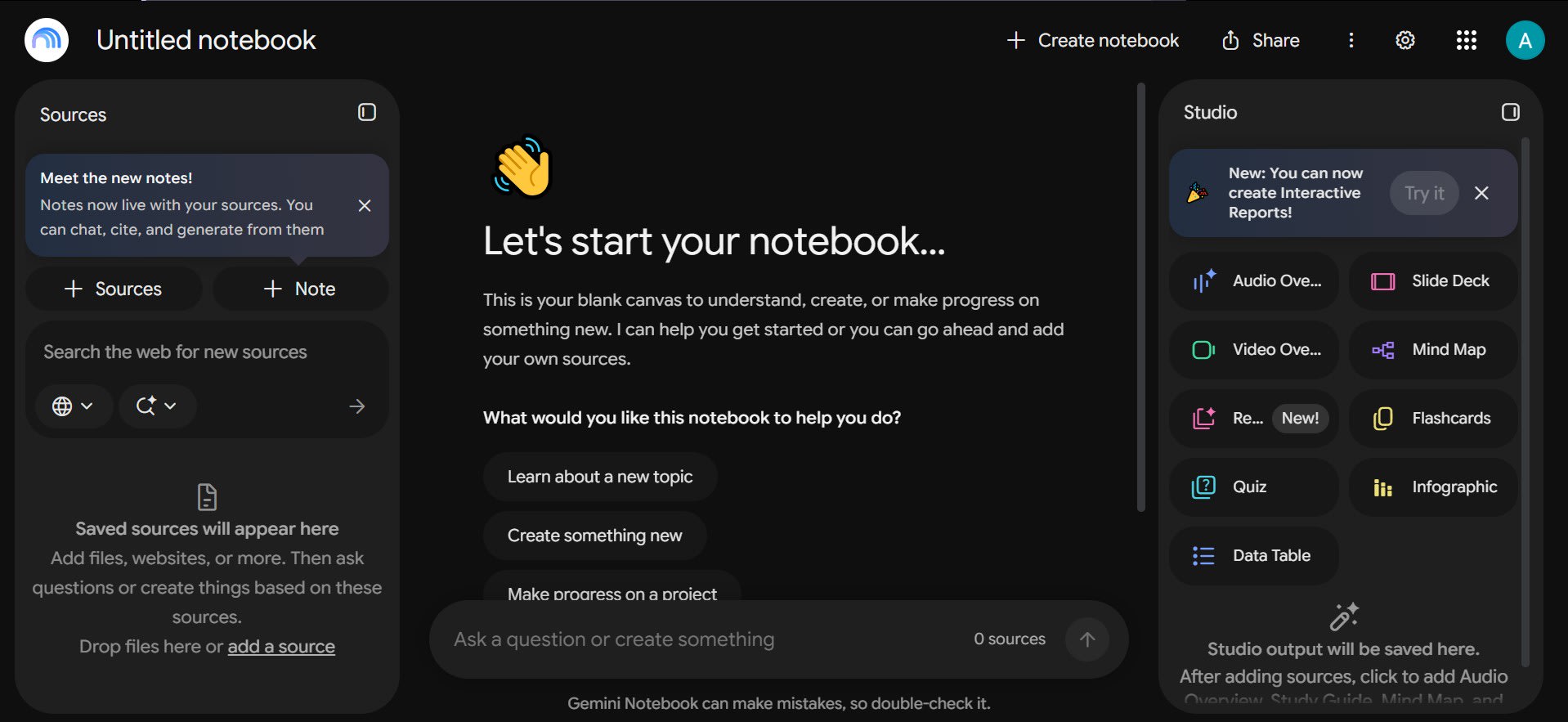
Google NotebookLM, now marketed as Gemini Notebook,
is an AI‑driven research assistant that gathers sources around a single
project. You upload supported files, ask questions about their contents, get
summaries, and even build study materials. The standout feature is that answers
come with citations that point back to the exact passages you uploaded.
Those citations let you verify the evidence instead
of taking a summary at face value. Imagine you have three papers on renewable
energy. You could ask Gemini Notebook to compare their conclusions, highlight
methodological differences, and note any limitations the authors mention.
Before you quote that comparison in a report, you’d click the citation links
and make sure the tool interpreted each paper correctly. This workflow shows
the potential, not a guarantee that every output will be spot‑on.
Is Gemini Notebook the Same as
NotebookLM?
Yes. On July 16, 2026 Google announced that
NotebookLM would be renamed Gemini Notebook. The product remains the same; the
only change is the name and a broader rollout across Google’s ecosystem. You
don’t need to treat it as a brand‑new offering. Read Google’s official announcement.
The rename matters when you’re following older tutorials or searching for help.
Many guides still refer to “NotebookLM,” while newer documentation uses “Gemini
Notebook.” Keep an eye on the interface you’re using and match the terminology
accordingly.
How Does Gemini Notebook Work
With the Gemini App?
Gemini Notebook lives as a standalone workspace, but
its notebook features also appear inside the Gemini app. Google says notebooks,
sources, and custom instructions sync between the two experiences. That sync
doesn’t mean every chat, generated item, or sharing option behaves exactly the
same everywhere.
Read Google’s official announcement.
Google also notes differences between Gemini Notebook and notebooks accessed
through AI Mode in Google Search. For instance, the Studio panel’s generated
items—Audio Overviews, Video Overviews, infographics, and slide decks—are
available in Gemini Notebook but not in AI Mode. See
Google’s documentation on notebooks in AI Mode.
Before
Relying on a Particular Feature for School or Work
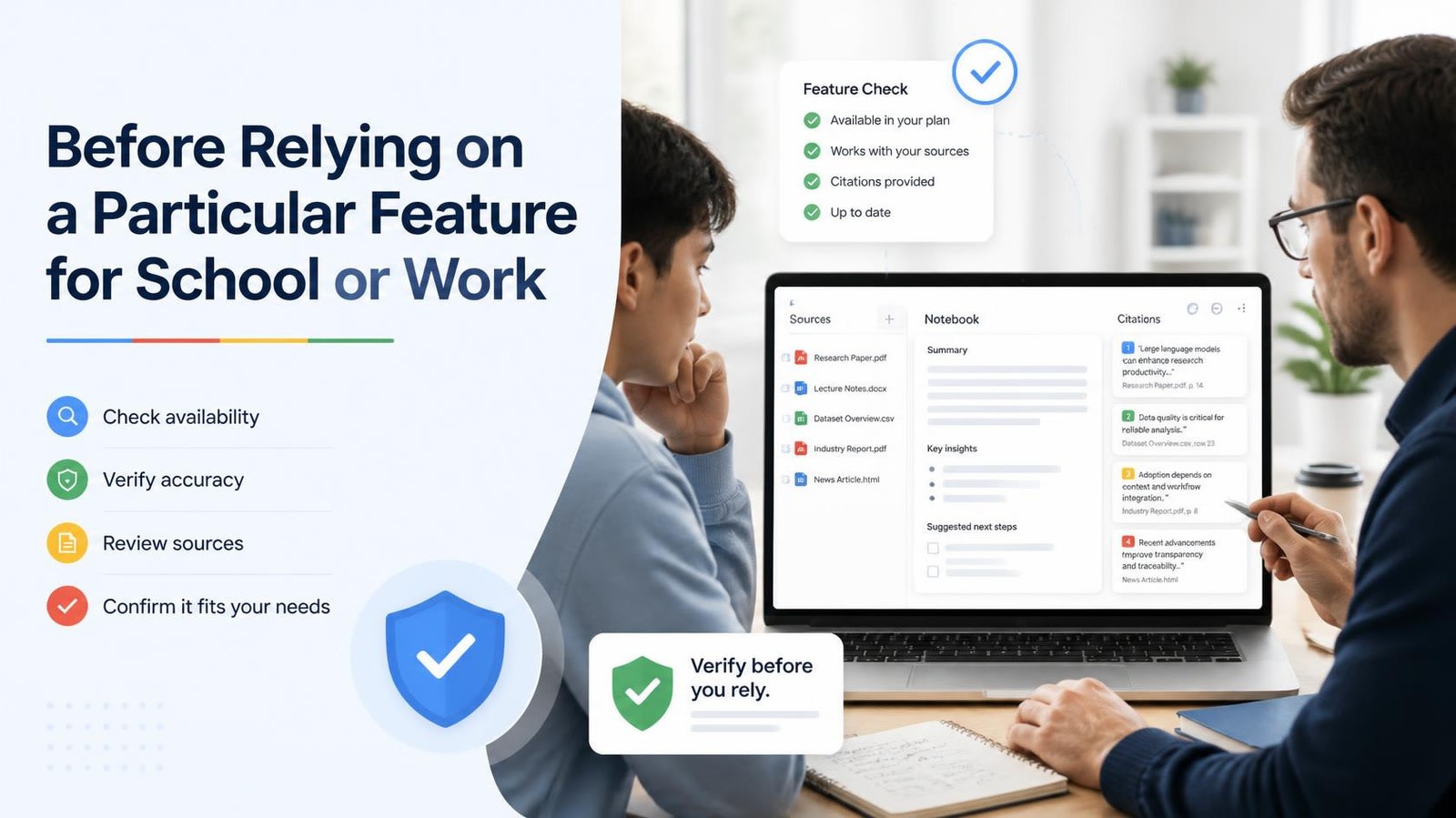
Make sure the feature you plan to use actually shows
up in your account’s interface. Citations make source verification easier, but
they don’t guarantee correctness. Always glance at the original passage,
especially when the answer will influence a grade, a research claim, or a
business decision. Google’s help pages also mention that individual passage
citations may occasionally be missing. Read
Google’s FAQ.
How This
Google NotebookLM Review Was Made
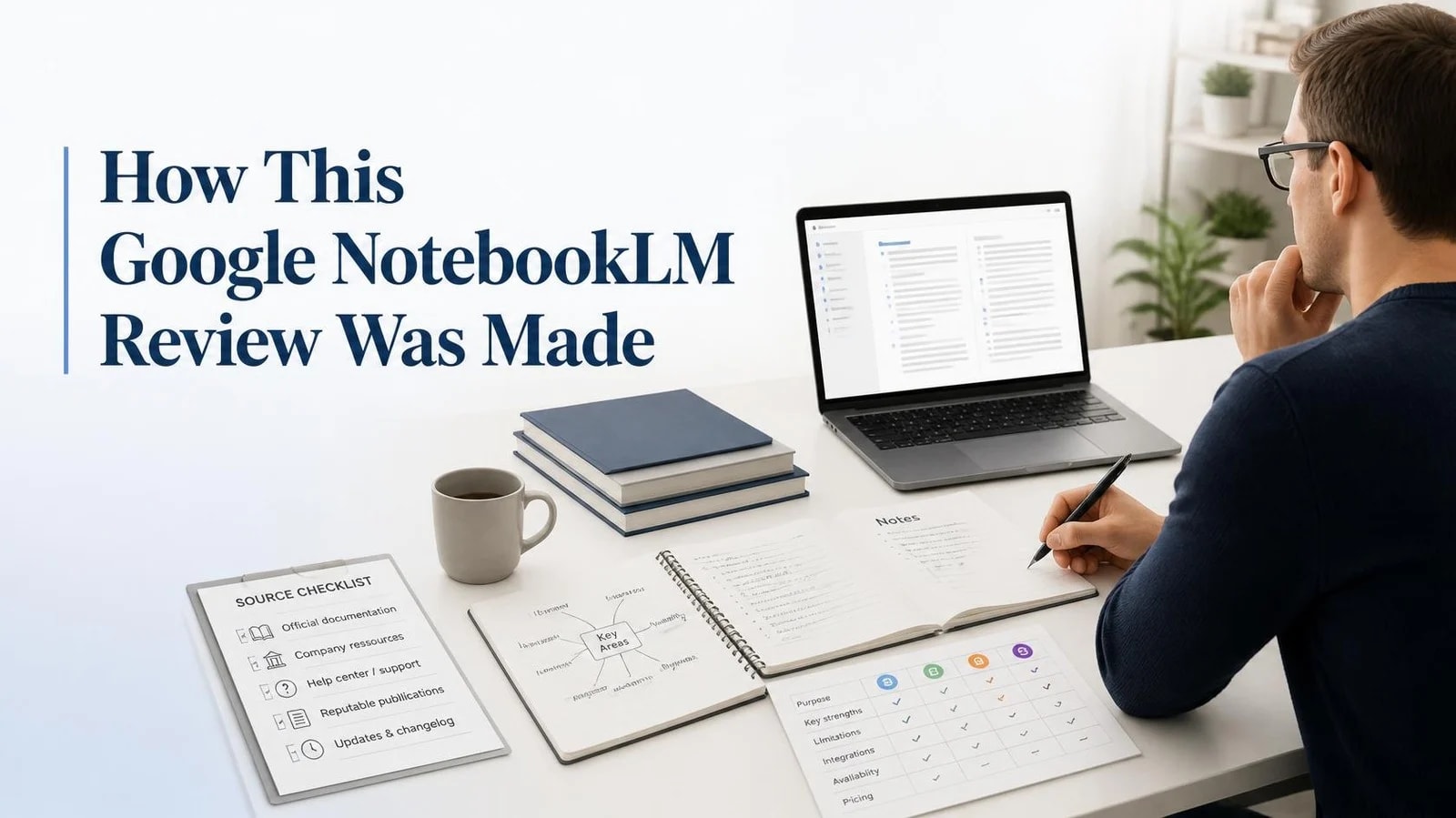
This Google NotebookLM Review is based on Google’s own
announcements and Help Center pages, all checked on October 20, 2026. It does
not include hands‑on accuracy testing, so you won’t see any test scores here.
Whenever a figure comes directly from Google, the text notes that. Plans,
prices, and usage
limits shift frequently. Google itself warns that limits can
change at any time. Verify the details in your own account before you commit to
a paid tier.
Gemini
Notebook Features: What You Can Do With Your Sources
Most AI tools start with a model. Gemini Notebook
starts with your files. Add sources, then chat, listen, watch, or study from
them. Below is a snapshot of what the Studio panel and chat can do today. Feature
rollouts often begin with Google AI Ultra users and expand gradually. Check
the plan label in your account before building a workflow around any new
capability.
Source Types and Size Limits
Gemini Notebook accepts more than just PDFs. You can
bring in Google
Docs, Slides, Sheets, Word files, web links, public YouTube
videos, audio files, images, and ePub books. Each source may contain up to 500,000 words
or 200 MB. Some formats have tighter caps:
- Google Slides: max 100 slides per source.
- Google Sheets: limited to 100,000 tokens per file.
- Web pages: only the visible text is imported;
paywalled pages are ignored.
- YouTube videos: only public videos with captions are
supported, and the transcript—not the video itself—is imported.
Chat With Citations
Chat is the core interaction. Pose a question, and
the assistant replies using the content you supplied, complete with in‑line citations.
In a notebook with many sources, naming a specific source in your query helps
the model pull the right passage. If none of your sources contain the answer,
the model stays quiet.
Audio Overviews
Audio
Overviews turn your sources into spoken presentations in more than 80
languages. You can choose length and an interactive mode (voice‑enabled)—the latter works
in English only. Google warns that AI‑generated voices can glitch. Four formats
are available:
- Deep Dive: two hosts discuss your sources in depth.
- The Brief: a single speaker delivers key takeaways
in under two minutes.
- The Critique: two hosts evaluate an essay or design
doc.
- The Debate: two hosts argue opposite sides of a
topic.
Video Overviews
Video
Overviews come in three flavors. Cinematic is English‑only and restricted to users
18 +. Explainer
offers a clear, full‑length overview. Short runs about a minute. Generating a video can
take 30 + minutes, and producer notes are an Ultra‑only feature.
Related reading: free AI tools for a video generator
and more AI video tools.
Quizzes, Flashcards, Mind Maps,
and Reports
Gemini Notebook also spins out flashcards, quizzes, mind maps, infographics, slide decks,
and full reports.
On September 15, 2026 Google announced a mobile audio recorder and interactive
learning overviews, plus voice chat inside notebooks. Ultra users received
voice chat first; other plans will follow.
Exports and Code Execution
Every notebook now includes a secure cloud computer
that can write and run code against your data. Google’s June 2026 post lists
the supported export formats: PDF, DOCX, Markdown, plain text, CSV, JSON, XLSX,
PPTX, and charts. Ultra and some Workspace accounts got these first; Pro
followed.
Related reading: AI tools for Excel formulas and AI
image tools for visual work.
Gemini
Notebook Pricing and Usage Limits in 2026
You can’t buy Gemini Notebook as a stand‑alone product. It’s
free to use, or you can upgrade through a Google
AI plan, Google Workspace, or Google Cloud. The table below reflects U.S. pricing and the caps
listed on Google’s plans page. Limits may shift, so treat this as a snapshot.
|
Plan |
US price
per month |
Notebooks |
|
Free |
$0 |
100 |
|
Google AI Plus |
$4.99 |
200 |
|
Google AI Pro |
$19.99 |
500 |
|
Google AI
Ultra (20 TB plan) |
$99.99 |
500 |
Notebook
Source and Usage Numbers Come From
Source counts, notebook limits, and usage caps are
drawn from Google’s help pages. Pricing details stem from Google’s 2026 plan
updates, as reported by 9to5Google and Android Authority. Verify them at checkout. Plan names matter more
than price tags. Google reshuffled its AI plans in May 2026, so older guides may
show different numbers. Plus now costs $4.99 and supports 100 sources; Pro
costs $19.99 and supports 300.
How the New Usage Limits Work
Since September 2, 2026, consumer accounts operate
on compute‑based
limits. Prompt complexity, chat length, source count, and
selected features all draw from your allowance. Your quota refreshes every five
hours until you hit a weekly cap. Check Settings → Usage to see what’s
left.
- Generate later: on the web you can postpone a Video
Overview or Slide Deck until your limit resets. Google says it may take a
couple of hours.
Free Plan for College Students
U.S. college students can claim a year of Google AI Pro
at no charge. Redemption must happen by December 31, 2026 and requires a
payment method. After the free year, the plan auto‑renews at $19.99/month
unless you cancel. Students in 140+ other markets can grab AI Plus instead.
Compare more free
AI productivity tools as well.
Work and School Accounts
Work
and school accounts follow separate rules. An admin must enable Gemini
Notebook for the organization. Google Cloud’s enterprise version lists five‑times
or more notebook artifacts, adds controls like VPC‑SC and IAM,
and disables public sharing for Workspace Enterprise and Education.
Expert
Intelligence: Chat With Books You Own
In August 27, 2026 Google rolled out Expert Intelligence,
letting you ask questions about ebooks you’ve purchased. The launch added more
than 100,000 titles from publishers such as Penguin Random House, Macmillan,
and O’Reilly Media. To use it, add an eligible Google
Play Books title; answers are drawn from that book alone.
Rules apply: you must own the book on Google Play
Books, and collaborators need their own copy. The feature works only inside
Gemini Notebook, not in AI Mode. Some publishers may block downloads of
generated items.
Privacy:
What Google Says About Your Data
Privacy rules differ depending on the account type
and the app you’re using. The summary below reflects Google’s statements from
its privacy page. These are Google’s own claims, not third‑party
audits. Read them carefully before uploading contracts, health records, or
client files.
Normal Use
Google says it does not use your
content to directly train its core AI models. Feedback is the exception. Data
shared with other Google services—like the Gemini
app—follows those services’ notices, which may include product‑improvement
uses.
Thumbs Up and Thumbs Down
Feedback
When you give a thumbs up or down, Google collects
your prompt, sources, uploads, and the output. That feedback can be reviewed by
specially trained teams and is retained for up to three years,
stripped of any link to your account.
Notebooks in AI Mode
AI Mode follows a different set of rules. Google may
use AI Mode chats for ad monetization, personalization, and model improvement,
but it does not
use your sources or instructions for those purposes. Turning off Keep Activity
does not erase anything inside Gemini Notebook.
Work and School Accounts
For Workspace and Education users, Google promises
stronger safeguards. Human reviewers do not see uploads, queries, or responses,
even when feedback is enabled, and the content isn’t used to train AI models.
In the Google Cloud enterprise version, files stay inside your GCP project.
Limitations
and Problems to Expect
No AI tool is flawless. Google admits Gemini
Notebook can produce errors and advises you to consult a qualified professional
for medical, legal, or financial matters. Treat every answer as a draft until
you verify the cited source. Google reports that its upgraded system
outperformed the older one in side‑by‑side tests more than 65 % of the time.
That figure comes from Google’s own testing and doesn’t tell you how often a
single answer will be correct.
Accuracy and Citations
A citation tells you where a snippet originated, but
it doesn’t guarantee the source itself is accurate. Weak, outdated, or biased
sources will inevitably lead to weak answers. Very short sources may be used in
full without individual citations. Safety flags can block responses on topics such as
violence, even in historical queries.
Import Problems
Imports fail for known reasons. Knowing the pitfalls
saves you time before a deadline. Google lists the common culprits:
- Copy‑protected PDFs: cannot be imported.
- Oversized files: sources exceeding 500,000 words or
200 MB are rejected.
- YouTube: videos without captions are ignored;
newly uploaded videos (last 72 hours) may be unavailable. Deleted or
private videos disappear from notebooks after 30 days.
- Google Drive: losing access to a file makes the source
inactive, though it still counts toward your source limit. Footnotes and
comments are not imported.
Language, Age, and Region Gaps
Not every feature is global. Keep these gaps in mind
before promising a capability to a class or client:
- AI Mode notebooks: English only, unavailable in the
European Economic Area.
- Cinematic Video Overviews: English only, age‑restricted
to 18+.
- Deep Research in Gemini Notebook: 18+ only.
- Under‑18 users: stricter content policies apply.
- Public sharing: disabled for Workspace Enterprise and
Education accounts.
Watermarks and Missing Basics
Generated media carries an invisible SynthID
watermark. Users in India, South Korea, or Vietnam see a visible watermark by
default; Pro and Ultra users elsewhere can toggle it off. Google’s FAQ also
notes that deleted notes cannot be recovered and notebook duplication isn’t
supported yet.
Gemini
Notebook vs. ChatGPT Projects vs. Claude Projects
The biggest distinction lies in where each tool
draws its answers. Gemini Notebook answers only from the
sources you upload. In AI Mode and the Gemini app, notebooks can also pull in
web search results and other tools. General‑purpose chatbot “projects” work
differently, as the table illustrates.
|
Tool |
File
or source limits |
Key
difference |
|
Gemini Notebook |
50 to 600 sources per notebook.
Up to 500,000 words or 200 MB per source. |
Answers only from your sources,
with in-line citations. |
|
Gemini app and AI Mode
(notebooks) |
Same notebooks |
May add web search and other
tools. AI Mode cannot make Studio outputs. |
|
5 files (Free), 25 (Go and Plus),
40 (Pro, Business, Enterprise, Edu). Only 10 files per upload. |
Projects can use ChatGPT tools
such as web search. Google Drive links do not sync inside a project. |
|
|
30 MB per file. Unlimited files
if the content fits the context window. |
Most files are read as text only.
PDFs can include visuals. |
Pick By Job
Choose the tool that matches the task. Use Gemini
Notebook when you need answers grounded in a fixed set of documents and you
want citations. Reach for a general chatbot project when you also need help
drafting, coding, or pulling in external knowledge. Neither replaces the other.
For more alternatives, check the guide to ChatGPT
alternatives.
Google
NotebookLM Review Verdict: Who Should Use It?
Based on Google’s documentation, this Google NotebookLM Review
concludes that the product shines when you work with a defined collection of
files. Students, researchers, and small
teams reap the biggest benefits from source‑grounded answers and
built‑in citations. If you constantly need facts from the broader web, another
tool may serve you better. Start with the free tier, test a few sources, and
see whether the citation workflow fits your style. If you hit limits or need
advanced Studio outputs, consider upgrading to a Google AI plan that matches
your workload.
Frequently asked questions
Is Google NotebookLM free to use? / How much does it cost?+
Google NotebookLM is completely free to start and use for its core features. Users can upload documents and generate audio summaries without any initial payment. However, Google bundles higher processing caps and increased usage limits into its $19.99/month Google One AI Premium subscription plan for power users.
How is NotebookLM different from ChatGPT?+
NotebookLM is a source-grounded research tool that strictly limits its answers to the files you manually upload. In contrast, ChatGPT is an open-ended conversational assistant trained on broad data with live web-browsing capabilities. Furthermore, NotebookLM automatically generates precise, clickable citations for every answer, whereas ChatGPT focuses heavily on creative writing and coding tasks.
What are the downsides of NotebookLM?+
The main downside is that NotebookLM lacks live web access and cannot pull real-time information from the internet. Additionally, you cannot heavily customize the format, length, or specific topics discussed by the AI podcast hosts. It is also not ideal for open-ended creative writing, coding from scratch, or advanced multi-user team collaboration.
Is NotebookLM Worth Using?+
Yes, especially for students, researchers, and professionals managing dense information. It utilizes a massive one-million-token context window to process heavy material like research papers, PDFs, and corporate briefs all at once. It is exceptionally valuable if you learn better by listening, as it can convert your notes into highly realistic, podcast-style Audio Overviews.
Does NotebookLM hallucinate?+
NotebookLM rarely hallucinates because it uses "source-grounding" to restrict its knowledge entirely to your uploaded files. Unlike traditional LLMs that guess information when they lack data, NotebookLM is engineered to stick strictly to your text. If an answer cannot be verified within your provided documents, the AI will directly tell you it cannot find the information.
Related articles
 AI Chatbots & Assistants
10 Best ChatGPT Alternatives in 2026 (Free & Paid)
Looking for the best ChatGPT alternatives in 2026? Compare Claude 3.5 Sonnet, Google Gemini, Perplexity, and DeepSeek for coding, writing, and live research.
 AI Chatbots & Assistants
PolyBuzz AI Review: Features, Free Plan and Privacy
Comprehensive PolyBuzz AI review covering its key features, official pricing plans, use cases, benefits, and drawbacks.
 AI Chatbots & Assistants
OpenAI Dots for Technical SEO: Can AI Agents Automate SEO?
OpenAI Dots for technical SEO can investigate indexing drops, but should it fix your site? See what to automate and what to check.
New AI tool reviews, in your inbox.
Get new reviews and comparisons in your inbox. No spam, unsubscribe anytime.
Comments (0)
Be the first to comment.