OpenAI Dots for Technical SEO: Can AI Agents Automate SEO?
OpenAI Dots for technical SEO can investigate indexing drops, but should it fix your site? See what to automate and what to check.

Introduction
Can OpenAI Dots for technical SEO
actually do the work of an SEO specialist? The answer is not a simple yes or
no. An AI agent can find problems. It can collect proof, check index changes,
and write up advice. But should it make the final SEO call? Should it change
your live site?
This article looks at that question in a
real-world way. We will see what Dots can automate. We will see where
specialized crawlers still matter. We will see how an AI agent could check an
index drop. You will learn to tell confirmed evidence from AI guesses. We will
also build a permission framework. It shows which SEO tasks are safe to
automate. It also shows which need a human to approve.
Want AI to save you SEO time without giving it
too much control? Follow this rule: automate the investigation, not the decision.
How OpenAI Dots for Technical SEO Can Automate the Workflow
The phrase “technical SEO automation” can mean
many things.
A crawler that checks thousands of URLs is
automation. An alert about a sudden index change is automation too. So is an AI
agent that weighs the proof and explains what caused the change. But each task
needs its own level of access and thinking. A technical SEO workflow has
several stages. First, you spot a problem. Then you gather facts about it.
Next, you look for likely causes and explain the pattern. After that, you
decide what to do. Last, you make the change.
So think of automation as a scale. It is not a
simple yes-or-no feature.
What OpenAI Dots Can Potentially
Automate
A Dot helps most when a task mixes many data
sources.
Say a linked source shows fewer indexed URLs.
The agent can study the data it can reach. It can compare signals and sort
findings. Then it writes a report for you to review.
That differs from asking an AI model to
suggest a meta description for one URL.
The first task needs an ongoing workflow. The
second is a one-time writing task.
OpenAI says Dots can work across the apps you
choose to connect. They can also review that data on their own. But access
still depends on the connection, the account, the app, and workspace controls. This
matters. An AI agent does not get each SEO platform for free. Say your workflow
needs Search Console, analytics data, a crawler, or a database. Then the agent
needs a real link to that data.
Why “Always-On” Does Not Mean “Fully Automated SEO”
“Always-on” sounds like the agent can run your
whole SEO program all day.
That is not what it means.
An always-on agent can keep working on tasks.
It can do scheduled work and review linked data. Then it brings the results
back to you. OpenAI also gives you controls. They set when a Dot can act alone
and when it must ask first.
So the agent needs limits.
A good tech SEO setup lets the Dot watch
reports. It can check odd changes on its own. A live change to redirects,
canonical tags, robots.txt, or index rules needs human approval.
This lowers the risk of a weak AI guess
turning into a live site change.
The 6-Level Automation Framework for Technical SEO
Here is a good way to judge AI SEO agents.
Split technical SEO automation into six levels:
Detect → Collect → Investigate → Explain →
Recommend → Execute
Each level has its own amount of automation
and duty.
|
Automation
level |
What
happens |
Suitable
AI-agent role |
|
Detect |
A
change or odd sign is spotted |
Watch
signals and flag changes |
|
Collect |
Proof
is gathered |
Sort
the reports and data on hand |
|
Investigate |
Likely
causes are checked |
Compare
signals and find patterns |
|
Explain |
Findings
become a clear answer |
Sum
up the proof and doubt |
|
Recommend |
A
next step is suggested |
Prepare
SEO advice |
|
Execute |
A
change is made |
Do
only approved actions that apps allow |
The first four stages are easier to automate
safely. They deal with data and review.
Recommending needs more SEO judgment.
Execution has the highest risk. The agent may
touch a live website or another key system. This framework also stops a common
mistake. The mistake is treating “AI automation” as one skill. An agent that
can find an issue should not always fix it.
OpenAI Dots for Technical SEO: Where the Agent Actually Fits
The strongest role for Dots is not replacing every technical SEO tool.
It is an orchestration layer. It sits between
data, review, and human choices.
Think about OpenAI Dots for technical SEO as
three layers:
Crawler → AI Agent → Human SEO
The crawler or monitoring system collects tech
data.
The AI agent reads that data and links related
signals. It checks likely causes and writes a clear note. The human SEO makes
the final call. This is key when things are unclear. It is also key when
business is hit or a live site is at risk. This setup is more real than
treating an AI agent as a replacement for all SEO platforms.
Dots as an AI SEO Agent, Not an SEO Crawler
A crawler has a special job.
It requests URLs and follows links. It checks
responses and spots tech patterns. It can handle huge numbers of pages. Google
itself describes crawling as using bots to find and read web pages.
An AI agent does a different kind of work.
It can think through data, sort findings, and
compare proof. It can explain likely causes and run a workflow.
So the two tools work well together.
Imagine a crawler finds thousands of URLs in
redirect chains. The crawler has found the pattern. An AI agent can then sort
those URLs and find common redirect targets. It can sum up the issue and draft
a fix plan. Now imagine a crawler reports 12,000 URLs in redirect chains. That
number alone does not tell you much. The redirects may be planned, harmful,
short-term, or part of a site move.
The agent can help study the context.
The SEO pro still has to decide if the fix is
right.
Why AI Agents Are Unlikely to Replace Specialized Crawlers
The reason is focus.
Large sites can have thousands or even
millions of URLs. A special crawler is built to check them step by step. It can
do this again and again.
An AI agent is better at thinking through the
results.
This gap matters most when you need full
coverage.
Do you want to know if each URL on a large
site was checked? Then you need a reliable crawling or watching tool. An AI
agent is not proof that each page was checked. It can reason about tech SEO.
But that is not the same thing.
So the best setup is not:
AI replaces crawler.
It is:
Crawler produces evidence → AI investigates
evidence → Human validates the conclusion.
This split of duties is far more practical.
A Monday Morning Indexing Drop: How an AI SEO Workflow Could Work
Think of a made-up case.
It is Monday morning. Your team sees that the number of indexed URLs has dropped sharply. You could skip opening many tools and comparing reports by hand. Instead, you could build an AI workflow around the data the agent can reach.
Proposed workflow, based on the documented
agent skills of Dots:
Step 1: Detect the change
The workflow spots a clear change in indexing
or site-health data.
Step 2: Collect evidence
The Dot gathers the linked data it is allowed
to reach. This may include reports, files, monitoring data, or other linked
sources.
Step 3: Investigate possible causes
The agent looks for patterns.
It can compare hit URL groups, recent tech
changes, and crawl signals. It can also check redirects, canonical setup,
robots.txt rules, and other proof. Google's own docs treat crawling and
indexing as two things. It notes that robots.txt controls whether crawlers can
reach URLs. It also notes that noindex
is used to stop indexing. This split matters. An AI agent could give a false
verdict. That happens if it treats each indexing problem as a crawling problem.
Step 4: Classify the evidence
The Dot splits confirmed facts from likely
causes.
This keeps guesses from passing as proven
causes.
Step 5: Prepare recommendations
The agent writes a short tech note. It says
what to check or change next.
Step 6: Human review
An SEO pro reviews the proof before any big
live change. This workflow is valuable because the agent does more than write
text. It runs a real check. Still, the workflow must stay based on proof. A
believable AI answer is not proof of cause.
The Evidence Confidence Framework for AI SEO Investigations
AI can give answers that sound right even when
the proof is incomplete.
That is a big problem in tech SEO.
A smooth answer can sound more sure than the
data is.
You can cut this risk by sorting findings into
four levels:
|
Confidence
level |
Meaning |
Example |
|
Confirmed |
Direct
proof backs the finding |
A
page shows a clear 404 error |
|
Probable |
Many
signals point to the same cause |
Many
hit URL groups share one new template change |
|
Possible |
The
answer fits the proof but needs a check |
A
deployment may have changed canonical tags |
|
Unknown |
There
is too little proof to find the cause |
A
traffic drop has no clear tech reason |
This framework is a useful method for
AI-assisted SEO review. It is not an official OpenAI label.
The gain is simple. The agent does not have to
act sure about each answer.
In tech SEO, “the proof backs this view” helps
more than “this is definitely the cause.”
This gap is vital when several issues hit at
the same time.
Technical SEO Permission Matrix: Monitoring vs Action
AI automation helps more when you keep
watching apart from acting.
A watching task can have more freedom than a
task that changes live SEO settings.
|
SEO
activity |
Risk
level |
Recommended
approach |
|
Watch
tech reports |
Low |
Allow
routine automation |
|
Spot
odd index changes |
Low |
Allow
watching and checks |
|
Sum
up crawl issues |
Low |
Automate
with review |
|
Compare
tech signals |
Low |
Automate
with proof checks |
|
Prepare
redirect advice |
Medium |
Needs
human review |
|
Suggest
canonical changes |
Medium |
Review
before use |
|
Change
live redirects |
High |
Needs
approval |
|
Change
robots.txt rules |
High |
Needs
approval |
|
Change
indexing rules |
High |
Needs
approval |
|
Publish
live SEO changes |
High |
Human-run
action |
These risk levels are a useful SEO framework.
They are not an official OpenAI risk label.
The reason for this split is simple.
A wrong report can waste time.
A wrong live change can cause a far bigger
problem.
OpenAI's connected-app system gives you
several permission and approval controls. Permissions can cover read actions,
low-risk actions, or wider actions. This depends on the app and the account.
Permissions do not create new access on their own. The linked service, the
sign-in, and workspace controls still set what the agent can do. They also set
what it can reach.
So permissions are part of the SEO workflow.
They are not a small tech detail.
OpenAI Dots vs Human SEO Analysis: Who Should Make the Final Call?
AI agents are good at handling data.
Human SEO pros are still needed for context.
Say an agent finds several URLs with mixed
canonical signals.
Google
explains that canonicalization means picking one main URL from copy or
near-copy pages. Redirects, rel="canonical", and sitemap listing can
sway that choice. But Google can still pick a canonical that is not your pick.
An AI agent can spot signals that clash.
It can explain that one URL has a canonical
tag that points elsewhere. Meanwhile, redirects and sitemap signals point to
another place.
But deciding what to do takes business and
tech know-how.
Maybe the duplicate URLs are on purpose.
Maybe the site is in the middle of a move.
Maybe a product-filter system made the
duplicates.
Maybe the canonical setup is wrong.
The agent can check each of these. The human
should decide which one fits the real site setup.
So the best split is:
AI handles scale and investigation. Humans
handle unclear cases and accountability.
OpenAI Dots SEO Workflow: Practical Use Cases Beyond Indexing
Indexing problems are only one use case.
An AI agent can also help with site changes
and watching. It can help with docs and repeat checks too.
Technical Change Monitoring
A Dot can review linked data and spot key
changes.
For example, a repeat workflow can sum up odd
changes in tech reports. It can point out areas that need a look.
The gain is less hand work each time.
Redirect Investigation
Redirects often make chains, loops, or
surprise destinations.
Google's
crawling documentation notes that long redirect chains can slow down
crawling.
A crawler can find the chain.
An AI agent can sort the hit URLs and group
like patterns. It can explain the likely issue and draft a cleanup plan.
The human SEO then checks that the new target
is right.
Canonicalization Analysis
AI can help check canonical issues too.
A Dot can compare canonical signals and spot
clashes.
For example, it can flag cases where the
canonical, redirects, and sitemap do not match.
But it should not assume the first mismatch is
the root cause.
Google's docs make clear that canonicalization
uses many signals. Google may pick a canonical URL that differs from what the
site wants.
Robots.txt Investigation
Robots.txt is another good area to check.
An agent can compare a robots.txt file with
known crawling problems. It can highlight rules that may matter.
But tech SEO teams must know what robots.txt
really does.
Google
states that robots.txt tells crawlers which URLs they can access. It is not
a way to keep a page out of search results. For that, Google suggests tools
such as noindex or password protection.
An AI workflow that misses this split could suggest the wrong fix.
Technical SEO Reporting
Reporting may be one of the safer uses.
You no longer have to build a weekly report by
hand from many tech findings. An AI agent can sort the data into one steady format.
The report can split confirmed problems, probable causes, suggested checks, and
open questions. That helps humans. It shows doubt instead of hiding it.
OpenAI Dots Capabilities and Limitations: The Reality Check
Dots can do more than a normal chat.
OpenAI describes Dots as always-on agents with
their own cloud computer. They can work across linked apps and remember
context. They can do scheduled work and keep going between chats.
That could make them useful for repeat SEO
workflows.
But some limits matter.
Dots Do Not Automatically Get Access to Every SEO Platform
Connecting a Dot does not connect each service
you use.
OpenAI explains what shapes app access. These
are app availability, account sign-in, app features, workspace controls, and
permissions. They set what linked apps can reach and do. So never plan an SEO
workflow as if the agent can reach Search Console, analytics, or crawlers by
itself. The same goes for any other platform.
The workflow needs a real data path.
Proactive Research Has Specific Restrictions
OpenAI also sets proactive research apart from
other Dot skills.
Proactive research can review allowed linked
sources and use the data they give. But its research tools cannot send
messages. They cannot change content through plugins. They cannot control a
browser or computer. Follow-up actions follow the normal action and safety
controls. This matters. It stops a broad claim like “Dots cannot take actions.”
That would be wrong. Dots can have wider cloud-computer and connected-app
skills when those are open and turned on. The exact workflow depends on the
setup and the permissions.
AI Can Still Be Wrong
OpenAI warns that Dots can make mistakes.
That matters even more in tech SEO. A wrong
tip can hurt a live website. So treat an AI-made verdict as a note to review.
It is not the final truth.
The safest workflow keeps the proof in view.
It gives humans control over big calls.
Common Mistakes When Automating Technical SEO With AI Agents
The first mistake is thinking an AI agent can
replace a crawler.
It cannot turn into a special crawling
platform. Thinking about crawl data does not make it one.
The second mistake is giving the agent too
much power too soon.
A smart rollout starts with watching and
checking. Action can come later, once the workflow proves solid.
The third mistake is confusing correlation
with causation.
An index drop may follow a deployment. That
does not prove the deployment caused it.
The fourth mistake is treating AI answers as
proof.
The agent should show what data backs its
view. It should also say what is still unclear.
The fifth mistake is assuming access.
A Dot can only use the data and actions that
its links, permissions, and controls allow.
The sixth mistake is using robots.txt as a fix
for each indexing issue.
Google clearly splits crawl controls from
index controls. A robots.txt rule can stop crawling. But it does not reliably
keep a URL out of search results. The seventh mistake is letting AI make big
tech changes with no review. In tech SEO, the “obvious” fix is not always the
right one.
So, Can OpenAI Dots Automate Technical SEO?
Yes, but not the way the phrase “automate
technical SEO” sometimes sounds.
OpenAI Dots can automate parts of the
technical SEO check process. They can watch the data, sort the proof, and check
patterns. They can explain findings and prepare advice. This works when the
needed data and links are in place.
They are not a full replacement for
specialized crawlers.
They are also no substitute for human SEO
judgment.
The most useful setup has layers:
Crawler or data source → AI agent → human SEO
decision
The crawler gathers tech proof.
The AI agent helps study and explain it.
The human decides what the proof means. The
human also decides if a live change is right.
That gives a more realistic view of AI
agentic SEO automation.
The goal is not to remove humans from
technical SEO.
The goal is to cut needless hand work and keep
key calls under control.
In other words:
Automate the investigation, not the decision.
That is where OpenAI Dots for technical SEO
could become truly useful.
Frequently asked questions
What are OpenAI's dots?+
Dots are always-on agents built to work on your behalf. They keep working between conversations and use their own cloud computer. You choose which apps they can use.
Can ChatGPT do an SEO audit?+
Partly. ChatGPT can review data you give it, like a crawl export, page text, or a Search Console report, and explain the problems. It cannot crawl your whole site on its own, so a crawler should find the issues first and a human should approve the fixes.
What is ChatGPT dots?+
Dots are always-on ChatGPT agents powered by GPT-6 Astra. OpenAI announced them on September 29, 2026, at DevDay. Each dot gets its own name and role.
How to use ChatGPT dots?+
Your first dot is included in a Pro or Business Premium plan at no extra cost. Start with your main dot, give it a name, and connect your apps. Then set when it must ask for your approval.
Why is everyone leaving OpenAI?+
Not everyone is leaving, but many senior people have left. Reports say 12 senior executives left OpenAI in 2026. The reasons differ: new ventures, personal reasons, team changes, and in some cases safety concerns. OpenAI has not shared every reason publicly.
What is dots in AI?+
In AI news today, "dots" mainly means OpenAI's background agents. They work toward goals you set instead of waiting for a new prompt every time. OpenAI says dots can still make mistakes.
Related articles
 AI Chatbots & Assistants
ChatGPT Alternatives That Are Actually Worth It (2026)
ChatGPT alternatives that actually beat it at something: Claude, Gemini, Perplexity, and more. Find your best fit.
 AI Chatbots & Assistants
Best AI Tools for Creating Presentations: 2026 Guide
Explore the best AI tools for creating presentations in 2026. Learn about free limitations, capabilities, and true trade-offs.
 AI Chatbots & Assistants
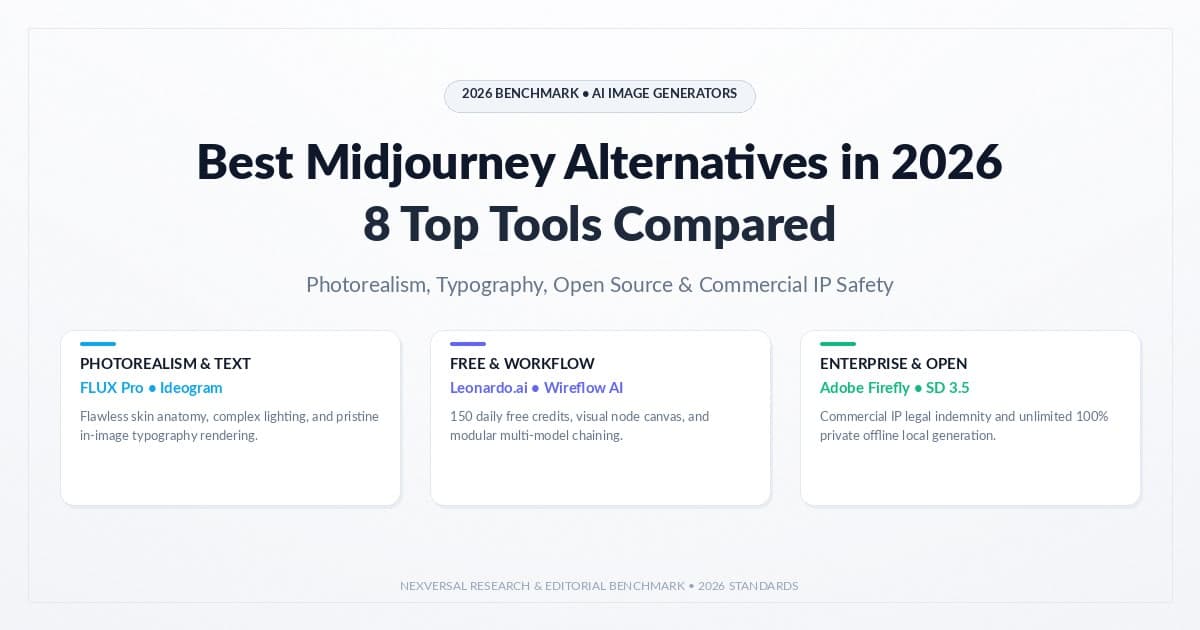
Best Midjourney Alternatives in 2026: 8 Tools Compared
Explore the best midjourney alternatives in 2026 for photorealism, open-source control, free tiers, and lower cost.
New AI tool reviews, in your inbox.
Get new reviews and comparisons in your inbox. No spam, unsubscribe anytime.
Comments (0)
Be the first to comment.