AI Tools for a Video Generator, Ranked for 2026
See 10 free AI Tools for a Video Generator for 2026 — compared on speed, quality, and watermarks. Find your best fit fast.
Introduction
Looking for the best AI tools for a video generator that won't cost you a rupee? A free AI video generator can turn a single photo into a moving, shareable clip in under a minute. No camera, no editing degree, no budget required. If you've ever wanted to animate an image but assumed it meant expensive software, that's no longer true in 2026.
This guide breaks down the best AI tools for a video generator that are free to use in 2026. We compare watermark policies, monthly credit limits, processing speed, and output quality, so you know exactly which one fits your needs.
Best AI Tools for a Video Generator: How They Work in 2026

AI image-to-video technology uses neural networks trained on millions of videos to learn how images naturally move over time. Upload a static image, and the AI analyzes it, then generates realistic motion that follows physics, lighting, and the object's characteristics.
In 2026, these tools are far more accurate than two years ago. Rendering speed has improved, and jerky, unnatural movement is mostly gone. Modern tools handle camera motion, consistent lighting, and small details like fabric movement.
This mix of speed and quality means anyone with a laptop can now produce animated video instantly, for free. The tools aren't perfect, but for many use cases they're genuinely good enough.
Why Free AI Video Generators Are Game-Changers

The economics of video creation have shifted completely:
- A production company may charge $2,000–$10,000 for a three-minute corporate video.
- A freelance animator can cost $50–$150 per hour.
- Stock footage runs $20–$100 per clip.
- A free AI video generator produces similar quality for zero dollars, with your time as the only real cost.
These tools also remove the technical-skill barrier. There's no need for Premiere Pro, a camera, or a lighting setup. Upload an image, adjust a few settings, and click generate. A marketer with no video experience can produce training material, and a consultant can animate ideas for a client pitch.
What's Realistic About Free Tiers in 2026?
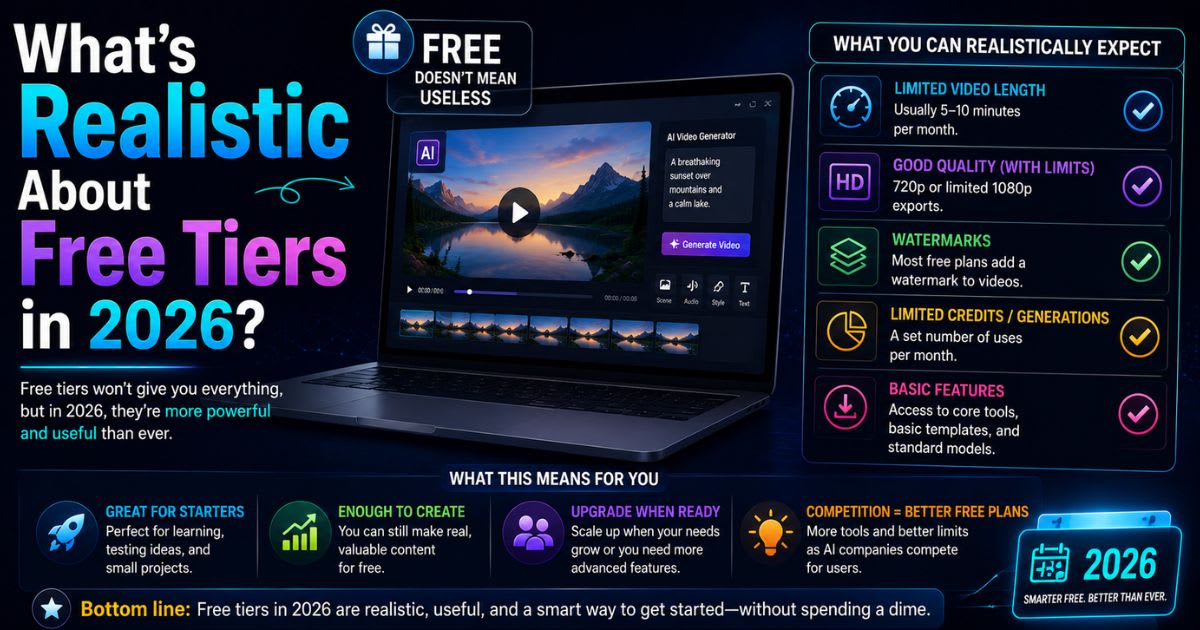
Every free AI video generator has limits worth knowing upfront:
- Credit limits: Monthly minutes range from 5 (Synthesia, D-ID) to 30 (Leonardo.AI, Runway). Three Instagram Reels weekly at two minutes each already uses 24 minutes, more than most free tiers allow.
- Watermarks: Runway and Leonardo.AI skip or reduce watermarking. Most other tools watermark everything, which mostly matters for public or monetized content.
- Resolution: Free tiers typically cap at 1080p, while paid tiers offer 4K. This is fine for social media but looks softer on large screens.
- Processing speed: Free-tier videos queue slower during evenings and weekends, since paying customers get priority.
- Feature access: Advanced controls like motion brush, camera motion, and motion strength often sit behind a paywall.
Top 10 Free AI Image-to-Video Generators: Quick Comparison
Here is a straightforward comparison of the leading free AI image-to-video generators. "Best" depends on what you're trying to do, since a tool great for social media might not suit corporate training.
| Tool Name | Free Tier Limit | Max Resolution | Processing Speed | Watermark? | Best For | Skill Level |
|---|---|---|---|---|---|---|
| Runway ML | 25 min/month | 4K | 2–5 min | No* | Animation quality & control | Intermediate |
| Pika Labs | 20 min/month | 1080p | 30–60 sec | Yes | Speed & ease of use | Beginner |
| Synthesia | 10 min/month | 1080p | 3–8 min | Yes | Avatar-based videos | Beginner |
| HeyGen | 15 min/month | 1080p | 2–5 min | Yes | Realistic talking heads | Beginner |
| Loom AI | 5 videos/month | 1080p | 1–3 min | Yes | Screen recordings + AI | Beginner |
| Leonardo.AI | 30 images/month | 1080p | 3–7 min | No* | Character consistency | Intermediate |
| Descript Clips | Unlimited* | 1080p | Real-time | No | Podcast/interview clips | Beginner |
| Kaiber | 10 min/month | 1080p | 2–4 min | Yes | Stylized motion | Intermediate |
| D-ID | 5 min/month | 1080p | 2–3 min | Yes | Portrait animation | Beginner |
| Genmo | 15 min/month | 1080p | 3–6 min | Yes | Flexible inputs | Intermediate |
Notes on the asterisks:
- Runway doesn't always watermark free outputs over five seconds, though this can vary.
- Leonardo.AI counts by images, not minutes, and watermarks less aggressively.
- Descript Clips' "unlimited" applies only to extracting clips from your own existing videos, not generating new video from scratch.
Best AI Video Generators by Use Case
Social Media & Short-Form Content
Pika Labs wins for TikTok, Reels, and Shorts. It processes videos in 30–60 seconds, defaults to 1080p, and keeps the interface simple. Its watermark bothers some creators, who often upgrade to Plus ($10/month) to remove it.
Runway ML is the runner-up if you'll trade speed for polish. Its 4K option matters for reused content, and its 25-minute limit covers roughly one two-minute video weekly. Many professionals use Pika for quick iteration and Runway for the final version.
Business & Corporate Training
Synthesia dominates here through avatar-based videos. Write a script, choose an avatar, and it generates natural lip movement and gestures, with strong consistency across a training series.
HeyGen is the runner-up, with lip synchronization that can be even more realistic. It also lets you build a personalized avatar from your own photo. Both tools have tight free tiers of 10–15 minutes.
Animators & Creative Professionals
Runway ML suits professional work through its motion brush and adjustable camera parameters like zoom, pan, and rotation.
Kaiber is better when artistic style matters more than photorealism, popular for music videos and abstract art.
Explainer & Educational Content
Loom AI combines screen recording with AI enhancement, extracting highlights and generating chapters automatically. Its free tier allows unlimited recordings but caps AI-enhanced output at five clips monthly.
Leonardo.AI suits illustration-based explainers, since its character consistency keeps a teaching persona recognizable across animations.
Talking-Head & Avatar Videos
HeyGen leads with excellent lip synchronization and natural facial expressions, useful for testimonials and sales content.
D-ID specializes exclusively in portrait animation, with emotional expressions that feel natural rather than uncanny. Its 5-minute free tier is tighter than HeyGen's 15 minutes.
Detailed Reviews of the Top 10 Tools
Runway ML – Best Overall
Runway consistently produces the highest quality output among free tools, with smooth motion and correct physics. It skips watermarks on outputs longer than five seconds, and 25 monthly minutes covers about one substantial video weekly. The learning curve is real, but a beginner can generate a first video in 15 minutes. Rating: 4.8/5
Pika Labs – Best for Speed & Beginners
Pika processes videos in 30–60 seconds, making creative iteration feel playful rather than stressful. All free-tier videos carry a watermark, removable via the Plus tier. Motion quality competes with paid tools, though complex scenes occasionally look jerky. Rating: 4.5/5
Synthesia – Best for Avatar & Corporate Videos
Synthesia offers 30+ realistic pre-made avatars and text-to-speech in 140+ languages, no prompt engineering needed. Its 10-minute monthly limit is the tightest among major competitors. Rating: 4.4/5
HeyGen – Best for Talking-Head Videos
HeyGen specializes in talking-head videos with subtle expression shifts matching emotional tone. You can build a custom avatar from your own photo, though voice cloning stays behind paid tiers. Rating: 4.3/5
Loom AI – Best for Screen Recordings
Loom is primarily a screen recorder with AI enhancement layered on top. Recordings stay unlimited, while AI-enhanced output caps at five clips monthly, enough for one or two tutorials weekly. Rating: 3.8/5
Leonardo.AI – Best for Consistent Characters
Leonardo's defining strength is keeping a drawn character's proportions, colors, and style consistent across frames. It counts by images rather than minutes, generous for short animations but limiting for longer videos. Rating: 4.0/5
Descript Clips – Best Value
Descript extracts clips from long-form video or audio you already own, rather than generating from an image. Feed it a 90-minute podcast, and it can output 20+ social-ready clips with no watermark at all. Rating: 4.2/5 for its specific use case
Kaiber – Best for Artistic Motion
Kaiber preserves artistic style through animation, keeping oil painting, watercolor, and line art true to their look. Advanced motion controls exist but stay optional for beginners. Rating: 4.0/5
D-ID – Best for Portrait Animation
D-ID animates portrait photographs only, making faces blink, shift expression, or lip-sync to audio naturally. With just 5 minutes monthly, expect one or two substantial videos. Rating: 3.7/5
Genmo – Best for Flexible Inputs
Genmo accepts images, text prompts, or short video clips to extend, delivering balanced results without dominating any single category. Its community is smaller than Runway's or Pika's. Rating: 3.6/5
Critical Features to Evaluate
Processing Speed vs. Output Quality
Speed and quality typically pull in opposite directions. Pika prioritizes efficiency, while Runway spends extra computation on smoother motion. Match the choice to your situation:
- Frequent posting → prioritize speed (Pika).
- Portfolio or long-life content → prioritize quality (Runway).
Free Tier Output Limits
- Most tools count monthly minutes: Runway 25, Pika 20, Synthesia 10, HeyGen 15.
- Loom counts by number of AI-enhanced videos.
- Leonardo counts by image-to-video conversions instead of duration.
- If your realistic output exceeds one tier, combine two free accounts strategically.
Motion Quality & Consistency
Good motion is smooth, physically plausible, and temporally consistent, meaning lighting doesn't flicker and objects don't change size between frames. Runway delivers this most consistently. Pika occasionally gets jerky on complex scenes, and HeyGen excels specifically at facial animation.
Watermark Policies
- No watermark: Runway (over 5 sec), Descript Clips, Leonardo.AI (reduced).
- Watermarked by default: Pika, Synthesia, HeyGen, Loom, Kaiber, D-ID, Genmo.
Ease of Use
- Beginner-friendly: Pika, Synthesia, HeyGen — first video in under 10 minutes.
- Steeper learning curve: Runway, Leonardo.AI, Kaiber, Genmo — expect 2–5 hours of tutorials for consistently good results.
Free vs. Paid Plans
Free tools cost $0 upfront, but watermark removal, slower processing, and restrictive features all cost real time. Synthesia's free tier gives only 5–10 avatars versus 30+ on paid, and HeyGen locks voice cloning entirely behind a subscription.
| Tool | Free Tier | First Paid Tier | Business/Team Tier |
|---|---|---|---|
| Runway ML | 25 min/month | Pro: $15/month, 100 min | Unlimited: $95/month |
| Pika Labs | 20 min/month | Plus: $10/month, 100 min, no watermark | Pro: $30/month, 500 min, 4K |
| Synthesia | 10 min/month | Personal: $25/month, custom avatars | Business: $84/month, 500 min |
| HeyGen | 15 min/month | Creator: $25/month, voice cloning | Business: $100/month, API access |
The pattern repeats across the category. Free gives basic features with strict caps. The first paid tier ($10–$25/month) removes watermarks and multiplies quota, while business tiers ($50–$100+/month) add collaboration and API access. Most solo creators are well served by the first paid tier.
How to Choose the Right Tool
- Define your use case: avatar videos, animated motion, talking-head content, or stylized art — name it specifically.
- Calculate realistic monthly output: under 10 minutes fits any free tier; 10–25 minutes fits Runway or Pika; 25–50 minutes needs a paid tier or two combined free tiers; above 50 minutes needs a paid plan.
- Prioritize must-have features: simplicity and speed point to Pika; avatar quality and multilingual speech point to Synthesia.
- Test before committing: generate the same image on two or three tools and compare directly.
- Account for hidden costs: watermark removal and learning curves cost real time even on a "free" tool.
- Consider the upgrade path: favor tools with a reasonable $10–$25/month step, not a jump straight to $100+.
- Plan for tool switching: most creators end up using two or three tools together, such as Runway for animation, Synthesia for avatars, and Pika for fast social content.
Common Mistakes to Avoid
- Expecting photorealism every time: free models struggle with water, fabric, hair, and crowds — favor simple objects and portraits.
- Skipping input optimization: a crisp, well-lit image produces a noticeably better video than a poor phone photo.
- Ignoring watermark strategy: decide upfront if watermarks are a dealbreaker, and start with a non-watermarking tool if so.
- Using AI video for the wrong job: it struggles with multiple people interacting and high-speed action, but excels at avatars and simple motion.
- Skipping prompt planning: a specific prompt like "a camera pans left to right across a wooden desk" beats a vague one.
- Overusing advanced features: default settings are usually already optimized; more settings don't mean better output.
- Comparing tools with different inputs: use the identical image across tools before judging results.
- Wrong output format: TikTok wants vertical (1080×1920), Instagram square (1080×1080), YouTube horizontal (1920×1080).
- Burning quota on random tests: treat monthly minutes as a budget, not a playground.
- Ignoring queue times near deadlines: free tiers slow down on evenings and weekends, so generate early.
When to Move Beyond a Free AI Video Generator
Repeatedly hitting your monthly limit before month's end is the clearest signal you've outgrown the free tier. Watermark frustration that costs real time is a second signal, since a $10/month upgrade often pays for itself. Wanting custom avatars, 4K output, or voice cloning also points to the paid version of a tool you already like.
Paid tiers typically offer four to ten times the free quota, faster processing through priority queues, and watermark removal on most platforms. If you're generating fewer than two videos monthly and watermarks don't bother you, staying free is the right call. Team tiers ($50–$300+/month) add 500+ minutes and API access for organizations treating video as central to operations.
Final Thoughts: Your Action Plan
Professional-quality video is now achievable without expensive equipment, crews, or technical training. The remaining question is which tool fits your actual needs.
- This week: test Pika for speed, Synthesia for avatars, or Runway for quality, based on your use case.
- This month: generate three to five real videos and track honestly whether the tool serves you.
- At the decision point: keep the free tier if it covers your needs, or upgrade the tool you already know.
- Long-term: once your primary tool is settled, a second specialized tool becomes worth considering.
Meta Description
Best AI tools for a video generator, compared free in 2026 for speed, quality & watermarks — find your perfect match and start creating today.
Frequently asked questions
What is the best free AI video generator in 2026?+
Runway ML ranks as the best overall free AI video generator in 2026 for output quality and control. Pika Labs wins instead if speed and simplicity matter more to you.
What is currently the best free AI video generator?+
Right now, Runway ML and Pika Labs lead the free tier field. Runway delivers stronger motion quality and 4K output; Pika generates videos in under a minute.
What is the best AI video generator in 2026?+
Including paid tiers, Runway ML remains the top overall pick for animation quality, while Synthesia and HeyGen lead specifically for avatar-based talking-head video.
Is there a free AI video generator available?+
Yes. Runway ML, Pika Labs, Synthesia, HeyGen, and Leonardo.AI all offer functional free tiers with monthly credit limits, no payment required to start.
What is the number 1 AI video generator?+
Runway ML holds the top spot for overall quality and creative control, thanks to its Gen-3 model, motion brush, and near watermark-free free tier.
Related articles
 AI Video Tools
Best AI Tools For Text-to-Video Generators in 2026, Compared
10 AI Tools For Text-to-Video Generators tested for 2026 — real pricing and honest reviews. Find your perfect fit fast.
 AI Video Tools
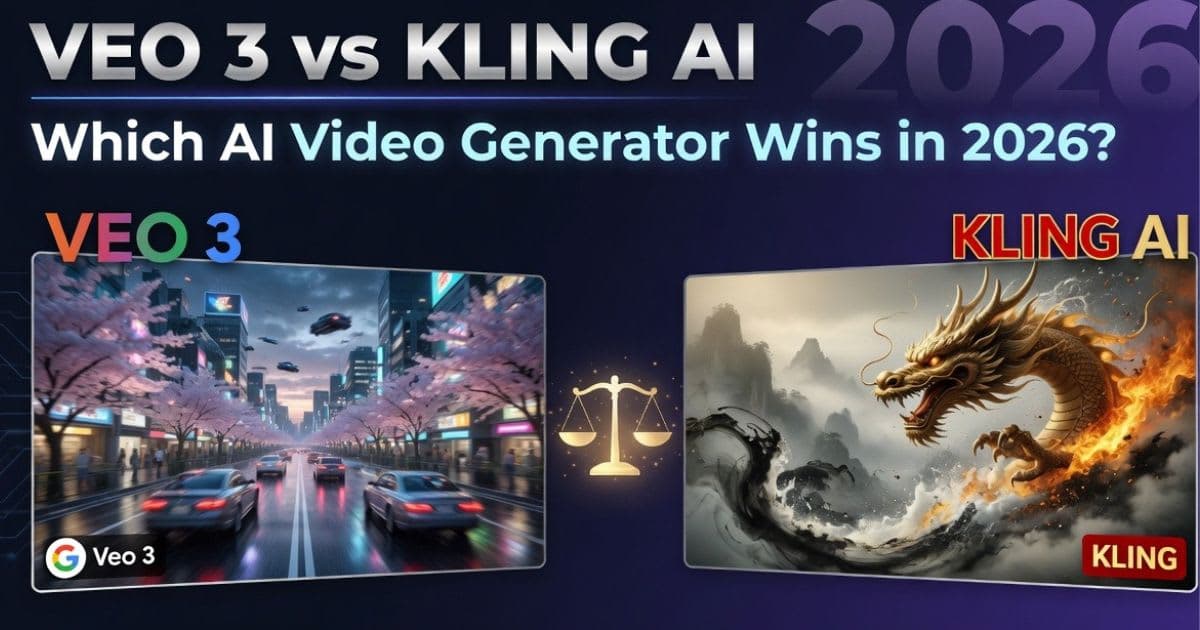
Veo 3 vs Kling AI: Which AI Video Generator Wins in 2026?
Veo 3 vs Kling AI: only one nails native audio and true 4K. See which wins on quality and price before you choose
New AI tool reviews, in your inbox.
Get new reviews and comparisons in your inbox. No spam, unsubscribe anytime.
Comments (0)
Be the first to comment.