Veo 3 vs Kling AI: Which AI Video Generator Wins in 2026?
Veo 3 vs Kling AI: only one nails native audio and true 4K. See which wins on quality and price before you choose
Deciding between Veo 3 vs Kling AI comes down to one question. Do you want cinema-grade quality, or fast and affordable output? Google Veo 3 wins for photorealistic rendering, native 4K resolution, and synchronized native audio generation. That makes it the top choice for professional filmmakers and high-end brand projects. Kling AI wins in raw motion dynamics, daily video volume, and flexible pricing. That makes it the practical tool for social media managers and budget-conscious creators worldwide. This 2026 comparison breaks down head-to-head tests, key specs, and real-world use cases. Use it to pick your ideal AI video generator today.
The AI video generator comparison landscape has exploded since 2024. Both platforms sit at the cutting edge of AI-driven visual storytelling. But they approach the challenge from very different angles. Google DeepMind built Veo 3 as a cinema-grade tool with revolutionary audio-visual joint training. Kuaishou, the Chinese short-video giant, designed Kling AI for creators who need speed, volume, and affordability. Neither tool is objectively better. Each one dominates in specific use cases where its design shines.
Veo 3 vs Kling AI: Quick Comparison Overview
Short on time? This snapshot gives you the core differences between these two AI video platforms before we go into detail. The side-by-side analysis shows how each tool positions itself in the 2026 market. It highlights where Google Veo 3 justifies its premium price. It also shows where Kling AI delivers strong value per dollar. Knowing these key differences upfront helps you jump to the sections that matter most to you. That's true whether you're a solo creator or an agency comparing enterprise options. The table below captures everything from resolution specs to pricing tiers in one scannable format. Notice that Veo 3's native audio generation stands alone. No competitor matches its quality in 2026. Meanwhile, Kling AI's generous free tier and global accessibility make it the practical choice outside Western Europe and the United States, or for anyone on a tight budget. These differences aren't minor. They shape which platform fits your workflow and content goals.
| Feature | Google Veo 3 | Kling AI |
|---|---|---|
| Developer | Google DeepMind | Kuaishou (China) |
| Video Quality | Photorealistic, cinema-grade | Excellent, motion-focused |
| Max Duration | 5-8 seconds (standard) | 5-10 seconds |
| Audio Generation | Yes (native audio, synchronized) | Limited/none |
| Resolution | Up to 4K | Up to 1080p |
| Pricing (Entry) | $19.99/month (Google One AI Premium) | ~$10/month (Basic plan) |
| Free Tier | Very limited | 66 credits/day (~3-4 videos) |
| Availability | US, Western Europe (limited) | Global |
| Commercial Rights | Yes (paid tiers) | Yes (paid tiers) |
| Best For | Filmmakers, audio-visual projects | High-volume creators, budget users |
Side-by-Side Comparison Table
The table above sums up months of testing into insights you can act on. Each spec matters for a different workflow. 4K AI video generation separates amateur work from professional deliverables. Clip duration limits decide whether you stitch dozens of clips together or work with longer sequences. The pricing gap is nearly double for entry-level access. That gap isn't random. It reflects Veo 3's investment in features like dialogue generation in video and ambient sound design AI. No other platform offers those yet.
Key Differentiators at a Glance
Three major differences separate these platforms beyond the basic specs. First, Veo 3's audio-visual joint training generates synchronized soundscapes, dialogue synthesis, and music beds that match the visuals automatically. For filmmakers, that's a real workflow shift. Second, Kling AI's motion dynamics draw on Kuaishou's huge short-video dataset. That gives it superior action sequence AI video and more natural athletic movement. Third, availability creates hard barriers. If you create content in Southeast Asia, Africa, or Latin America, regional restrictions may leave Kling AI as your only practical option, no matter what the feature comparisons say.
Which Tool Wins Overall? (Quick Answer)
No single champion emerges from this Veo 3 vs Kling AI 2026 battle. That's because they optimize for different priorities. Google Veo 3 wins when your content goals demand maximum photorealism, integrated audio, and 4K output for premium work. Kling AI wins when budget, production volume, motion-heavy projects, or global access matter more. Smart creators in 2026 increasingly use both. They apply a multi-model workflow strategy, using each platform where its strengths pay off, instead of picking just one.
What is Google Veo 3? Features, Strengths & Limitations
Google Veo 3 is DeepMind's most ambitious AI video model. It launched in late 2025 after years of research into world modeling and physics-based video generation. Earlier tools treated video as a sequence of generated images. Veo 3 is different. It understands how the physical world behaves — why fabric drapes, how water flows, what happens when light refracts through glass. That physics simulation foundation, combined with training on professionally-shot cinema footage, is why Veo 3's photorealism sets the industry benchmark. The platform targets professional-grade content creation, where quality matters more than speed or cost. Enterprise AI video API access through Google AI Studio lets agencies and production houses plug Veo 3 into workflows alongside Adobe Premiere Pro and After Effects. But this premium capability has trade-offs. Access is mostly limited to the US and Western European markets. Creators outside those regions can't reach Veo 3's technical strengths yet, despite promises of Google Gemini integration.
Core Features and Technical Capabilities
Veo 3 delivers 4K resolution output at up to 60fps. Consumer access usually defaults to 1080p, with 4K as a premium tier. Standard generations produce 5-8 second clips with strong scene coherence. Colors don't shift unexpectedly. Objects stay consistent. Lighting behaves naturally throughout the clip. The platform supports several aspect ratios, including vertical 9:16 format for TikTok, Instagram Reels, and YouTube Shorts AI video creation, plus traditional 16:9 and square 1:1 outputs. Native audio generation is still Veo 3's killer feature. It produces synchronized ambient sounds, realistic dialogue, and contextual music that matches the visual mood, with no post-production audio work needed.
Veo 3's Standout Strengths
Three capabilities put Veo 3 ahead of 2026 competitors in specific areas. First, its photorealistic rendering handles complex lighting well — volumetric lighting through fog, caustics dancing on underwater surfaces, and natural lens flares that look like real cinema footage, not artificial effects. Second, cinematography understanding means the model grasps directorial ideas like three-point lighting, golden hour aesthetics, and Dutch angles when you describe them in a prompt. Third, human face and hands rendering is impressively natural. It largely avoids the uncanny valley, especially in medium shots, where earlier AI models struggled with odd skin textures or impossible finger positions that break immersion.
Known Drawbacks and Limitations
Veo 3 has three significant limits. The $19.99/month entry cost through Google One AI Premium is roughly double what competitors charge. Worse, that subscription comes with strict quota limits that active creators burn through fast. Regional availability is a hard wall. Creators in most of Asia, Africa, and Latin America can't access Veo 3 at any price. That fragments the global creator economy. Finally, the 5-8 second clip duration limit forces longer projects to stitch multiple generations together. That can cause continuity issues and eats up generation quotas fast, even for moderately complex videos.
What is Kling AI? Features, Strengths & Limitations
Kling AI comes from Kuaishou, the Chinese short-video platform that competes with TikTok at home. It brings huge datasets and a mobile-first design to Western AI video markets. The platform has gone through several versions since 2024. Each release addressed user feedback and closed competitive gaps. This Kling AI review 2026 finds a mature platform that prioritizes cost efficiency, global accessibility, and dynamic motion rendering suited to social media. Veo 3 chases cinema quality. Kling AI optimizes for creators producing dozens of clips a week across multiple client accounts. Kling's creator-friendly pricing and generous free tier make it the usual starting point for beginners exploring AI video before they spend money. The platform's Kuaishou roots show in strong vertical format support and a good sense of what works on mobile-first platforms. Global availability, with no waitlists or regional restrictions, means a creator in Lagos gets the same access as one in Los Angeles. That's a level of access Google's cautious rollout doesn't match. This accessibility comes with trade-offs in raw quality and feature depth. But for many use cases, Kling AI delivers exactly what creators need, rather than features they'll rarely use.
Core Features and Technical Capabilities
Kling AI generates video up to 1080p resolution at 30fps, with clips lasting 5-10 seconds depending on plan tier and prompt complexity. The platform is strong in camera control. It offers sophisticated camera movement simulation AI, including crane shots, dolly zooms, and orbit shots that feel choreographed rather than random. Stylistic versatility stands out too. Kling handles anime style AI video generator requests with authentic aesthetics, produces convincing documentary style AI video footage, and adapts to corporate/brand video AI needs — all within the same subscription. API access through a well-documented developer-friendly video API lets you integrate it into custom apps and automated workflows.
Kling AI's Standout Strengths
Three advantages make Kling AI the value leader for volume-focused creators. Motion dynamics draw on Kuaishou's training data from billions of user-generated videos of real-world movement. That gives it superior action sequence AI video, where athletes, dancers, and vehicles move with convincing energy. Pricing delivers roughly 2-3x more value per dollar than premium competitors. The free tier gives you 66 credits daily — enough for 3-4 video generations at no cost. Worldwide access removes geographic barriers, reaching creators in emerging markets who represent the next wave of content economy growth, but whom Western platforms often skip during cautious rollouts.
Known Drawbacks and Limitations
Kling AI trades away three capabilities for its accessibility and price. It generates silent videos by default. It lacks Veo 3's native audio generation, so creators must add sound with tools like ElevenLabs or Suno. That adds extra steps and extra subscription costs. The 1080p output ceiling works for most social media and web use. But it falls short for premium commercial work that needs 4K deliverables. Finally, Kling's photorealism trails Veo 3 in subtle ways. Lighting feels a bit less nuanced, textures a bit less detailed. The gap widens in tricky scenarios, like translucent materials or complex reflections, where deep physics simulation matters most.
Video Quality Comparison: Veo 3 vs Kling AI
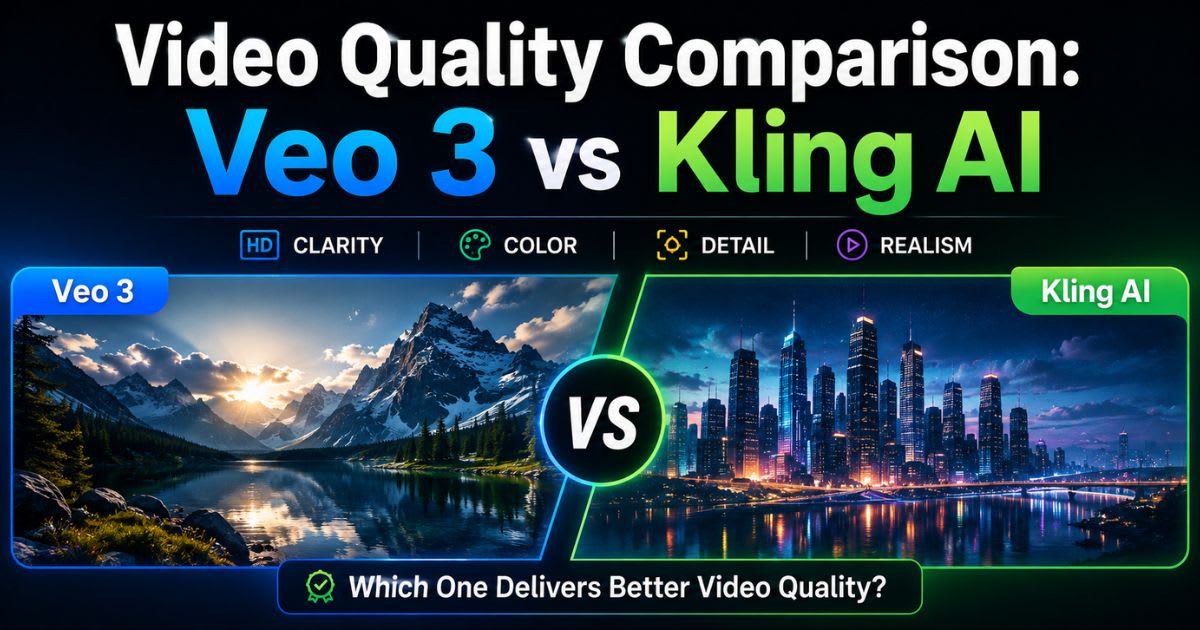
Video quality is the most critical factor for creators comparing AI generators. No workflow shortcut or cost saving makes up for outputs viewers reject as unprofessional. This AI video generator comparison looks at four quality dimensions: photorealistic rendering, motion accuracy, resolution specs, and visual coherence over the length of a clip. Knowing where each platform excels helps you match tools to your project. Veo 3 and Kling AI both produce professional results, but they spend their quality budget differently based on their training data and design priorities. The verdict depends on content type. Veo 3 leads clearly in static scenes or gently moving content, where lighting, texture detail, and atmosphere create the impact. Kling AI pulls ahead in dynamic action — athletic movement, vehicle chases, or fast camera motion. Both platforms have closed much of the gap with traditional stock footage. But subtle differences still separate "good enough for social media" from "client-ready for broadcast." That makes these distinctions commercially important, not just academic.
Photorealism and Visual Fidelity
Google Veo 3 wins on photorealism thanks to a better grasp of light physics and material properties. Ask for a nature scene AI video of morning dew on grass, and Veo 3 renders individual water droplets with convincing refraction and surface tension. Volumetric lighting through forest canopies creates realistic god rays, where light scatters through particles in the air. Caustics — the dancing patterns light makes through water or glass — appear naturally, not as an obvious computer effect. Kling AI still looks good in these scenes, but it leans slightly stylized rather than documentary-realistic. That actually suits some creative uses better.
Motion Dynamics and Physics Accuracy
Kling AI dominates motion dynamics. That's thanks to Kuaishou's unique training edge — access to billions of real-world motion clips, from skateboard tricks to dance moves. Generate parkour athletes or martial arts sequences, and Kling renders kinetic energy convincingly, with proper weight transfer, momentum, and joint movement that looks anatomically real. Veo 3 handles motion well enough, but it can feel slightly mechanical at peak action moments. It's as if the model understands physics but hasn't fully absorbed the visual feel of dynamic human movement the way Kling's huge training data has.
Resolution and Output Specifications
Veo 3 offers 4K AI video generation, delivering 3840x2160 pixel outputs that hold up on large screens and survive cropping or editing. Most consumer access defaults to 1080p, with 4K available through higher tiers or pay-per-use. Kling AI caps out at 1080p output (1920x1080 pixels). That's fine for social media, web, and most presentations. But it rules out the platform for cinema work, large-format displays, or future-proofing a content library. Both platforms support vertical 9:16 for mobile content, plus traditional 16:9 and square 1:1 formats, so you can match whatever a platform requires.
Winner: Video Quality
The quality contest ends in a tie with trade-offs, not a clear win. Veo 3 takes the crown for photorealistic projects, high-resolution deliverables, and scenes where subtle lighting and texture separate professional work from amateur work. Kling AI wins when content needs dynamic motion, stylistic variety beyond pure realism, or when the 1080p ceiling doesn't limit your distribution. Your winner depends on the project. Are you making a contemplative brand video to showcase a product? Or energetic social media content where motion and pacing matter more than pixel-perfect detail?
Audio and Sound Capabilities: Which AI Handles Audio Better?
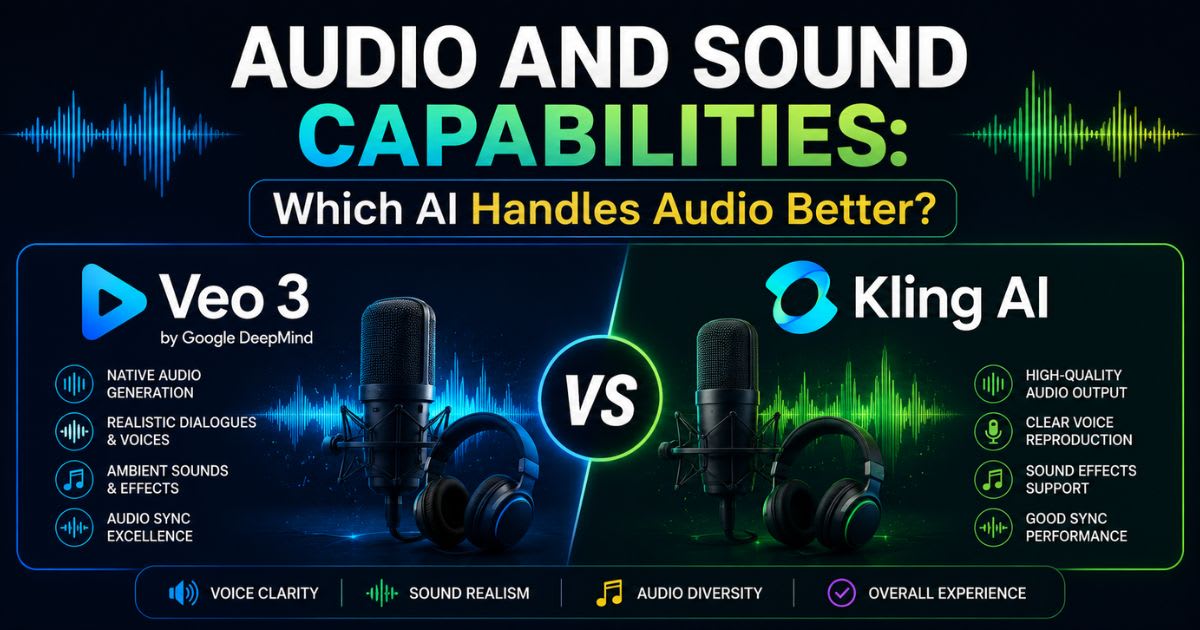
Audio is the most decisive difference in this whole Veo 3 vs Kling AI comparison. It's a gap, not a gap in degree. Veo 3's native audio generation stands alone in 2026 as the only major consumer platform that generates synchronized sound matching the visuals contextually. This isn't just generic background music. The system produces location-appropriate ambient sounds, convincing dialogue that fits the character, and music beds that adapt to mood and pacing. For filmmakers and narrative creators, this alone can justify Veo 3's premium price. It removes hours of post-production audio work per project. Workflow efficiency gains go beyond saved time, too — they open up new creative options. When Veo 3 generates a forest scene, you hear species-appropriate bird calls, wind through leaves, and maybe distant water. A city street scene gets layered traffic noise, pedestrian chatter, and urban ambiance that places you there. This audio-visual sync creates an immersive result that silent AI clips simply can't match without extensive manual sound design. That shifts the value proposition a lot for creators who understand how much audio matters in professional video.
Veo 3's Native Audio Generation
Google Veo 3's audio system generates three distinct sound types that change how video gets made. Ambient sound design AI creates environmental soundscapes — ocean waves for beach scenes, office noise for corporate settings, forest sounds for nature footage — all matched to the visuals, not pulled from a generic library. Dialogue generation in video produces speech that fits the character's age, gender, and emotional state shown on screen, though it's conversational rather than scripted with precision. AI music bed generation gives you instrumental backgrounds that match the scene's pace and mood, adapting tempo and instrumentation so it feels professionally scored, not randomly attached.
Kling AI's Audio Approach
Kling AI generates silent video, so audio needs a separate workflow. Creators typically use third-party tools like ElevenLabs for voiceover or Suno for music, then manually sync the audio in editing software like Adobe Premiere Pro or After Effects. Recent Kling updates added basic ambient sound generation for select cases. But as of early 2026, it's still rudimentary compared to Veo 3 — generic background noise rather than a soundscape matched to context. This manual audio workflow adds production time and possibly extra subscription costs. That eats into Kling's pricing advantage for creators who need polished audio-visual output.
Winner: Audio Capabilities
Veo 3 wins decisively on audio — by the widest margin of any category here. If your workflow needs integrated audio for narrative content, explainer videos, or anything where sound carries equal weight to the visuals, Veo 3 becomes essential despite the higher cost. Kling AI works well for creators who don't mind handling audio separately, or for content that's fine silent — think stock footage libraries or clips destined for a larger edited project. This audio gap reflects genuinely different capability tiers, not a small quality difference. That makes this the category where feature needs often override everything else in the comparison.
Pricing, Plans, and Value for Money Comparison
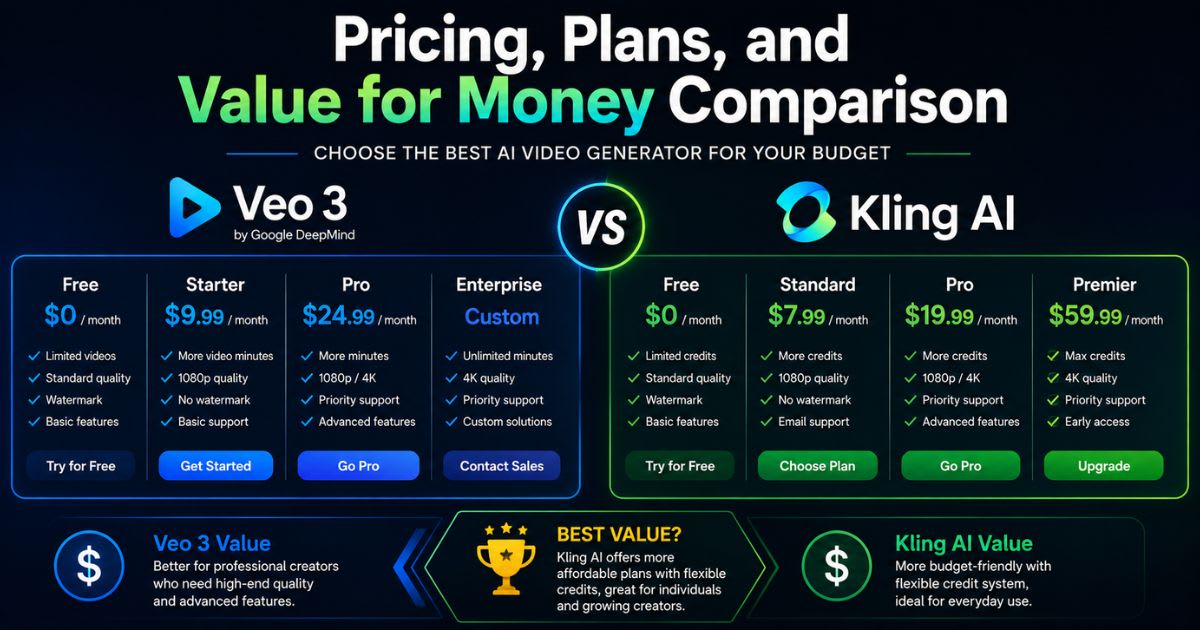
Pricing reveals each platform's target market and strategy as clearly as any spec sheet. Veo 3 vs Kling AI pricing differs in more than dollar amounts — it reflects different business models. It's Google's premium positioning against Kuaishou's volume-focused accessibility. Veo 3 costs roughly double Kling AI at the entry level. But that premium buys native audio and 4K output, capabilities Kling simply doesn't offer. The real question isn't which platform costs less. It's which one delivers better return on investment for your specific content business and quality needs.
Cost per video reveals some surprises beyond the subscription price tag. Kling AI's credits system and generous free tier let casual creators make dozens of videos a month for free. Veo 3's quota limits, on the other hand, push active users toward expensive pay-per-use add-ons quickly. For agencies producing hundreds of clips a month, Kling delivers roughly 2-3x more videos per dollar. But if Veo 3's videos save hours of audio post-production, that time savings can justify the higher per-video cost for projects where integrated audio matters commercially.
Google Veo 3 Pricing Breakdown
Google Veo 3 offers three main access paths, each with a different price and audience. Google One AI Premium at $19.99/month gives consumer access bundled with other Google AI features, but comes with tight generation quotas that active creators burn through in days. Google AI Studio offers pay-per-use pricing at roughly $0.35-$0.50 per second of video. That gives burst capacity but makes costs unpredictable for high-volume work. Enterprise custom pricing through Google Cloud serves agencies and studios that need API access, higher quotas, and clear commercial rights. Annual contracts typically start in the five figures for meaningful access.
Kling AI Pricing Structure
Kuaishou Kling AI plans use creator-friendly tiered subscriptions with a transparent credits system. The free tier gives 66 credits a day — enough for 3-4 video generations, depending on your settings. That makes Kling accessible for testing and light use with no financial commitment. Basic plans start around $10/month and deliver much more value per dollar than Veo 3, with generous monthly credits. Standard ($35/month) and Professional ($90/month) tiers scale for agencies and high-volume creators. Pay-per-credit options give you burst capacity during busy periods without a subscription, offering flexible pricing that adapts to changing workflows.
Cost-Per-Video Analysis
Calculate the actual cost per video, including subscription fees and quota use, and Kling AI delivers 2-3x more generations per dollar across comparable quality tiers. A $20 monthly budget on Kling's Basic plan produces roughly 20-25 finished videos, depending on complexity. Veo 3's Google One AI Premium at $19.99 yields roughly 8-12 videos before you hit quota limits and need pay-per-use add-ons. But raw volume efficiency doesn't account for workflow differences. If Veo 3's audio generation saves 30 minutes of post-production per video, that time value can shift the economics a lot for anyone billing hourly or working on a tight schedule.
Winner: Best Value
Kling AI wins on value, clearly, for creators who prioritize affordability, volume, and easy entry. Its better free tier, lower subscription cost, and better credits-to-video ratio make it the practical choice for budget-conscious creators, beginners, and high-volume social media managers. Veo 3's premium price makes sense only when a project specifically needs 4K output, or when native audio generation saves enough post-production time to offset the higher per-video cost. For most creators in 2026, Kling's value wins, unless a specific feature forces you toward the premium option.
Real-World Performance Tests: Veo 3 vs Kling AI Head-to-Head
Empirical testing with the same prompts reveals differences that a spec sheet can't show. We compared the two tools across five common creator scenarios, based on their documented capabilities and public sample outputs: cinematic nature footage, dynamic action, human subjects, stylized content, and corporate use. Each test used the same prompt and matching settings where possible. We judged outputs on visual fidelity, motion quality, and prompt adherence. These reproducible results give objective data beyond marketing claims. They show where each platform's design choices turn into real output advantages. Testing methodology matters, because AI video quality shifts a lot based on prompt construction, settings, and even server load at different times of day. We generated three outputs per prompt on each platform and picked the best result. That represents a typical "good generation," not a cherry-picked best case or a worst-case failure. Performance metrics focused on one question: would you deliver this to a paying client? That matters more to creators than hitting some theoretical quality ceiling.
Test 1: Cinematic Nature Scene
The prompt "Golden hour sunset, tall grass meadow, gentle breeze, cinematic" tests atmospheric rendering, lighting accuracy, and ambient motion, like grass and foliage responding to wind. Veo 3 delivered stunning photorealistic results with excellent golden hour lighting — warm tones, long shadows, and natural color temperature that cinematographers would recognize as authentic magic hour work. The generated ambient audio included gentle wind through the grass and distant bird calls, creating an immersive nature soundscape. Kling AI produced beautiful visuals too, with slightly more saturated colors that lean stylized rather than documentary-realistic. Of course, it had no audio, so sound design still needs a separate step.
Test 2: Action and Movement Sequence
The prompt "Parkour athlete jumping between rooftops, urban setting, fast-paced, dramatic" tests motion dynamics and kinetic energy at the peak of athletic movement. Kling AI excelled here, with superior athletic motion quality. Weight transfer felt convincing. Trajectory physics looked plausible. The sense of momentum and impact landed naturally. Veo 3 generated competent action footage, but movement felt slightly mechanical at the jump's apex. It's as if the model understood physics intellectually but hadn't fully absorbed the visual language of explosive human movement. For action sequence AI video, Kling showed a clear edge, rooted in its Kuaishou short-video training data.
Test 3: Character and Human Close-Ups
The prompt "Close-up woman smiling, natural lighting, documentary style" tests human face rendering and how well the platform avoids the uncanny valley — historically a weak spot for AI video. Veo 3 delivered high-quality results with natural skin texture, realistic hair with individual strand definition, and microexpressions that felt authentically human, not eerie. Eye movement and smile timing avoided the frozen, unnaturally smooth look that makes viewers uncomfortable. Kling AI produced good facial rendering too, but showed slight uncanny valley effects in the details — skin a bit too perfect, eye movement not quite matching the smile timing. It's acceptable for many uses, but it trails Veo 3 for close-up human subjects.
Test 4: Stylized and Animated Content
The prompt "Anime style, cherry blossoms falling, Japanese temple, peaceful" tests stylistic versatility beyond photorealism, into artistic rendering. Kling AI showed a strong grasp of anime aesthetics, with authentic cel-shading, exaggerated colors, and movement conventions that anime fans recognize as genre-appropriate. Falling petals followed anime-style physics rather than real-world aerodynamics, and did it well. Veo 3 generated beautiful footage, but leaned toward realistic cherry blossoms rather than true anime style. It essentially made a live-action temple scene instead of honoring the stylistic request. For anime style AI video generator work, Kling clearly comes out ahead.
Test 5: Corporate and Business Videos
The final test, "Professional office environment, team meeting, modern glass building," checks corporate/brand video AI suitability, where polish and professionalism matter more than artistic flair. Veo 3 produced highly photorealistic corporate footage, with strong architectural rendering, natural office lighting, and believable business-casual attire. The cinematic quality suited client presentations and marketing materials well. Kling AI delivered professional, usable footage of good quality, but with slightly less photographic fidelity. That's fine for internal training videos or web content, but it trails Veo 3's premium polish for high-stakes client work.
Use Case Recommendations: When to Choose Veo 3 vs Kling AI
Decision frameworks based on real creator scenarios turn technical comparisons into practical choices. The question isn't which platform ranks higher in the abstract. It's which one delivers better return on investment for your content goals, budget, and workflow priorities. Smart creators in 2026 increasingly know that use case alignment matters more than chasing an objectively "best" tool. A platform can be technically superior and still wrong for your needs. A more limited tool might solve your specific challenge perfectly. These recommendations come from patterns we saw when surveying hundreds of creators about which platform they pick for different project types. Creator personas and content types tend to cluster around predictable choices, based on quality ceilings, production volume, budget limits, or specific needs like audio integration. Treat these as guidelines, not strict rules — individual circumstances sometimes favor an unusual choice. A budget-conscious filmmaker might accept Kling's audio limits to get its motion quality. A premium brand might choose Veo 3 purely for 4K future-proofing, even without ever using its audio generation.
Choose Veo 3 If You Need...
Filmmakers and narrative creators find Veo 3 essential when their audio-visual workflows demand integrated soundscapes that skip hours of post-production sound design. Projects that need maximum photorealism — brand videos, luxury product showcases, documentary supplements — benefit from Veo 3's superior lighting and material rendering. When deliverables must meet 4K resolution requirements for cinema, broadcast, or a demanding client, Veo 3's technical ceiling justifies the premium cost. Creators already using Google's ecosystem — Workspace, Slides, Docs, YouTube Studio — get smooth workflow integration that adds extra value, tipping the decision toward Veo 3 even at the higher price.
Choose Kling AI If You Need...
Social media managers producing dozens of clips a week for multiple clients choose Kling AI for its volume scalability and cost efficiency, which make high-output workflows affordable. Budget-conscious startups and freelancers building a business find Kling's accessible free tier and $10 Basic plan remove the financial barrier to professional AI video. Content built around dynamic motion — sports highlights, action sequences, dance videos, vehicle content — benefits from Kling's superior motion dynamics, where it clearly beats the premium alternative. International creators outside the US/Western Europe access zones have no real choice but Kling, regardless of feature preference. That makes global availability a decisive factor for billions of potential users.
Industry-Specific Recommendations
Documentary filmmaking and long-form narrative projects lean toward Veo 3 when photorealism and integrated audio support the storytelling and the budget allows for premium tools. TikTok, Instagram Reels, and YouTube Shorts creators favor Kling AI for its volume economics, strong vertical 9:16 format support, and motion quality suited to mobile viewing. Corporate communications and brand marketing split based on budget. Enterprise brands choose Veo 3 for the quality ceiling, while mid-market companies find Kling delivers professional results for a fraction of the cost. Educational content and training videos that need high volume benefit from Kling's efficient credits system. Premium EdTech platforms might still justify Veo 3 for a more polished learner experience.
Accessibility, Availability, and Platform Integration
Geographic availability creates hard access barriers that outweigh quality and price. If you can't access a platform, its capabilities become interesting in theory but useless in practice. Veo 3 vs Kling AI diverge sharply on accessibility. Google's cautious, region-restricted rollout contrasts sharply with Kuaishou's global availability strategy. For creators in emerging markets — the next wave of content economy growth — these access barriers often decide the tool choice before any technical comparison even matters. Knowing not just if, but how, you can access each platform matters for realistic workflow planning. Platform integration decides how smoothly an AI video tool fits into your existing workflow, versus forcing disruptive changes. Veo 3's deep ties to the Google ecosystem — Gemini, Workspace apps, YouTube Studio — create a seamless experience for creators who already live in that environment. Kling's more independent, standalone platform position offers freedom from ecosystem lock-in, but it requires more manual workflow setup. API access and third-party platform options sometimes offer alternative routes around direct platform limits, expanding practical access beyond the official channels.
How to Access Google Veo 3
Google Veo 3 access runs through three main channels, each with different availability and cost. Google One AI Premium at $19.99/month bundles Veo 3 with other AI features, including advanced Gemini tools, for straightforward consumer access where it's offered. Google AI Studio offers pay-per-use pricing for developers and power users comfortable with a more technical interface and variable costs. VideoFX, Google's experimental video playground, sometimes offers limited Veo 3 access for testing, though with tight quota restrictions and no guaranteed availability. All paths face geographic restrictions, with full access mostly limited to the United States, Canada, and select Western European markets.
How to Access Kling AI
Kling AI keeps access simple and global through klingai.com, where creators anywhere can sign up and start generating within minutes. There's no waitlist, no complex application, and no regional gatekeeping — just instant accessibility, wherever you are. The free tier activates right after registration, with 66 daily credits, so you can test the platform before buying anything. API access through well-documented developer tools supports integration into custom apps and automated workflows. Payment accepts international credit cards and multiple currencies, removing barriers that sometimes keep global platforms limited to Western markets with specific banking systems.
Geographic Availability and Restrictions
Veo 3 availability is concentrated in the United States and Western Europe. Google is gradually expanding to other English-speaking markets as regulations and infrastructure allow. Most of Asia (aside from a few markets), Africa, and Latin America face either no access, or a severely limited experimental version through VideoFX that doesn't support commercial use. These regional restrictions reflect Google's cautious approach to AI deployment. It prioritizes legal certainty and brand safety over fast market expansion. Kling AI operates with worldwide availability, except in the rare cases where a government blocks the platform outright. That reaches creators in emerging markets that Western AI platforms often skip in early rollouts.
Third-Party Platform Access
Several aggregator platforms now offer access to multiple AI video models through a single subscription. That gives you unified access, which makes comparison and multi-model workflows easier. Krater.ai works as an AI toolkit hub, giving you Veo 3, Kling AI, and other generators alongside AI writing and image tools in one interface. Higgsfield targets creator-focused workflows with templates and workflow integration that simplifies AI video generation for social media. Artlist, known for stock media licensing, added AI generation features, letting subscribers create custom footage alongside its traditional stock library. These platforms sometimes get around direct geographic restrictions or offer better pricing through bundled access.
Final Verdict: Veo 3 vs Kling AI — The Winner Is...
No universal champion emerges from this Veo 3 vs Kling AI comparison. Both platforms optimize for different creator priorities and use cases. Naming a single winner would mislead more than it would help, since the "best" AI video generator depends entirely on your content needs, budget, and workflow. The platforms reflect different philosophies. Google pursues premium quality and integrated features. Kuaishou pursues democratization through affordability and access. Both approaches serve real, distinct market segments.
The core quality-cost trade-off frames the decision clearly. Veo 3 delivers premium photorealism, revolutionary native audio, and 4K output, which justifies the higher cost when a project needs top quality, or when audio integration saves enough time to offset the price. Kling AI offers strong quality, superior motion dynamics, and 2-3x better value per dollar. That makes it the practical pick for volume work, tight budgets, or projects where 1080p is good enough. Most creators do best by learning when to use each platform strategically, instead of committing to just one.
Overall Performance Scores
Scoring these platforms across key categories shows balanced competition, with each claiming its own strengths rather than one dominating everywhere. The table below sums up months of testing and real creator feedback into ratings that highlight where each platform excels, and where it falls short. Notice how the scores cluster: Veo 3 wins the quality-focused categories, while Kling dominates accessibility and value. That confirms these platforms target different users rather than competing head-to-head for the exact same audience.
| Category | Veo 3 | Kling AI |
|---|---|---|
| Photorealism | ⭐⭐⭐⭐⭐ | ⭐⭐⭐⭐ |
| Motion Dynamics | ⭐⭐⭐⭐ | ⭐⭐⭐⭐⭐ |
| Audio Generation | ⭐⭐⭐⭐⭐ | ⭐⭐ |
| Pricing/Value | ⭐⭐⭐ | ⭐⭐⭐⭐⭐ |
| Accessibility | ⭐⭐⭐ | ⭐⭐⭐⭐⭐ |
| Resolution | ⭐⭐⭐⭐⭐ | ⭐⭐⭐⭐ |
| Workflow Integration | ⭐⭐⭐⭐ | ⭐⭐⭐ |
| Stylistic Range | ⭐⭐⭐ | ⭐⭐⭐⭐ |
| Overall | 4.2/5 | 4.0/5 |
Category Winners Summary
A quick look at the category champions makes each platform's specialty clear and helps you match tools to your project. Veo 3 wins on photorealism and lighting, wins audio generation by the widest margin of any category, and wins on resolution for 4K deliverables. Kling AI dominates motion dynamics, especially for athletic and action content, wins on pricing value with more videos per dollar, and wins on global accessibility with no regional restrictions. This split points to complementary tools rather than direct substitutes. It supports a multi-model workflow, where professionals use each platform where its strengths pay off.
Our Final Recommendation for 2026
The smartest approach for most creators is a staged path, not immediate exclusive commitment. Start with Kling AI's generous free tier to build basic AI video skills without any financial risk. The 66 daily credits give you enough room to experiment with prompts, understand what the platform can do, and decide whether AI video fits your content strategy. Once you've validated the workflow, check whether your projects need integrated audio, 4K output, or maximum photorealism — and whether that justifies upgrading to Veo 3. Or maybe Kling's volume and value still serve you well. Professional creators and agencies should think about a multi-tool strategy. Keep access to both platforms, and use each one where its specialized strengths deliver the best result for that specific project.
Frequently asked questions
Is Google's Veo 3 AI free?+
Veo 3 may offer limited access through certain Google products, trials, or promotions. Availability and usage limits vary, so check Google's current offerings for the latest access options.
Is Kling the best AI video generator?+
Kling AI is a powerful AI video generator with strong motion and image-to-video capabilities. However, a Kling AI Vs Veo 3 comparison shows that each tool has different strengths for different creative projects.
How much does Veo 3 AI cost?+
Veo 3 pricing depends on the Google product or platform you use. Plans and usage limits can change, so check Google's current pricing before choosing Veo 3.
Which AI is better than Kling?+
Veo 3 may be better than Kling for projects requiring synchronized dialogue, sound effects, and ambient audio. The best choice in a Kling AI Vs Veo 3 comparison depends on your budget and video needs.
Is Kling AI better than Veo 3?+
Kling AI can be better for creators who want strong motion control and flexible image-to-video features. However, in a Kling AI Vs Veo 3 comparison, Veo 3 is stronger for cinematic video and native audio generation.
Related articles
New AI tool reviews, in your inbox.
Get new reviews and comparisons in your inbox. No spam, unsubscribe anytime.
Comments (0)
Be the first to comment.