Best AI Tools to Apply for Jobs: Apply Faster In 2026
Find the best AI tools to apply for jobs in 2026. Tailor resumes, track applications, and apply faster with these top picks.
Introduction
Finding a job can become exhausting when every
application requires a different resume, cover letter, and set of questions.
The best AI tools to apply for jobs can reduce that workload by helping
you find relevant roles, tailor your resume, improve ATS compatibility,
complete application forms, and organize your search.
However, AI should support your job search
rather than replace your judgment. A tool can identify keywords or fill
application fields, but you still need to verify your experience, skills, and
answers before submitting anything. This guide compares the major AI-powered
options available in 2026 and explains which type of tool fits different job-search
needs.
Best AI Job Application Tools at a Glance
The following comparison is based on current
product features and intended use cases. It is not an independent ranking or
personal testing result.
|
Tool |
Best suited for |
Main use |
|
LinkedIn
AI-powered job search |
Finding
relevant roles |
Natural-language
job discovery and personalized recommendations |
|
Indeed
Career Scout |
Broader
job-search workflows |
Job
discovery, resume tailoring, tracking, and career support |
|
Rezi |
Resume
creation and tailoring |
AI
resumes, keyword targeting, and optimization |
|
Jobscan |
ATS-focused
optimization |
Resume-to-job-description
matching and ATS analysis |
|
Huntr |
Application
organization |
Job
tracking, resumes, cover letters, and autofill |
|
Teal |
Resume
and job-search workflow |
Resume
building, job tracking, matching, and AI assistance |
|
Simplify
Copilot |
Application
autofill |
Filling
supported application forms |
|
Simplify
Autopilot |
Higher
application automation |
Automatically
completing and submitting supported applications |
Feature availability and pricing can change,
so check each provider's current documentation before making a purchase or
relying on a specific feature.
What Are the Best AI Tools to Apply for Jobs in 2026?
The
best AI tools to apply for jobs are not necessarily the tools with the most
automation. A useful job-search system combines several tasks into one
workflow:
Find
→ Match → Tailor → Optimize → Write → Apply → Track → Prepare
For example, you
could use LinkedIn or Indeed to discover opportunities, Rezi or Jobscan to improve your resume, Simplify to autofill application forms, and an
AI interview tool to prepare for interviews. LinkedIn offers an AI-powered job
search that lets members describe the type of role they want using natural
language. The system can match the search intent against job descriptions
instead of relying only on traditional keyword filters. LinkedIn says its AI
job search is available to members worldwide.
Indeed Career
Scout takes a broader approach. Indeed describes Career Scout as an AI-powered
career assistant that can help with career exploration, job recommendations,
resume tailoring, application tracking, interview preparation, and other parts
of the job-search process.
Keep in mind that
these tools solve different problems. One may be stronger for discovering jobs,
while another focuses on resume optimization or application automation.
Best AI Job Search Tools for Finding Relevant Jobs
Finding suitable openings is the first major
challenge. Large job boards contain thousands of listings, but more results do
not necessarily mean better results. AI job-search tools can help you describe
your preferred role in natural language. Instead of entering several rigid
filters, you can explain the type of work, experience level, location,
industry, or working arrangement you want.
LinkedIn's AI-powered job search is designed
around this approach. LinkedIn says users can describe the job they want in
their own words, while the system uses AI to understand the search intent and
match it with job descriptions. Indeed Career Scout also goes beyond simple job
searching. Its current feature set includes personalized recommendations,
career exploration, company and salary information, and other career-support
features.
For example, instead of searching only for
"SEO writer," you could describe a broader requirement such as: "Find
remote content marketing roles for someone with SEO writing experience, basic
Google Ads knowledge, and an interest in AI tools." You still need to
review the results yourself. Job titles, requirements, location rules, salary
information, and application deadlines can vary between listings.
Best AI Resume Builders and Resume Optimization Tools
An AI resume builder and an AI resume
optimizer perform related but different jobs. A resume builder helps you create
the document. An optimizer focuses more heavily on tailoring an existing resume
to a particular job description.
Rezi currently provides AI-powered resume
creation, keyword targeting, resume analysis, and other optimization features.
Its AI Resume Agent can help write, tailor, score, and optimize resume content.
Rezi also provides AI Keyword
Targeting. Its system analyzes a job description for important terms and helps
incorporate relevant keywords into the resume naturally. Jobscan takes a more
job-description-focused approach. Its resume matcher compares resume content
against a target job description and provides information about the match.
Jobscan also provides ATS-oriented analysis and guidance. Huntr combines several job-search
functions, including resume tools, cover letters, job tracking, and application
autofill. Its AI cover letter generator can use job and resume information to
create more targeted application content. Teal also combines
resume building with job tracking and AI-powered resume assistance. Its free
plan currently includes unlimited resume building, editing, and exporting,
along with job tracking and basic AI features.
AI Tools for ATS Resume Optimization
Many employers use applicant tracking systems
to organize and process applications. These systems can parse resumes, extract
information, search for relevant terms, and help employers manage large
applicant pools. However, ATS behavior varies between systems and employer
configurations. That makes ATS optimization more complicated than simply adding
keywords. A strong resume should still be readable by a human recruiter.
Standard section headings, straightforward formatting, and a clean structure
can reduce potential parsing problems. CareerOneStop also recommends
avoiding unnecessary tables, text boxes, graphics, and complex layouts when
preparing resumes for automated systems.
|
Resume element |
Better approach |
|
Job
keywords |
Use
relevant terms naturally |
|
Section
headings |
Use
familiar headings such as Experience and Education |
|
Formatting |
Keep
the structure simple and readable |
|
Skills |
Include
skills you genuinely possess |
|
Job
title |
Use
the employer's terminology when accurate |
|
Graphics |
Avoid
unnecessary visual elements |
|
Content |
Prioritize
relevant achievements and experience |
Consider the following an illustrative
example, not a guaranteed ATS result.
Suppose a job description asks for "SEO
content strategy, keyword research, Google Analytics, and content
optimization." A relevant resume should mention those skills when the
applicant genuinely has them. Adding unrelated keywords simply to increase a
matching score can make the document less credible.
Best AI Tools for Cover Letters and Application Questions
AI can also reduce the time required to create
customized cover letters and answer repetitive application questions. Personalization
is what matters here. A cover letter generated from the same generic prompt for
every employer may sound disconnected from the position. Tools such as Rezi and
Huntr can use job-description and resume information to help create tailored
application content. You can improve the result by giving the AI specific
information about the role, your relevant experience, measurable
accomplishments, and the employer's requirements.
For example, instead of asking an
AI tool to "write a cover letter," provide
the job description and explain which two or three experiences are most
relevant. Then read every sentence before you submit it. AI can generate
wording that sounds convincing but does not accurately represent your
experience.
AI Auto Apply Tools: Autofill vs Automatic Submission
"Auto apply" can describe different
levels of automation, so it is important to understand the difference between autofill
and automatic submission. Simplify Copilot is designed to autofill
supported job applications. Simplify says Copilot can help complete resumes,
cover letters, common application fields, and application questions. It also
adds submitted applications to its Job Tracker. The user remains involved in
reviewing the information and submitting the application. Simplify Autopilot
goes further. Simplify currently describes Autopilot as a beta feature
available to a subset of Simplify+ members. After the user selects a supported
job, Autopilot can open the application, complete the form, and submit it
automatically.
Autopilot also has safeguards designed to
avoid guessing when it cannot confidently answer an application question.
Simplify currently states that successful auto-apply actions use credits, with
20 credits available per week and no rollover. This matters because autofill
lets you review everything before you submit, while automatic submission takes
some of that control away.
Best AI Tools for Job Applications by Automation Level
AI job application tools can be understood as
a progression from assistance to automation.
Level 1: AI assistance means the tool
helps you write or improve content. Resume builders and AI
writing assistants generally fit this category.
Level 2: AI optimization means the system
analyzes your resume against a job description and identifies relevant keywords
or potential gaps. Rezi and Jobscan fit this use case.
Level 3: Application autofill means the
software can transfer stored information into supported application forms.
Simplify Copilot and Huntr provide this type of functionality.
Level 4: Automatic application
submission
means the tool can complete and submit supported applications with less manual
interaction. Simplify Autopilot currently operates in this category for
supported applications.
Level 5: AI-assisted career workflow combines
multiple activities, such as job discovery, resume tailoring, tracking, and
interview preparation. Indeed Career Scout is an example of a broader
career-search product.
More automation does not always mean better
results. It can also leave you less chance to catch a wrong answer before it
goes out.
Best AI Tools for Job Seekers by Specific Problem
Different job seekers have different
bottlenecks. Your choice should depend on the part of the process consuming the
most time.
|
Your problem |
Tool category to consider |
Example |
|
Finding
relevant jobs |
AI
job search |
LinkedIn,
Indeed Career Scout |
|
Creating
a resume |
AI
resume builder |
Rezi,
Teal |
|
Matching
a resume to a job |
Resume
optimization |
Rezi,
Jobscan |
|
Improving
ATS compatibility |
ATS
analysis |
Jobscan,
Rezi |
|
Tracking
applications |
Job
tracker |
Huntr,
Teal |
|
Filling
repetitive forms |
Application
autofill |
Simplify
Copilot, Huntr |
|
Automating
supported applications |
Auto-apply |
Simplify
Autopilot |
|
Career
exploration |
AI
career assistant |
Indeed
Career Scout |
These
categories describe use-case fit, not an independent ranking of the
products.
Best Free AI Job Search Tools in 2026
You do not need several paid subscriptions to
get real value from the best AI tools to apply for jobs.
Teal currently offers a Free Forever plan with
unlimited resume building, editing, and exporting, unlimited job tracking and
bookmarking, and basic AI-powered features. Advanced functionality is available
through Teal+.
Rezi also offers a free plan. Its current free
tier includes one resume, three PDF downloads, one AI interview,
standard-format templates, and limited AI features. Rezi also states that cover
and resignation letters can be created without the same usage limits. So free
plans can cover a big part of the workflow. You can use free tools for resume
creation, job tracking, and basic optimization before deciding whether
additional automation is worth paying for.
Pricing and plan limits can change, so verify
the provider's current pricing page before subscribing.
How to Build a Complete AI Job Application Workflow
A practical workflow with the best AI tools to
apply for jobs starts with job discovery.
First, use an AI-powered job search tool to
identify roles that genuinely match your skills and preferences. Next, select
the openings that deserve attention. Do not apply just because an AI system
spots a keyword match. Then tailor your resume to each relevant position.
Highlight experience that directly connects with the employer's requirements. After
that, use an ATS-focused tool to identify missing or weakly represented
keywords. Only add terms that accurately describe your background. Create a
customized cover letter when the application requires one. Focus on the
employer's needs rather than repeating your resume. For repetitive forms, an
autofill tool can reduce manual typing. Review the completed information before
submitting it.
Finally, track every application. Record the
company, position, application date, resume version, follow-up date, and
current status. This creates a repeatable workflow without turning your job
search into a numbers-only exercise.
How AI Can Improve Application Quality Without Increasing
Application Volume
AI can help you spend more time on relevant
opportunities instead of submitting identical applications everywhere.
Consider this hypothetical example.
Imagine a job seeker has enough time to
prepare only 15 strong applications instead of 100 rushed applications. AI
could help identify relevant openings, tailor resumes, compare job
requirements, and reduce repetitive form entry. The point is not that 15 applications
will always outperform 100. There is no universal application-to-interview
ratio that applies to every job seeker or industry. The useful principle is
that automation should reduce repetitive work while preserving attention for
applications that actually fit.
How Career Changers Can Use AI Job Search Tools
Career changers often face a different
problem. Their previous job title may not match the language used in their
target industry.
AI can help identify transferable skills and
alternative job titles.
For example, someone with project coordination
experience might discover related roles involving operations, implementation,
customer success, or project management. However, AI-generated career
suggestions should be treated as possibilities rather than guarantees. You
should compare each recommendation against the actual job requirements. AI can
also help restructure a resume around transferable achievements instead of
focusing entirely on the previous job title.
AI Tools for LinkedIn Job Search
LinkedIn's AI-powered job search allows users
to describe the type of position they want in natural language. The system can
use job descriptions and other relevant information to produce more
context-aware search results.
LinkedIn also says its AI job search can use
information such as profile details and search activity to personalize results.
That means your LinkedIn profile still matters. A weak or outdated profile can
provide less useful context for personalization. You should also review the
results yourself. AI search can improve discovery, but it cannot determine
whether a particular employer, workplace, salary, or career path is personally
right for you.
Privacy, Accuracy, and Job-Board Rules Matter More Than Automation
Job applications often contain sensitive
professional information. Your resume may include your employment history,
education, location, contact information, and other personal details. Before
uploading this information to an AI service, understand how the provider
handles your data. Accuracy is equally important. An AI tool can generate an
incorrect job title, alter a date, exaggerate an achievement, or provide an
answer that does not accurately describe your experience. Automation can create
another issue. Some platforms support autofill, while others support automatic
submission only on specific application systems.
Simplify's documentation, for example,
distinguishes between Copilot's application autofill functionality and
Autopilot's automatic submission workflow.
Check your details before you submit whenever
the tool lets you.
Common AI Job Application Mistakes That Can Hurt Your Search
Using the same resume for every position is
one common mistake. A resume should emphasize the experience most relevant to
the specific role. Another mistake is applying to positions simply because an
AI tool identifies a few matching keywords. Keyword overlap does not
automatically mean that you meet the employer's requirements. Also, do not add
skills you do not have. AI-generated resumes can make this mistake easier if
you accept every suggestion without checking it.
Unreviewed AI answers can create similar
problems. Application questions often require personal examples, specific
experiences, or accurate explanations of your background.
Another mistake is obsessing over ATS scores.
A matching score can provide useful feedback, but it does not represent a
hiring decision.
Finally, do not judge your whole job search by
how many applications you send. Interviews, recruiter replies, relevant
openings, and application quality tell you much more.
What Is the Best AI Tool for Job Applications in 2026?
No single tool is the best for every job
seeker.
The better question is which of the best AI
tools to apply for jobs matches your biggest problem.
|
Job-search need |
Tool category to consider |
|
Finding
jobs |
LinkedIn
or Indeed Career Scout |
|
Building
a resume |
Rezi
or Teal |
|
Resume
optimization |
Rezi
or Jobscan |
|
ATS-focused
analysis |
Jobscan |
|
Tracking
applications |
Huntr
or Teal |
|
Application
autofill |
Simplify
Copilot or Huntr |
|
Automatic
submission on supported systems |
Simplify
Autopilot |
|
Broader
career support |
Indeed
Career Scout |
If finding relevant opportunities is your main
challenge, an AI-powered job search can be useful. If your resume is the problem,
focus on resume creation and optimization. If repetitive applications consume
most of your time, application autofill may provide more value. If you want
more automation, investigate automatic submission carefully and understand
exactly where the feature works.
Final Verdict
The best AI tools to apply for jobs are
the ones that solve a specific part of your job search without removing your
control.
LinkedIn and Indeed Career Scout can help with
job discovery and broader career workflows. Rezi and Jobscan can help with
resume creation, tailoring, and ATS-focused optimization. Huntr and Teal can
organize different parts of the application process. Simplify can reduce
repetitive form filling and, through its Autopilot feature, automate supported
applications. The most effective way to use the best AI tools to apply for jobs
is not to automate everything. Use AI to reduce repetitive work, improve
relevance, and organize your search. Keep the final judgment human, especially
when an application contains important claims about your experience.
That balance lets you move faster without
turning your job search into a collection of generic applications.
Frequently asked questions
What AI tool can help me apply for jobs automatically?+
Tools like LoopCV and LazyApply can completely automate your job search by submitting your resume to thousands of matching open roles in the background. If you prefer to keep control, browser extensions like Simplify instantly autofill complex application forms for you with a single click.
Which AI tool is best for jobs?+
The best tool depends on your current need: Teal is excellent for tracking applications and managing your career, while Jobscan is the top choice for optimizing your resume keywords. For beautiful, ATS-friendly designs and automated writing assistance, Kickresume stands out as the top builder.
Can I use ChatGPT for job applications?+
Yes, ChatGPT is an incredible assistant for rewriting weak bullet points, brainstorming cover letters, and tailoring your CV to specific job descriptions. However, you should never copy-paste its responses directly, as unedited AI writing sounds highly generic and lacks your unique personal voice.
What are the best AI tools for recruitment?+
Employers rely heavily on enterprise AI platforms like Eightfold.ai and Fetch.ai to automatically source and match top candidates to open roles. Additionally, standard Applicant Tracking Systems (ATS) like Greenhouse and Workday now feature native AI to scan and rank resumes based on skill mapping.
Do employers check if your resume is AI?+
Recruiters rarely use software detectors because they are highly unreliable for resumes, but they can easily spot unedited AI writing themselves. They instantly notice repetitive buzzwords and a lack of specific, metrics-driven achievements, which often leads to immediate rejection for looking too generic.
Related articles
 AI for Business
AI Tools for Small Business That Pay for Themselves
AI tools for small business that pay for themselves fast — real picks for marketing, support, and accounting.
 AI for Business
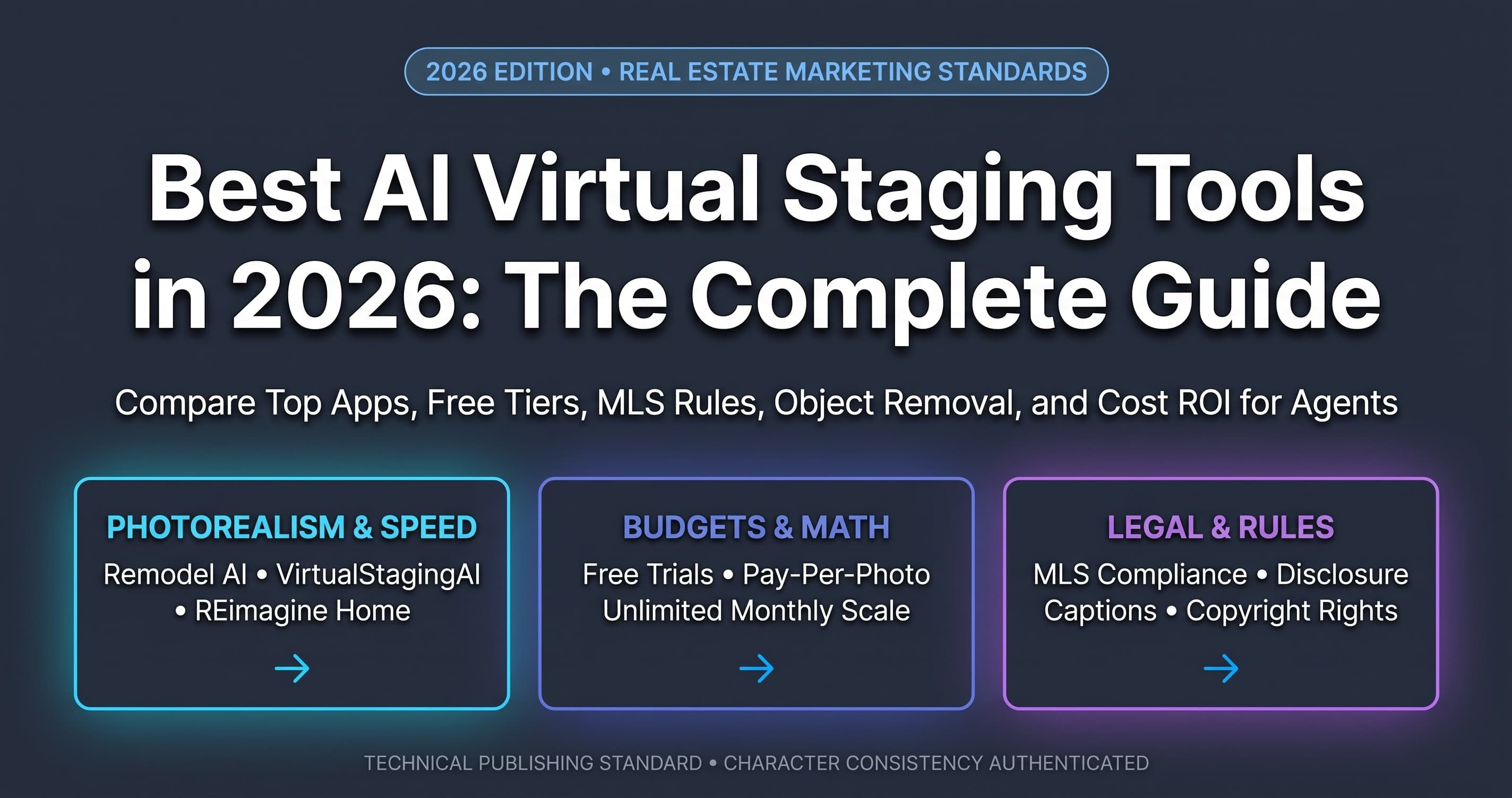
Best AI Virtual Staging Tools in 2026: Real Estate Guide
Transform empty listings with AI virtual staging. Add photorealistic furniture in seconds to attract buyers and sell homes faster.
 AI for Business
GPT-6 Astra Features: Release Date, Pricing & Dashboard
Discover the powerful GPT-6 Astra features breaking records. Learn about its native multimodality, ultra-low latency, and api pricing.
New AI tool reviews, in your inbox.
Get new reviews and comparisons in your inbox. No spam, unsubscribe anytime.
Comments (0)
Be the first to comment.