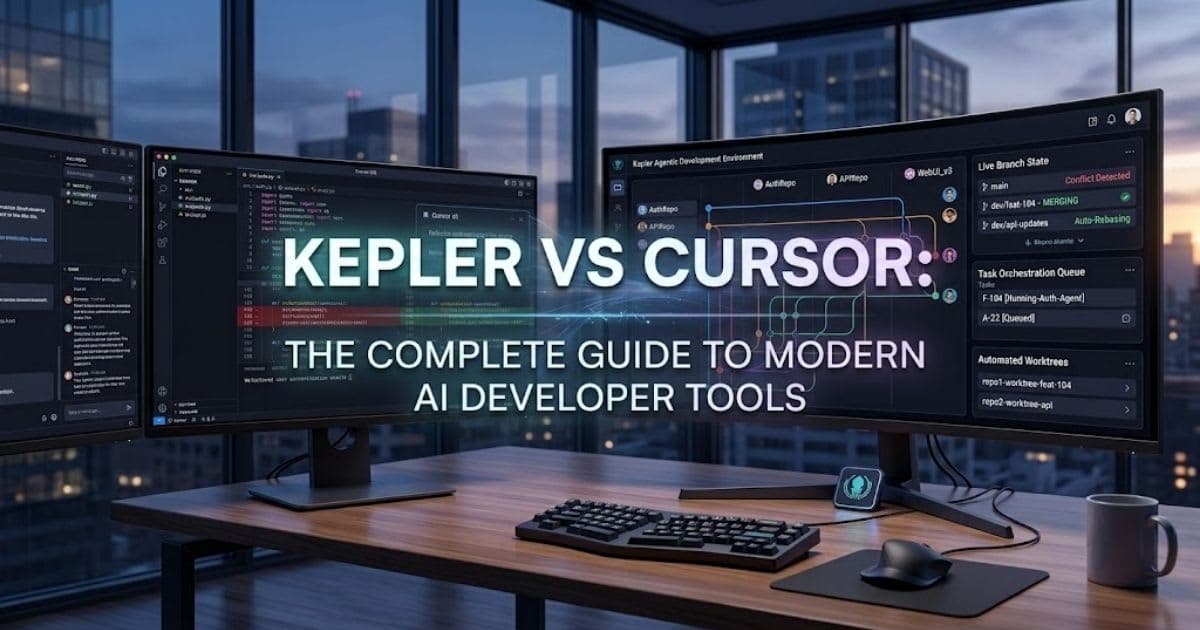
Kepler vs Cursor: The Complete Guide to Modern AI Developer Tools
Kepler vs Cursor: see the real difference between this AI code editor and agent platform, plus which tool fits your team best.
Introduction
Kepler vs Cursor is a common question for teams building with AI
right now. Both tools use AI to help you code. But they solve very different
problems. This guide breaks down the real difference in plain, simple words.
You do not have to pick just one. Most teams use both tools together.
Cursor helps you write code fast. Kepler helps you manage AI agents across many
repos at once.
What Is Kepler vs Cursor?
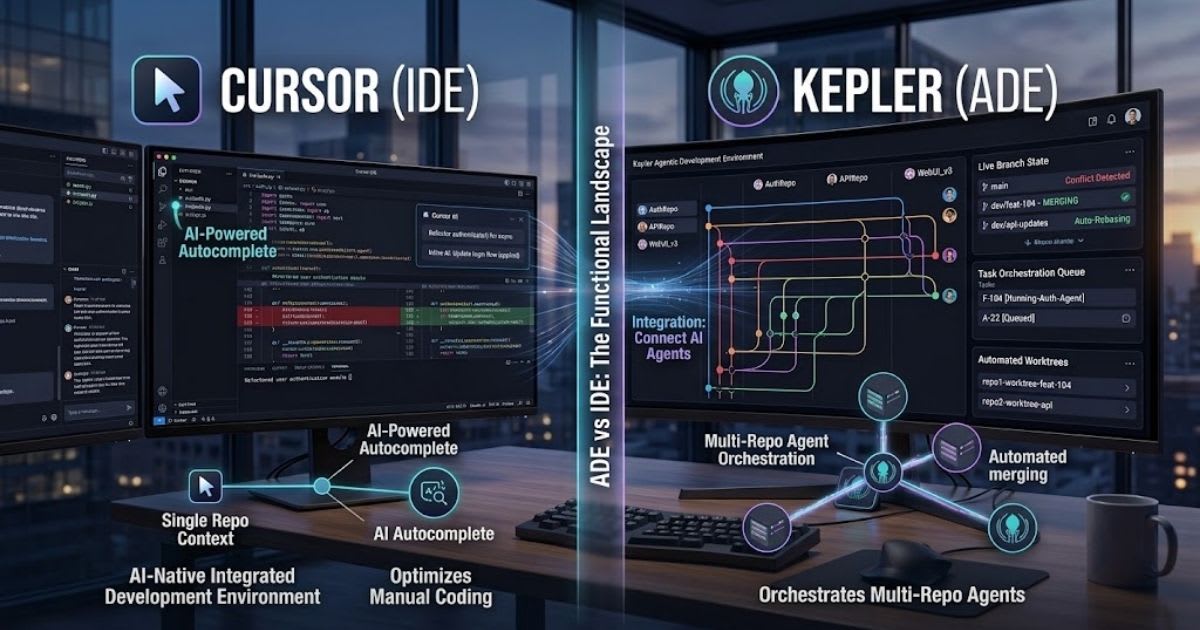
Kepler vs Cursor means comparing two very different tool types.
Cursor is a stand-alone AI code editor. It helps you code fast, in one file, in
one repo at a time. Kepler works in a new way. It is an Agentic Development
Environment, or ADE. It helps run AI agents across many repos at once, not
just one file.
The Simple Way to Think About It
Picture Cursor as your keyboard. Picture Kepler as your project manager.
One helps you type. The other helps you run a whole team of AI agents at scale.
ADE vs IDE: The Real Shift

An IDE, like Cursor, focuses on one file and one person. It checks your
syntax. It helps you type faster. It stays inside one folder at a time. An ADE,
like Kepler, takes a wider view. It runs many AI agents across many repos. It
acts like a control panel, not just a text editor.
Here is a simple table that shows the key facts side by side.
|
Feature |
Cursor
(IDE) |
Kepler
(ADE) |
|
Tool
type |
AI
code editor |
Agentic
Development Environment |
|
Main
focus |
One-repo
editing |
Many-repo
teamwork |
|
Unit
of work |
One
file edit |
Whole
task across repos |
|
AI
model support |
Built-in
models |
Open,
any-agent (ACP) |
|
Git
handling |
Basic
branch tracking |
Automated
worktree management |
What This Means for Your Team
This table shows the two tools solve different problems. You do not swap one for the other. You use each one where it fits best in your daily work.
Core Jobs: Editor vs Agent Platform

Cursor gives you help right inside your file. It offers tab hints and
quick chat prompts. It works best for one person editing one open file. Kepler
works above your editor, not inside it. It runs many AI jobs at once. It also
handles your full pull request flow, start to end.
Where Each Tool Shines
Use Cursor when you need fast, in-file help on a single task. Use Kepler
when you need to run several AI agents across many repos at the same time,
safely.
Handling Multi-Repo Projects
Cursor was not built for big, multi-repo work. It can have trouble when
many repos need the same fix at once. This often leads to messy merge
conflicts. Kepler vs Cursor shows a clear gap here. Kepler gives each AI
agent its own Git worktree. This stops file overlaps. It also flags conflicts
early, before real damage happens.
Why This Matters for Bigger Teams
Big products often use many repos, not just one. A change in one part
often needs a matching fix in another. Kepler tracks this link, so nothing
slips by unseen.
AI Model Support: Closed vs Open

Cursor uses its own built-in AI models. This keeps the tool fast and
tightly tuned. But it also means you are tied to Cursor's own model choices. Kepler
takes an open path. It uses a rule set called the Agent Client Protocol,
or ACP. You can add Claude Code, GitHub Copilot CLI, Codex CLI, and more with
ease.
Why Openness Matters Long Term
New AI models launch often. An open standard means your team can try new
agents fast. You are not stuck waiting on one vendor to add support.
How Kepler and Cursor Work Together
Many teams use both tools in one simple flow. You plan and launch tasks
inside Kepler first. Kepler tracks issues from Jira or Linear and turns them
into real tasks.
Plan Task in Kepler → Deploy AI Agents →
Fix Tricky Parts in Cursor
When an agent hits a hard piece of logic, you jump into Cursor. You fix
that one file by hand. Then you hand control back to Kepler to finish the task.
A Real Example of the Combo
Say an agent updates one API across three repos. It handles the easy
parts alone. You open Cursor just for the one hard part, fix it fast, and
Kepler finishes the rest.
Code Quality and Team Oversight
AI code still needs real human checks. Kepler builds this into
every task. This is called human-in-the-loop review. No pull request
goes live without a real person's okay. The engine also runs a rebase step
before each pull request. This step cleans up messy commit history. You get a
clean branch, with no extra manual work needed.
Why Human Review Still Matters
AI agents can misread a task. They may pick a risky fix and not
know it. Human review catches these slips fast. This keeps AI code inside safe,
clear limits at all times.
Where Cursor Fits in Review
Cursor does not handle this review step on its own. It is a coding
tool, not a task system. Kepler adds the check that one editor alone cannot
give you.
Common Questions About Kepler and Cursor
Here are direct answers to the questions teams ask most.
Is Kepler a Replacement for Cursor?
No, it is not. Kepler and Cursor solve different problems. Kepler
manages AI agents and tasks. Cursor helps you write and edit code by hand,
inside one file.
Can I Use Both Tools Together?
Yes, and many teams already do. You plan and run agent tasks in
Kepler. You jump into Cursor only when a task needs a quick, manual code fix.
Which Tool Is Better for Solo Developers?
Solo coders on one small repo may only need Cursor. Kepler shows
its real value once you manage more than one repo. It also helps once you run
more than one AI agent at a time.
Do I Need to Learn New Skills for Kepler?
Not many. If your team already uses Git and pull requests, Kepler
will feel familiar fast. Most of the learning is just getting used to its
task-based view.
Team Size and Which Tool Fits Best
Small teams with one repo often do fine with just Cursor. It gives
fast, in-file AI help without adding a new system to learn or manage. Growing
teams with two or more repos start to feel real friction without Kepler. Once
you run several AI agents at once, a shared task view becomes worth the setup
time.
Kepler vs Cursor: Which Should You Choose?
Choose Cursor if you mainly write code by hand, in one file, one
repo at a time. It gives you fast, in-editor AI help without added setup. Choose
Kepler if you run AI agents across many repos and need real checks in place.
Many teams use both tools side by side, not as rivals, in one shared workflow.
Benefits of Using Both Tools
Together
Pairing Cursor and Kepler brings real, practical gains. Each tool
covers a gap the other one leaves open. Here is what stands out most for busy
teams.
●
Fast, in-file AI help when you need to
type and fix code by hand
●
Clear task tracking across many repos,
not just one folder
●
Fewer merge conflicts, thanks to
isolated Git worktrees
●
Freedom to pick any AI model through
an open standard
●
Built-in human review before any code
reaches production
These gains add up fast for growing teams. You get speed on small
fixes. You also get safety and clear structure on bigger, multi-repo work.
Limitations to Keep in Mind
No tool fits every job. Cursor is not built to manage tasks across
many repos at once. It can feel small once your project grows past one
codebase. Kepler, on the other hand, is still in public preview. Some features
may still change before a full release. Small, single-repo teams may not need
its full feature set yet.
Getting Started With Each Tool
Setting up Cursor is quick. You download the editor, sign in, and start typing with AI help right away. It feels like a normal code editor with extra AI power built in. Kepler takes a bit more setup work. You get the app, link your repos, and set your agent logins. This small step unlocks task tracking across your whole codebase.
A Simple Way to Test Both
Start by using Cursor on your next small feature. Then try one
Kepler task on a change that spans two repos. This shows you exactly where each
tool adds real value.
Pricing and Availability
Cursor is a paid product with a free trial tier for light use.
Full pricing details sit on its official site and may change as new plans
launch. Kepler is in public preview from GitKraken right now. Its full pricing
is not set yet. Check GitKraken's site directly before you plan a team-wide
rollout.
Security and Team Rules
Big teams need strong checks before AI code goes live. Kepler builds
this in by design. It blocks risky merges until a real person checks the work. Cursor
does not offer this kind of team-wide check. It stays focused on one person,
one file, one job. Bigger teams often add Kepler on top for this exact reason.
Why This Matters for Bigger Companies
Big companies face more risk from bad code. One AI mistake can hit
many users at once. Kepler's review step catches these risks before real users
ever see them.
A Quick Way to Decide
Ask one simple question: do you use one repo, or many? One repo,
one coder, and Cursor alone is enough. Many repos, many agents, and Kepler
earns its spot.
Final Thoughts
Kepler vs Cursor is not really an either-or choice for
most teams. Cursor speeds up hands-on coding. Kepler manages AI agents safely
across bigger, multi-repo projects. If your team writes code in Cursor and now
runs AI agents too, Kepler fills the gap. Try both tools on one real project
before you decide. Most teams find their own mix over time. Some lean more on
Cursor for daily coding work. Others lean more on Kepler once their AI agent
use grows past one repo. Either way, testing both on a real task beats guessing
from a feature list alone.
Frequently asked questions
Is Kepler (GitKraken) open source?+
No, GitKraken's Kepler is not open source. It is a closed, proprietary tool, currently in public preview from GitKraken.
Is Kepler (GitKraken) open source?+
No, GitKraken's Kepler is not open source. It is a closed, proprietary tool, currently in public preview from GitKraken.
What is Kepler most known for?+
GitKraken's Kepler is best known for managing AI coding agents across many repos. It handles tasks, conflicts, and pull requests in one place.
Is Cursor open source too?+
No, Cursor is also a closed, paid product. It offers a free trial tier, but its core AI models and editor stay proprietary.
What is Cursor most known for?+
Cursor is best known for fast, in-editor AI coding help. It gives tab completions and chat prompts right inside a single file.
What is Kepler software?+
Kepler is GitKraken's tool for coordinating AI coding agents across multiple repositories, from task planning to a finished pull request.
Related articles
 Comparisons
Best AI SEO Tools in 2026: 10 Tools Compared & Evaluated
Compare the 10 best AI SEO tools in 2026 — Semrush, Ahrefs, Surfer, and more. Verified US pricing, features, pros and cons, and AI-search (AEO/GEO) visibility.
 Comparisons
ChatGPT vs Claude vs Gemini: which should you use?
A side-by-side comparison of the three leading AI assistants across writing, coding, reasoning and price.
 Comparisons
GitHub Copilot vs Cursor: Which AI Coder Wins in 2026?
GitHub Copilot vs Cursor compared for 2026 — pricing, agents, and IDE support. Find the AI coding assistant that fits your workflow.
New AI tool reviews, in your inbox.
Get new reviews and comparisons in your inbox. No spam, unsubscribe anytime.
Comments (0)
Be the first to comment.