How GitHub AI Code Review Works: Complete 2026 Developer Guide
Master GitHub AI code review in 2026. Automate pull request triage, detect critical bugs instantly, and slash review turnaround.

Introduction
GitHub AI code review
transforms software delivery by inspecting every pull request with machine
learning. You eliminate tedious development bottlenecks when intelligent
assistants run automated pull request diff analysis. These systems flag
hidden security flaws, syntax errors, and architectural regressions in seconds.
Modern engineering teams rely on AI pull request reviews to standardize
code quality across diverse repositories.
Automated agents perform rapid automated
PR triage, slashing idle turnaround hours for senior engineers. With
structured code exploration tools, the platform queries dependencies and
provides actionable line fixes directly inside your workflow. Implementing
intelligent review workflows ensures your organization continuously ships
secure, high-performing production code.
Coding Tools Assistants on our Nexversal site
What
Is GitHub AI Code Review and How Does It Work?
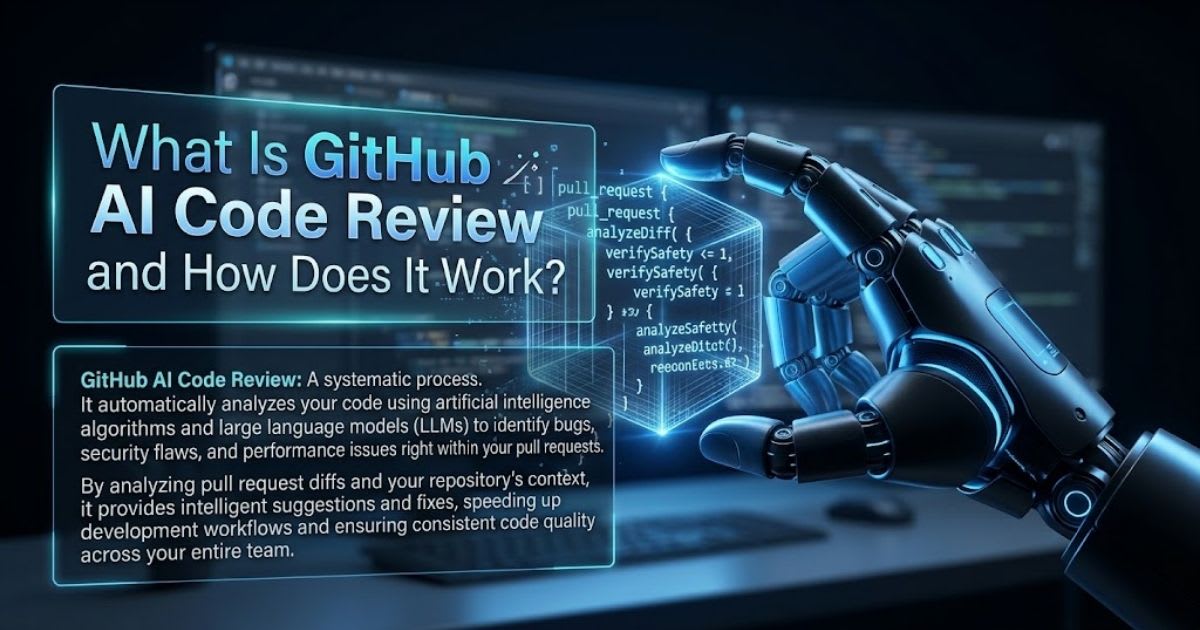
GitHub AI code review works by parsing pull request diffs through language models and structured code analysis. The system reads every changed line, matches dependencies, and generates actionable advice inside your version control tool. Modern review engines build syntax graphs and semantic indexes to judge how local edits affect external modules. This contextual review helps you merge reliable code without breaking your production build.
The Mechanics of Automated PR
Analysis
The review engine
converts each pull request into an Abstract Syntax Tree while running diff
analysis with large language models. It uses GitHub CLI tools such
as grep, glob, and view to trace symbols and inspect files, which avoids heavy
context overload.
Inline AI Completion
vs. PR-Level Code Review
Inline coding
assistants predict the next line as you type inside your editor. GitHub AI
code review instead studies architectural impact, flags regression
risk across modules, and inspects multi-file diffs throughout the
repository.
Why Context Matters More Than Raw
Diffs
Raw diff data
alone misses cross-file dependencies and hidden side effects inside
large codebases. Context-aware review pulls in related functions, tracks import
chains, and checks how a small change ripples through connected services
before flagging real risk.
Key Benefits of GitHub AI Code
Review for Development Teams

GitHub AI code
review cuts pull request wait times for busy developers right away. Engineers
fix obvious flaws immediately, freeing senior leads to focus on system
design and long-term architecture decisions. The platform delivers
objective, instant feedback around the clock, sustaining continuous delivery
without reviewer burnout. Automated workflows standardize quality
baselines across every branch in your organization.
Slashing Pull Request Turnaround
Time and Review Fatigue
Engineers lose
focus while waiting hours for a teammate’s approval on open pull requests.
Automated reviewers deliver instant, line-by-line feedback, enabling rapid PR
triage that slashes idle cycle delays and stops team burnout.
Critical Bug Detection: Memory
Leaks, Logic Flaws, and Edge Cases
The intelligent
analyzer catches unhandled null pointers, concurrency race bugs,
and memory leaks before integration tests run. It surfaces silent security
risks and logic oversights through automated repository navigation and syntax
verification.
Consistent Quality Standards
Across Every Repository
Manual reviews
vary by reviewer mood, workload, and experience level across different teams.
An automated system applies the same quality bar to every pull request,
which keeps coding standards consistent across repositories and cuts
reviewer bias.
Top AI Code Review Tools for
GitHub Compared
Choosing the
right automated reviewer depends on context depth, platform integration, and
your team’s testing needs. Several mature tools already support modern software
teams across different workflows.
|
Tool Name |
Core Focus |
Primary Strength |
Ideal
Deployment |
|
GitHub
Copilot |
Native
PR Review |
Direct
GitHub ecosystem integration |
Cloud
& Enterprise Repositories |
|
CodeRabbit |
Deep
Context Review |
Real-time
chat & one-click fixes |
High-Velocity
Agile Teams |
|
Git
AutoReview |
Lightweight
Triage |
Fast
AST syntax & lint checks |
Open-Source
Projects |
|
Graphite
Agent |
Stacked
PR Automation |
Multi-branch
review & dependency tracking |
Large
Enterprise Monorepos |
The table above
breaks down the operational strengths of leading automated assistants
for your version control pipeline.
GitHub Copilot
vs. CodeRabbit vs. Git AutoReview vs. Graphite Agent
Selecting the
best platform means testing context accuracy against raw review speed.
Native GitHub Copilot review offers unmatched interface convenience, CodeRabbit
adds conversational context, and specialized tools use dedicated code
exploration tools for high-volume monorepos.
Feature, Accuracy, and
Context-Awareness Breakdown
Top platforms
succeed by keeping semantic accuracy high while holding false
positives low. They trace internal symbols across external packages, follow
function calls, and pull repository context without flooding your review queue.
Choosing the Right Tool for Your
Team Size
Small teams often
need lightweight lint checks rather than deep semantic analysis across
dozens of services. Larger monorepos benefit from dependency tracking
and stacked pull request support, so match your tool choice to actual
repository scale.
How to Set Up Automated GitHub AI
Code Review (Step-by-Step)
You set up GitHub
AI code review in minutes through the marketplace interface or a custom
workflow file. You install the app, grant the needed permissions, and set your
branch protection policies. Once connected, the automated agent triggers
whenever engineers open or update pull requests. Your organization instantly
gains continuous, automated code analysis across every target
repository.
Installing Apps and Configuring
GitHub Actions Workflows
You start by
installing the app from the GitHub Marketplace and adding workflow triggers
inside your repository. The system runs on GitHub Actions to scan
modified files and post instant inline comments.
#
Example: .github/copilot-instructions.md
- Focus
review on logic flaws, edge cases, and missing error handlers.
- Verify
that updated database queries prevent SQL injection vulnerabilities.
- Ensure
all public APIs include input validation tests.
Setting Custom Review Rules,
Triggers, and Repository Permissions
You customize the
reviewer’s behavior by editing .github/copilot-instructions.md inside your
repository. These rules set strict coding boundaries, enforce security
checks, and guide tool instructions across team repositories.
Testing Your Configuration Before
Full Rollout
Run the reviewer
on a single test repository before enabling it organization-wide. Check that inline
comments land on the correct lines, permissions stay scoped correctly, and
false positives remain low before wider adoption.
Optimizing Agentic AI Workflows
for Higher Accuracy
Agentic reviewers
sometimes loop endlessly while browsing large repositories without clear
boundaries. Setting tight search constraints prevents excessive model
latency and cuts computational overhead sharply. Development teams get
better results by pointing tool instructions at modified diff segments instead
of entire codebases. This approach speeds up feedback loops and lowers token
expenses across active projects.
Preventing Context Loops and
Hallucinations in Multi-File Diffs
Unoptimized
review agents often wander through unrelated files, falling into repetitive browsing
loops that waste compute. Restricting the agent to diff anchors
prevents context bloat and stops hallucinations during large evaluations.
Custom Prompting and Tool
Instructions for Reviewer Agents
Precise commands
push the model to batch discovery calls before it inspects file
contents. This optimization slashes token use, prevents context bloat, and
delivers real cost reduction across large-scale deployments.
Security, Code Privacy, and GitHub Enterprise
Compatibility
Enterprise teams
need strong privacy rules before they link code to any outside AI tool.
Top review tools run on zero data retention and keep your code inside
safe memory sandboxes. Admins keep tight control over tokens, keys, and user
permissions across every workspace. These steps protect your private
code and still speed up output.
Zero Data
Retention Policies and Private Code Exposure Risks
Top vendors
follow strict zero data retention rules. This means no one trains AI
models on your proprietary code. Strong data encryption also
guards your files while they move or sit in memory.
Integrating Custom
API Keys vs. Native SaaS Connectors
Admins can use
their own API credentials or pick a managed SaaS connection on
self-hosted runners. This choice keeps your network safe and meets compliance
rules for GitHub Enterprise.
Audit Logs and
Access Control Best Practices
Turn on audit
logging for every connected repository from day one. Check these logs often
to catch unauthorized token use early. This keeps your compliance
posture strong across every team.
Automated
vs. Human Code Reviews: Finding the Right Balance
Automated code
review gives you a strong first line of defense. But it cannot replace real human
judgment. The best approach splits routine checks from big design calls.
People still grasp business needs and trade-offs better than any model.
AI handles the repeat work, so engineers can focus on what counts most.
“Automated code
reviewers act as relentless linting and logic filters, freeing human engineers
to solve deeper architectural challenges.”
What AI Handles
Best: Linting, Test Coverage, and Vulnerabilities
AI models are
great at catching syntax inconsistencies, edge cases, missing tests, and
security vulnerabilities. They clear routine checks in seconds. This
filters out easy bugs before a human even opens the file.
When Senior
Developer Manual Review Remains Mandatory
Senior engineers
must weigh big design choices and long-term upkeep. They also judge tricky business
logic that a model may miss. Human review keeps your codebase
scalable and true to real product goals.
Pricing Models and
ROI: Is GitHub AI Code Review Worth It?
Most tools in
this space offer flexible pricing. Plans range from free tiers to full enterprise
plans. Automated review often pays off fast by cutting manual code
triage hours. Leaders can back the cost with faster delivery and fewer production
incidents. Team speed goes up once you adopt it.
Open-Source and
Free Tier Options vs. Enterprise Pricing
Open-source
projects often use free community plans. Paid teams pick seat-based
subscriptions that start near $15 to $30 a month. Enterprise tiers add
extra compute, audit logging, and single sign-on.
Measuring
Engineering Hours Saved vs. Monthly Subscription Costs
Automated code
analysis cuts review time by a wide margin. It saves each developer several engineering
hours a week. This time saved often beats the plan’s cost and speeds up
your deployment cycles.
Calculating Return
on Investment for Your Team
Multiply your
reviewer’s hourly rate by the hours you save each week. Then compare that
number to your monthly subscription cost. Most teams see a payback
within the first quarter.
Best Practices and Code
Review Checklist for AI Suggestions
Getting real
value from these automated reviewers takes clear process and steady checks.
Treat AI comments as helpful suggestions, not final rules, and always
verify before you merge. Clear internal guidelines cut noise and help
staff focus on top issues first. Regular process audits keep your review rules
sharp over time.
Verification Framework for
Pull Request Changes
Before you merge
any AI suggestion, run through this list:
•
Business logic still matches the original
requirements
•
Local test suites pass without new failures
•
Dependency versions remain compatible across
services
•
Offline benchmark testing metrics stay
within targets
•
A rollback plan exists in case the merged change
causes issues
Steady checks
like these help AI code review for GitHub keep your software quality
high.
Frequently asked questions
Which AI is best for reviewing code?+
CodeRabbit, DeepSource, and GitHub Copilot Code Review rank among the top tools for reviewing pull requests. They provide accurate context-aware suggestions, automated bug detection, and seamless repository integration.
Is AI generated code worth it?+
AI-generated code accelerates development velocity by handling repetitive boilerplate, testing setups, and basic functions. However, senior human review remains necessary to verify business logic, security constraints, and long-term maintainability.
Is there an AI code review project available on GitHub?+
Several open-source and marketplace projects exist on GitHub, including SWE-agent, PR-Agent (Qodo), and DeepSource Globstar. You can easily install them as automated GitHub Actions to review incoming pull requests.
Does GitHub use my code for AI?+
GitHub does not use private repository content or customer enterprise data to train its public AI models. Public repositories, however, may be used for general model training unless explicit repository policies restrict access.
Which AI is the best for coding in 2026?+
Cursor and Claude Code lead full-project editing and terminal workflows, while GitHub Copilot remains the standard across major IDEs. These tools excel in multi-file refactoring, agentic task completion, and context understanding.
Related articles
 AI Coding Tools
Best AI coding assistants for beginners
Learning to code with AI? These assistants teach instead of just autocompleting.
 AI Coding Tools
DeepSeek Harness: How Its Plugin-Based AI Agent Works
DeepSeek Harness explained: what it is, how it works, and why it matters. Learn the basics in this simple, clear guide."
 AI Coding Tools
Kepler AI Coding: The Best AI Coding Workflow with GitKraken Kepler in 2026
Master Kepler AI coding to run parallel agents, automate multi-repo workflows, and ship clean, merge-ready pull requests faster.
New AI tool reviews, in your inbox.
Get new reviews and comparisons in your inbox. No spam, unsubscribe anytime.
Comments (0)
Be the first to comment.