DeepSeek Harness: How Its Plugin-Based AI Agent Works
DeepSeek Harness explained: what it is, how it works, and why it matters. Learn the basics in this simple, clear guide."
Introduction
DeepSeek Harness is DeepSeek's open-source agent harness,
and it changes how developers build AI agents. DeepSeek released it on August
13, 2026, under the MIT license. Its central idea stays simple: every
part of the agent, including the model, the tools, and the agent loop,
runs as a swappable plugin.
That design pulled in tens of thousands of GitHub stars within a
few days of release. This guide explains what the framework actually does, how
its plugin architecture works, and how to install it on your own machine
today. You will also learn about its price backlash, its four runtime modes,
and how it compares with Claude Code and Codex.
What Is DeepSeek Harness?
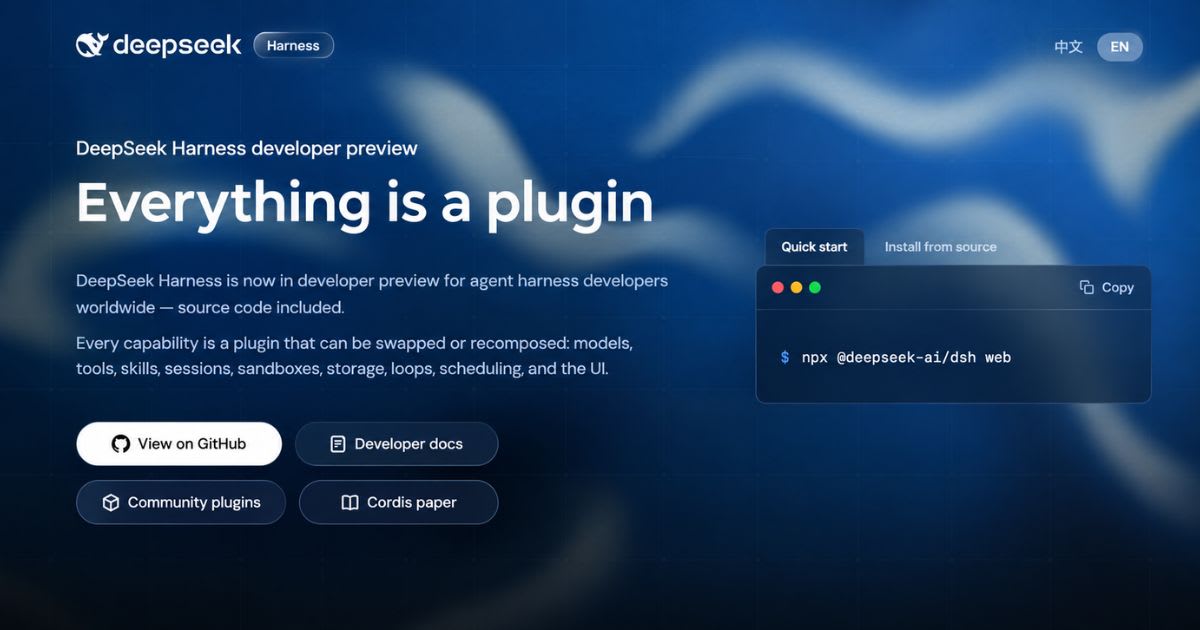
DeepSeek Harness (CLI name dsh) is DeepSeek AI's open-source
agent runtime. DeepSeek's own framing stays simple: "Agent = Model +
Harness." The model handles reasoning and text generation. The harness
gives that model a real filesystem, a terminal, tools, and a memory
of past turns. It launched as version 0.1, so DeepSeek warns that breaking
changes will happen. The release also shipped beside DeepSeek-V4-Pro-0813,
a 1.6-trillion-parameter model with 49 billion parameters active per token.
That same update added native OpenAI Responses API support and a
built-in Codex integration.
The Architecture: Cordis and the Plugin System
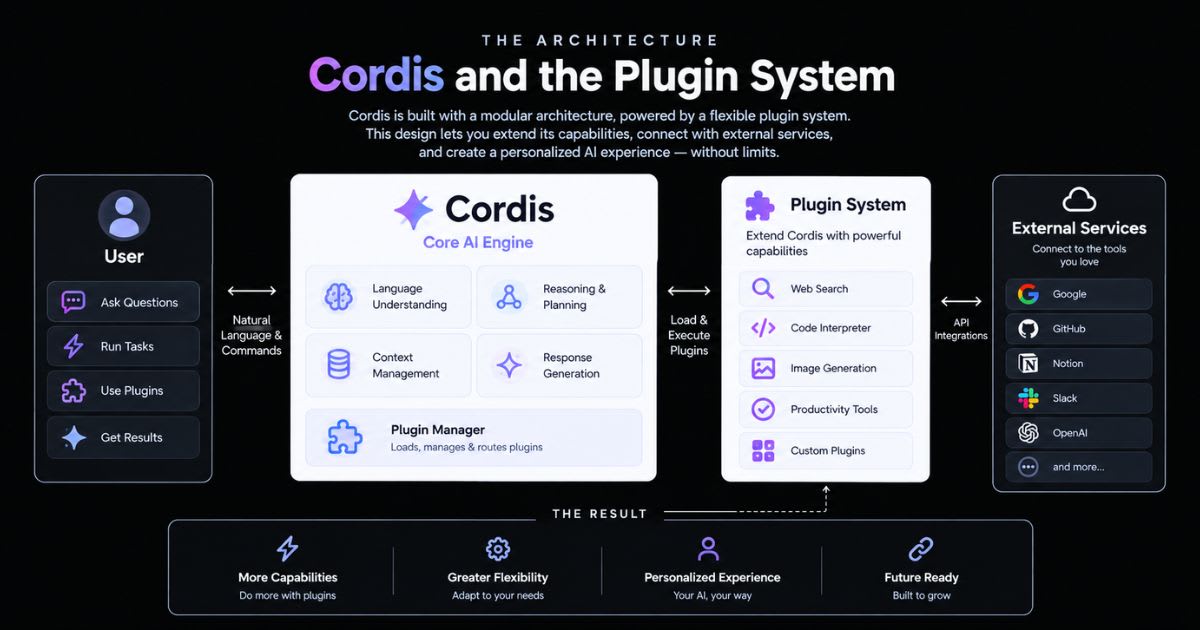
The harness runs on Cordis, a plugin framework built
by a developer known as Shigma. Cordis is not new. It has powered the Koishi
chatbot ecosystem, and its 4,000-plus community plugins, for more than
four years. A Cordis plugin is just a small file that exports an apply(ctx) function.
It requests a service, such as ctx.tools, instead of importing one vendor's code.
DeepSeek and Peking University published a formal paper on this design
that same week. Full docs sit on the official site.
Profiles and Bundles: How Configuration Works
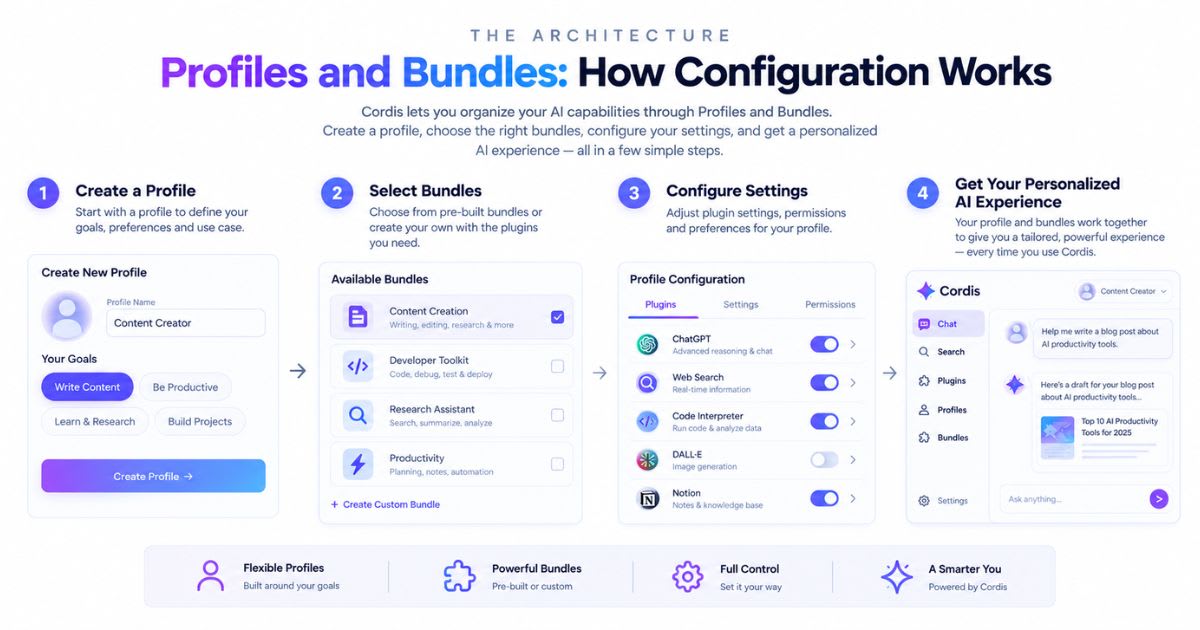
You rarely edit dsh's core code. Instead, you pick a profile,
a named setup stored in your Harness home folder. Official templates cover web,
headless, SDK, and other common starting points. Each profile
stacks one or more bundles on a shared base layer. That base
layer alone handles model adapters, tool setup, session storage, sandboxing,
and credentials. Swap a bundle, and the agent's abilities change. The core
framework stays untouched.
How Fast Did the Project Grow?
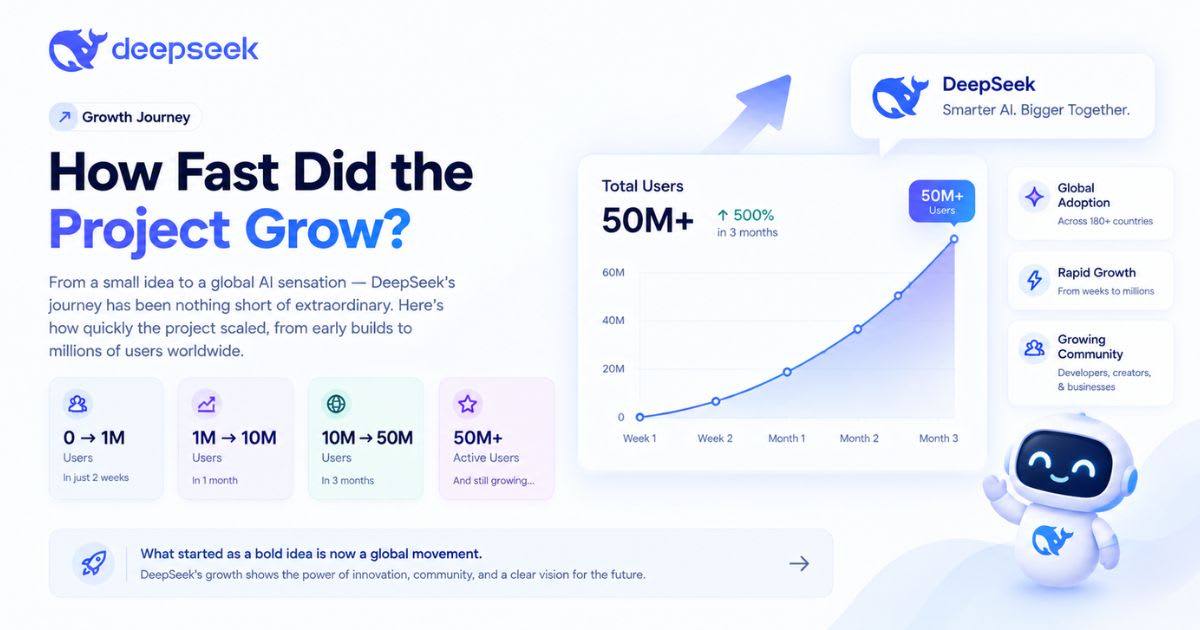
Independent GitHub trackers reported explosive growth right after
launch. One tracker counted roughly 50,000 stars within 12 hours, and
more than 180,000 stars with over 20,000 forks by August 23,
2026. Growth like that is rare for any open-source project. Part of the appeal
is cost. The harness stays free and MIT-licensed, while the V4-Pro
model it defaults to got far more expensive that same month. That contrast
between a free harness and a pricier model drove plenty of the online buzz.
The Four Runtime Modes
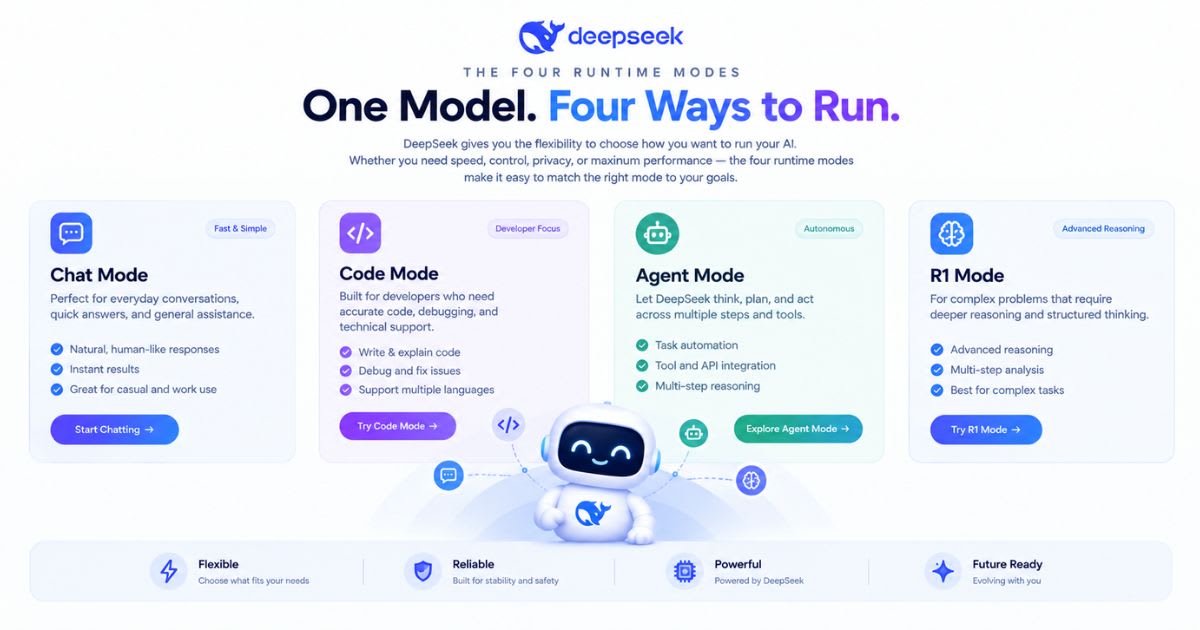
The harness currently ships four runtime modes, and each
one changes which tools the agent can reach:
● Standard
mode – the full coding agent: file editing, shell access, web search, planning,
and subagents
● PTC
mode (originally called Code mode) – lets the model write a short TypeScript
program that batches many tool calls into one execution
● Minimal
mode – strips the toolset down to persistent Bash plus a string-replacement
editor, built for benchmarking and CI
● Creator
mode – adds runtime inspection tools for building and testing your own custom
agent presets
Most developers stay in Standard mode for daily coding
work. PTC mode earns its keep on longer tasks, since it stops the agent
from burning context on dozens of small round-trips. Minimal and Creator
mode matter more to people building or testing their own agent presets.
How to Install DeepSeek Harness
Installing it takes one command once Node.js sits on your machine:
npx @deepseek-ai/dsh web
That command starts a local Web UI at http://127.0.0.1:3080
and opens your browser automatically. Pass --no-open if you would rather start
the server without a browser tab popping up.
Developers who want to read or change the source can build it from
scratch instead:
git clone https://github.com/deepseek-ai/deepseek-harness.git
cd deepseek-harness pnpm install pnpm run build pnpm dsh web
That source route suits plugin authors more than everyday
users. Most people should stick with the single npx command above and switch to
source once they want to write their own plugin.
Configuring Models and Providers
The model sits behind a plugin, so the harness does not lock you
into DeepSeek's own models. You can use Anthropic, OpenAI, Amazon
Bedrock, or any OpenAI-style endpoint instead. One file, settings.yaml,
controls the switch. DeepSeek's own V4-Pro and V4-Flash models stay available
too. You can also mix providers across tasks. Point your coding subagent
at one model and your research subagent at another, all without touching a
single line of application code.
Using the Harness for Coding
Every action the model takes lands in an append-only session
log. That log captures system prompts, reasoning steps, tool calls and
their results, and every subagent it schedules along the way. That level of
detail matters once something goes wrong. Instead of guessing why an agent made
a strange edit, you can open the session log and see exactly what it saw
at that step, then fix the prompt or the tool instead of the whole task.
Subagents: Claude Code and Codex Inside the Harness
The harness treats subagents as another plugin, and
that includes subagents from rival vendors. A recent release added support for
managing Claude Code and Codex subagent tasks straight from its
own Job Panel. In practice, that means dsh can act as an orchestration
layer. You can run it as your main agent and still delegate one narrow task
to Claude Code, or another to Codex, inside the same session.
Can the Harness Modify Itself?
A set of built-in cordis tools lets the agent write and
mount new plugins for itself while a session runs. That capability turns
a static toolset into something closer to a self-updating one. Treat that power
with care. A self-written plugin still runs under your sandbox
rules and your approval policy. Review it the same way you review any new code.
A Growing Plugin Ecosystem
A community list called "awesome-deepseek-harness"
already tracks dozens of outside plugins. One example, dsh-agent-team-gui,
runs teams of AI agents that a lead agent plans and manages from a settings
panel.
Other projects fill in real gaps that the core release leaves
open:
● dsh-plans
– turns repo research into a written plan, then routes it through reviewer
agents before real code changes run
● dsh-taskswarm
– splits one big job into smaller tasks and runs them side by side in separate
git folders
● Braintrust
integration – traces each session, turn, and tool call, which helps a lot when
a run needs debugging later
The August 2026 Price Backlash
The harness launched into real controversy. Reuters reported that
DeepSeek raised API prices for V4-Pro and V4-Flash by 50%
to 1,100%, depending on the model, the token type, and the time of day,
effective August 17, 2026. V4-Pro output pricing, for example, climbed from
roughly $0.87 to $3.96 per million tokens at peak hours, with a smaller
increase during off-peak hours. DeepSeek framed the change as a way to spread
demand more evenly across its infrastructure.
What's New in the Latest Release
DeepSeek keeps shipping fast. The v0.1.0-rc.7 release added
a shared settings card for every plugin, moved Codex and Claude Code subagent
tasks into the Job Panel, and gave MCP and ACP connections persistent
image attachments. That same release also renamed the English Code mode preset
to PTC mode. It added a low reasoning-effort option for DeepSeek models,
though high effort stays the default. Expect names and defaults to keep
shifting during this developer preview.
DeepSeek Harness vs. Claude Code vs. Codex
|
Factor |
DeepSeek
Harness |
Claude Code |
Codex |
|
License |
MIT, open
source |
Proprietary
product |
Proprietary
product |
|
Core
design |
Everything
is a plugin |
Fixed
core, extensions at the edges |
Fixed
core, extensions at the edges |
|
Model
choice |
DeepSeek,
Anthropic, OpenAI, Bedrock, and more |
Primarily
Anthropic models |
Primarily
OpenAI models |
|
Subagents |
Native,
including Claude Code and Codex |
Supported
through integrations |
Supported
through integrations |
|
Maturity |
Developer
preview, v0.1 |
Established
product |
Established
product |
The harness wins on flexibility and price. Claude
Code and Codex win on stability, since neither one carries a
"breaking changes expected" warning in its README.
Is DeepSeek Harness Ready for Production?
Treat it as an experiment for now, not a production dependency.
DeepSeek's own safety notice states that the project has not gone through a
formal security audit yet, and the API can still change between
releases. That warning matters more once an agent gets shell and filesystem
access. Start with a disposable project folder, grant the smallest permission
set the task needs, and review every plugin before you trust it with real
code.
Who Should Actually Use It?
Developers who build custom agent infrastructure gain the
most from the harness. The same goes for researchers who want to swap models,
tools, or sandboxes. They can do this without rebuilding the whole app each
time. A developer who only wants a simple chat-based coding assistant
probably does not need this much control. The more you plan to customize your
agent, the more this plugin-first design starts to pay off over time.
Final Thoughts
The project is worth watching, even if you never touch its code.
Its plugin-first design comes from years of real use inside Koishi.
That history gives developers a real alternative to fixed coding assistants. Start
small. Run the one-line install, try Standard mode on a throwaway
project, and read the session log before you hand it anything important.
Frequently asked questions
What does a DeepSeek Harness do?+
DeepSeek Harness runs and manages AI agents on your computer. It uses an "everything is a plugin" design, so models, tools, and workflows all connect as swappable pieces. It also unifies profile boot, plugin management, and a browser UI you launch locally with npx.
Is a DeepSeek Harness any good?+
It's promising but still early. The project is currently in developer preview and may introduce compatibility-breaking changes, so expect bugs and frequent updates rather than a polished, stable tool.
Is DeepSeek Harness free?+
Yes. It's free and open source, released under the MIT license. You can install and run it locally with no subscription cost.
Is a DeepSeek Harness safe?+
It runs on your own machine, so you control the data and setup. Since it's still in developer preview, treat it like beta software — test it in a sandbox before using it for sensitive tasks.
Which DeepSeek Harness is the best?+
There's only one official version, built by DeepSeek AI itself. You install it as @deepseek-ai/dsh from npm, so always grab it from the official GitHub repo or npm listing, not third-party copies.
Related articles
 AI Coding Tools
Best AI coding assistants for beginners
Learning to code with AI? These assistants teach instead of just autocompleting.
 AI Coding Tools
Kepler AI Coding: The Best AI Coding Workflow with GitKraken Kepler in 2026
Master Kepler AI coding to run parallel agents, automate multi-repo workflows, and ship clean, merge-ready pull requests faster.
 AI Coding Tools
GitKraken Kepler: How to Use GitKraken Kepler for AI Coding in 2026
Master GitKraken Kepler in 2026. Run multi-agent AI coding across repositories with visual Git graphs and safe live diffs.
New AI tool reviews, in your inbox.
Get new reviews and comparisons in your inbox. No spam, unsubscribe anytime.
Comments (0)
Be the first to comment.