GitHub Copilot vs Tabnine: Which One Should You Pick?
GitHub Copilot vs Tabnine: compare pricing, privacy, hosting, and features to pick the best AI coding assistant for your team.
Introduction
Picking the right coding assistant
can shape how your whole team works. GitHub Copilot vs Tabnine is one of the biggest
debates among engineering teams today. Both tools promise faster code, fewer
bugs, and less daily busywork. But they take very different paths to get there.
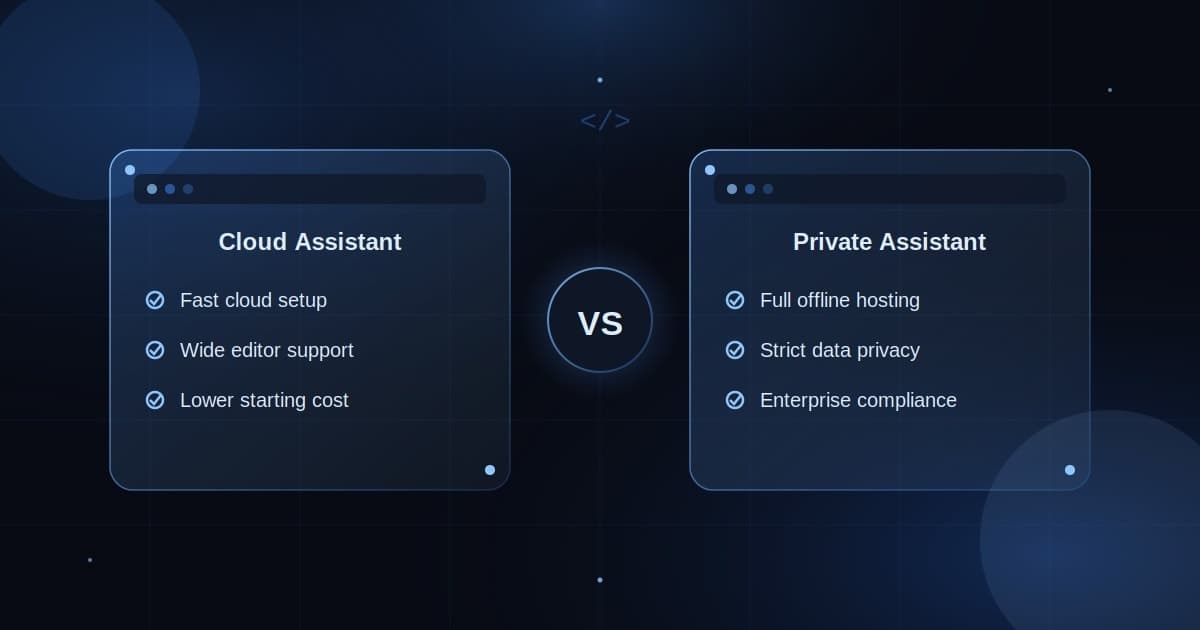
Copilot leans on wide app support, quick setup, and fast cloud speed.
Tabnine leans on strict data privacy,
full offline
hosting, and tighter enterprise control. Your choice depends on your
budget, your security needs, and your team size. This guide breaks down both
tools in plain, simple words for real teams. By the end, you will know exactly
which tool truly fits your team best.
Quick
Overview: GitHub Copilot vs Tabnine at a Glance
Engineering teams need real speed
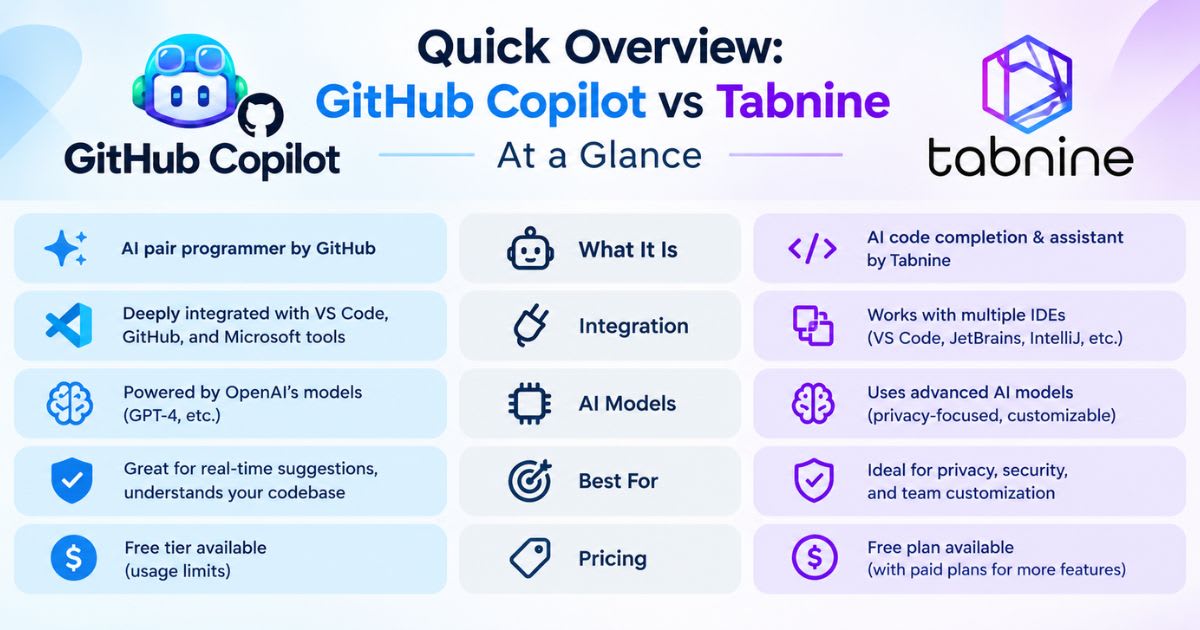
without exposing their code to public clouds. Copilot and Tabnine solve this in
two different ways. Copilot focuses on wide app support, while Tabnine
focuses on full code privacy and closed-off setups. Both tools speed up coding
through smart, inline suggestions and chat-based help. Picking between them
depends heavily on your hosting needs and budget. The table below breaks down
the core differences at a glance.
|
Feature |
GitHub Copilot |
Tabnine |
|
Hosting |
Cloud-only, managed |
Cloud, private VPC, or fully offline |
|
Editor Support |
VS Code, JetBrains, Neovim |
JetBrains, VS Code, Eclipse, and more |
|
Core Models |
GPT-4, Claude, and custom models |
Multiple models, some open-source |
|
Data Control |
Cloud processing only |
Full offline, air-gapped option |
|
Entry Team Price |
$19/user/month (Business) |
$39/user/month (no free tier) |
Fast
Cloud Setup vs. Fully Private Isolation
Cloud tools help developers ship
fast without server work. But security teams often need fully offline setups to
protect private code. Teams must choose between quick cloud setup and total
private control.
How
Each Tool Fits Into Daily Work
Developer happiness depends on smooth,
clean tool integration. Copilot works well inside popular editors with little
setup. Tabnine, meanwhile, supports many older and niche editors that Copilot
does not cover.
Core
Differences: Privacy, Data Control, and Hosting
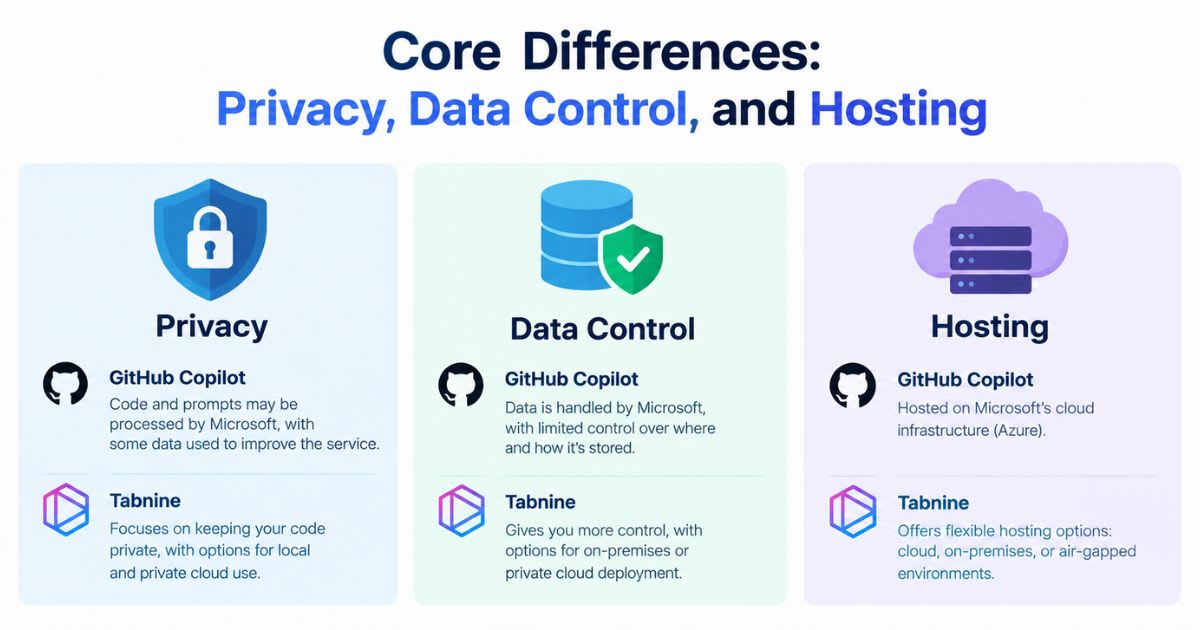
Data security splits these two
platforms more than any single feature. Regulated companies must keep source
code safe from outside access. This part of our GitHub Copilot vs Tabnine
review explains how each vendor handles your data. Cloud tools send code across
the internet to process each request. Security-focused teams instead use
closed, private setups with zero outside code transfer. Picking the right setup
protects your company's private code while still helping your programmers work
fast.
"Our code never needs to
touch an outside server. Tabnine gave our team the peace of mind that
cloud-only tools could not." — VP of Engineering, Global Fintech
Cloud
Hosting vs. Fully Offline Setups
Regulated firms often block public
cloud tools to protect private code. Banking teams often require on-site
hosting to meet strict rules. Tabnine meets this need by keeping your code
inside your own network.
How
Your Code Data Gets Stored
Sending private code online raises real questions about storage and logs. Security teams review each tool's data policy before they approve it for use. Always check that code storage rules match your company's own security standards.
AI
Models, Training Data, and Legal Safety
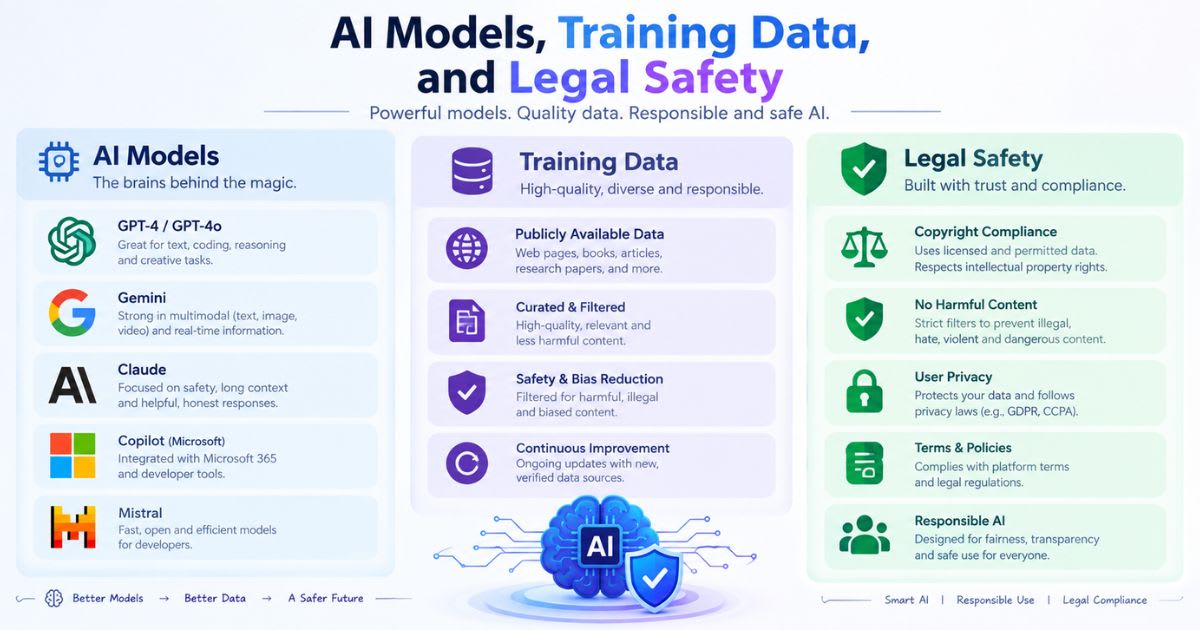
Training data shapes how safe and
accurate AI code suggestions really are. Legal teams often worry about
copyright issues tied to AI-written code. This section of our GitHub Copilot
vs Tabnine review covers how each tool trains its models. Engineering
leaders want real proof that suggested code will not add risky open-source
licenses to private software. Checking how each model trains helps protect your
company's code while still moving fast. Knowing this early avoids costly legal
issues down the road.
Model
Training Approach:
GitHub
Copilot ──►
Public code repos ──►
Wide language coverage
Tabnine ──►
Permissive-license code only ──►
Lower legal risk
Where
Each Model Learns From
Training on public code can risk
accidental copying and copyright claims. Tabnine trains only on code with
permissive, open licenses to lower legal risk. This choice gives risk-focused
companies more legal safety by design.
Picking
From Multiple AI Models
Teams often want to pick different
models for different coding tasks. Copilot leans on Microsoft's cloud and a few
core models. Tabnine offers broader model choice, letting teams swap
models without changing their workflow.
Code
Quality, Accuracy, and Understanding Your Codebase
Developer trust depends on whether
suggested code fits real project patterns. Bad suggestions slow developers down
and break their focus. This section compares how well each tool understands
your actual codebase. Modern tools need to understand full projects, not just
the open file. Weak repository awareness leads to broken imports and wasted
fix-up time. Strong teams pick tools that stay accurate while respecting
existing code structure.
|
Quality Factor |
GitHub Copilot |
Tabnine |
|
Completion Speed |
Very fast (under 100ms) |
Moderate, depends on model |
|
Codebase Awareness |
Deep GitHub-based indexing |
Local context indexing |
|
Custom Training |
Limited for most plans |
Full private model training available |
|
Multi-Line Refactors |
Strong |
Good for single blocks |
How
Each Tool Reads Your Whole Project
Understanding a project needs more
than the open file alone. Smart tools scan the wider project to give fitting,
accurate suggestions. Strong project awareness keeps developers shipping
features instead of fixing broken code.
Training
Models on Your Own Code
Generic models often miss your
company's own internal tools and APIs. Tabnine offers private model training
built on your own codebase. This match helps completions fit your team's exact
coding style.
Developer
Experience: Editors, Chat, and AI Agents
A smooth, simple interface decides
whether developers actually use a new tool daily. Clunky extensions break focus
and create pushback during rollout. This section covers how each tool feels in
daily, real-world use. Developers move often between inline suggestions and
chat-based help. Both tools help write tests, explain old code, and refactor
functions. A clean experience cuts busywork and keeps developers in a steady
flow.
Daily
Workflow:
Write
code → Get inline suggestion → Accept it
Open chat → Ask a question → Refactor and test
Editor
Support Across Teams
Not every team uses the same code
editor. Copilot supports JetBrains and Neovim well, while Tabnine also covers
older tools like Eclipse. Wide editor support cuts friction across mixed
engineering teams.
Chat,
Refactoring, and AI Agents
Chat panels let developers debug
tricky errors without leaving their editor. Teams use AI chat to refactor code
and explain tricky logic in plain words. Newer AI agents can even review pull
requests and catch bugs on their own.
Enterprise
Controls, Security, and Team Management
Large teams need strong tools to
manage who gets access to what. Without central control, tool use can spread
unchecked and raise compliance risk. This section covers the admin tools each
platform gives your leaders. Admins need to manage licenses, set security
rules, and track tool use. Good platforms show clear usage dashboards without
spying on individual developers. Strong oversight makes sure your software
spending pays off safely.
|
Governance Area |
GitHub Copilot |
Tabnine |
|
Login Setup |
SAML SSO, GitHub orgs |
SCIM, custom SAML |
|
Access Control |
Repository-level permissions |
Detailed group-level policies |
|
Compliance |
SOC 2 Type II, ISO 27001 |
SOC 2 Type II, ISO 27001, HIPAA |
|
Hosting Isolation |
Shared cloud (multi-tenant) |
Private VPC or fully offline |
Managing
Access Across Growing Teams
Growing teams need smooth syncing
with their company's login system. Admins set role-based rules to control who
can access what. Central control keeps only the right engineers inside
sensitive code repos.
Meeting
Strict Compliance Rules
Regulated industries need vendors
with real, checked compliance certificates. Both tools hold SOC 2 Type II
status to protect customer records. These standards help your business meet
strict industry rules across every team.
Pricing:
What Each Tool Really Costs
Budget planning means weighing
license fees against any hidden setup costs. Pricing has shifted a lot in 2026,
so always check each vendor's site before you commit. This section shares the
most current, verified pricing for both tools. As of late 2026, GitHub Copilot
costs $10/month for individuals, $19/user/month for Business, and
$39/user/month for Enterprise, with a free plan too. Tabnine dropped its
free plan and now costs $39/user/month for its Code Assistant plan and $59/user/month
for its Agentic plan, billed yearly only.
|
Plan Type |
GitHub Copilot |
Tabnine |
|
Free Plan |
Yes, limited completions |
No free plan |
|
Individual/Entry |
$10/month (Pro) |
$39/user/month (annual only) |
|
Team/Business |
$19/user/month |
$39/user/month |
|
Top Tier |
$39–$100/user/month |
$59/user/month |
|
Private/Offline Hosting |
Not available |
Available on paid plans |
Copilot
Is the Cheaper Entry Point Now
Copilot now costs far less to
start than Tabnine at every tier. Copilot's free and $10 plans give solo
developers a real, low-cost option. Tabnine no longer offers a free tier, so
its entry cost is much higher today.
Tabnine
Costs More, But Adds Private Hosting
Tabnine's higher price includes
private and fully offline hosting options. This fits regulated teams that must
keep code off shared cloud servers. Weigh this added privacy against Tabnine's
higher yearly cost before you choose.
GitHub
Copilot vs Tabnine: Which One Should You Pick?
Picking the right tool means
knowing your team's top goal clearly. Smart teams run a short pilot test to
compare real results first. This section helps you make your final call with
confidence. Every engineering team has different security needs and editor
habits. Pick the tool that fits your team's daily culture and real security
needs. That fit matters more than any single feature on a spec sheet.
Ask
yourself: What matters most right now?
Fast
setup and low cost → Pick GitHub Copilot
Full
code privacy and offline hosting → Pick Tabnine
Choose
GitHub Copilot If You Want Fast, Low-Cost Setup
Pick Copilot if your team already
uses GitHub and wants quick cloud setup. It fits fast-growing teams that want
results with little extra setup work. Its low starting cost also suits solo
developers and small teams well.
Choose
Tabnine If You Need Full Code Privacy
Pick Tabnine if you work in
healthcare, banking, or defense with strict privacy rules. It supports full
offline hosting, so code never leaves your own network. Be ready to pay more
for this added layer of control.
Other
Tools Worth Considering
Looking beyond these two tools
opens up more options for specific needs. New tools keep launching, so it helps
to know a few strong alternatives. This section covers other coding assistants
worth a look. Some tools focus on full-project rewrites, while others focus on
pure completion speed. Checking a few options helps you find the best fit for
your exact workflow. Consider these picks when you plan your next tool review.
|
Tool |
Known For |
Best Fit |
|
Cursor |
AI-native code editor |
Big, multi-file rewrites |
|
Windsurf |
Deep codebase mapping |
Teams wanting full context |
|
Supermaven |
Very fast completions |
Developers wanting instant suggestions |
|
Amazon Q Developer |
AWS-focused tools |
Teams deployed on AWS |
Cursor
and Windsurf for Deep Refactors
Cursor works as a full AI-first
code editor, not just a plugin. It handles large, multi-file rewrites well.
Windsurf offers similar deep context, helping teams map large, complex
codebases clearly.
Supermaven
and Amazon Q for Specific Needs
Supermaven focuses on ultra-fast completions with very little lag. Amazon Q Developer fits teams that build and deploy heavily on AWS. Both tools solve narrower problems better than a general-purpose assistant.
Frequently asked questions
Is Tabnine better than GitHub Copilot?+
Neither tool is flatly "better" — Tabnine wins on privacy and offline hosting, while Copilot wins on cost, speed, and editor support. Your pick depends on whether privacy or price matters more to your team.
Is anything better than GitHub Copilot?+
Tools like Cursor and Windsurf beat Copilot for large, multi-file rewrites, and Supermaven beats it on raw completion speed. "Better" depends on your exact task, not a single overall winner.
Why are people moving away from GitHub Copilot?+
Some teams switch over cost as usage-based pricing grows on higher tiers, while others want tools with deeper codebase context or full offline hosting. Most switches come down to a specific missing feature, not a broad problem with Copilot itself.
Can I use Tabnine for free?+
No, Tabnine dropped its free plan and now requires a paid plan starting at $39/user/month, billed yearly. If you need a free option, GitHub Copilot still offers one.
What is the best free AI coding agent?+
Cline is the top pick for a free AI coding agent — it's fully open-source, works as a VS Code extension, and lets you plug in your own AI model key at no subscription cost. Gemini CLI is another strong free option with a generous daily free tier and a 1-million-token context window for large codebases.
Related articles
 Comparisons
"Best AI SEO Tools in 2026: 10 Tools Compared & Evaluated
Compare the 10 best AI SEO tools in 2026 — Semrush, Ahrefs, Surfer, and more. See pricing, features, and AEO visibility.
 Comparisons
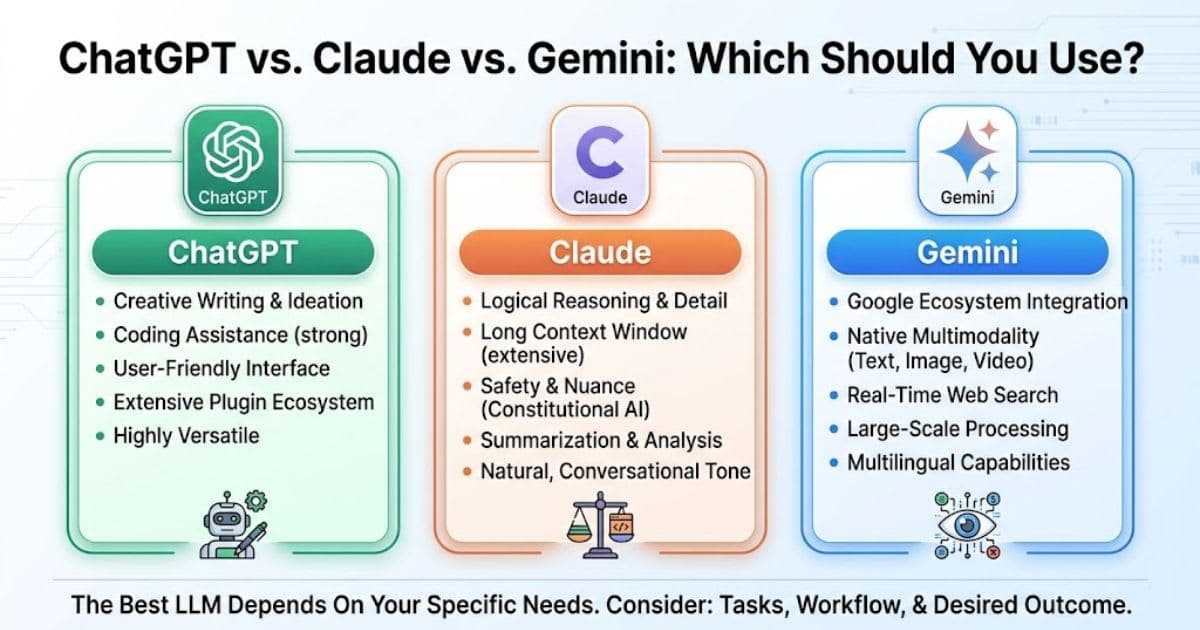
ChatGPT vs Claude vs Gemini: which should you use?
ChatGPT vs Claude vs Gemini: compare pricing, writing, coding, and video tools to pick the right AI assistant for you.
 Comparisons
GitHub Copilot vs Cursor: Which AI Coder Wins in 2026?
GitHub Copilot vs Cursor compared for 2026 — pricing, agents, and IDE support. Find the AI coding assistant that fits your workflow.
New AI tool reviews, in your inbox.
Get new reviews and comparisons in your inbox. No spam, unsubscribe anytime.
Comments (0)
Be the first to comment.