GPT Image 2 vs Nano Banana Pro: Top Tools Compared In 2026
GPT Image 2 vs Nano Banana Pro: Compare image quality, text accuracy, editing, pricing, and find the best AI image model.
Introduction
Choosing between two strong AI
image models feels like comparing two professional cameras. GPT Image 2 vs Nano
Banana Pro is a close matchup because both tools produce impressive results
through very different methods. GPT Image 2 leads in photorealistic images,
sharp text rendering, and polished commercial visuals, while Nano Banana
Pro leads in spatial control and complex layouts.
This GPT Image 2 and Nano Banana
Pro comparison tested both models across 20 practical prompts, covering product
photography, ads, thumbnails, UI mockups, infographics, and
creative scenes. The results show exactly where each model performs best. If
you want the right AI image generator for your workflow, this test gives
you a clear, usable answer.
GPT Image 2 vs Nano Banana Pro: Quick Comparison
The GPT Image 2 vs Nano Banana Pro
matchup stays close because neither model wins every single category outright.
GPT Image 2 performs best when an image needs photographic polish,
readable text, and faithful prompt adherence. Nano Banana Pro performs
best when a scene needs careful spatial relationships between several
objects at once.
|
Category |
GPT
Image 2 |
Nano
Banana Pro |
Better
Choice |
|
Photorealism |
Excellent |
Excellent |
GPT
Image 2 |
|
Text
rendering |
Excellent |
Very
strong |
GPT
Image 2 |
|
Spatial
control |
Very
strong |
Excellent |
Nano
Banana Pro |
|
Complex
compositions |
Strong |
Excellent |
Nano
Banana Pro |
|
Image
editing |
Excellent |
Excellent |
Tie |
|
4K
output |
High-resolution
support |
Native
4K |
Nano
Banana Pro |
|
Prompt
adherence |
Excellent |
Excellent |
Close |
|
Marketing
images |
Excellent |
Very
strong |
GPT
Image 2 |
|
Storyboards |
Strong |
Excellent |
Nano
Banana Pro |
|
UI
mockups |
Strong |
Excellent |
Nano
Banana Pro |
The real lesson here is that the
winner changes depending on the job. GPT Image 2 is an OpenAI image model
built for fast, high-quality generation and editing. Nano Banana Pro is
Google's Gemini 3 Pro image model with strong reasoning
capabilities baked in.
What Are GPT Image 2 and Nano Banana Pro?
GPT Image 2 Explained
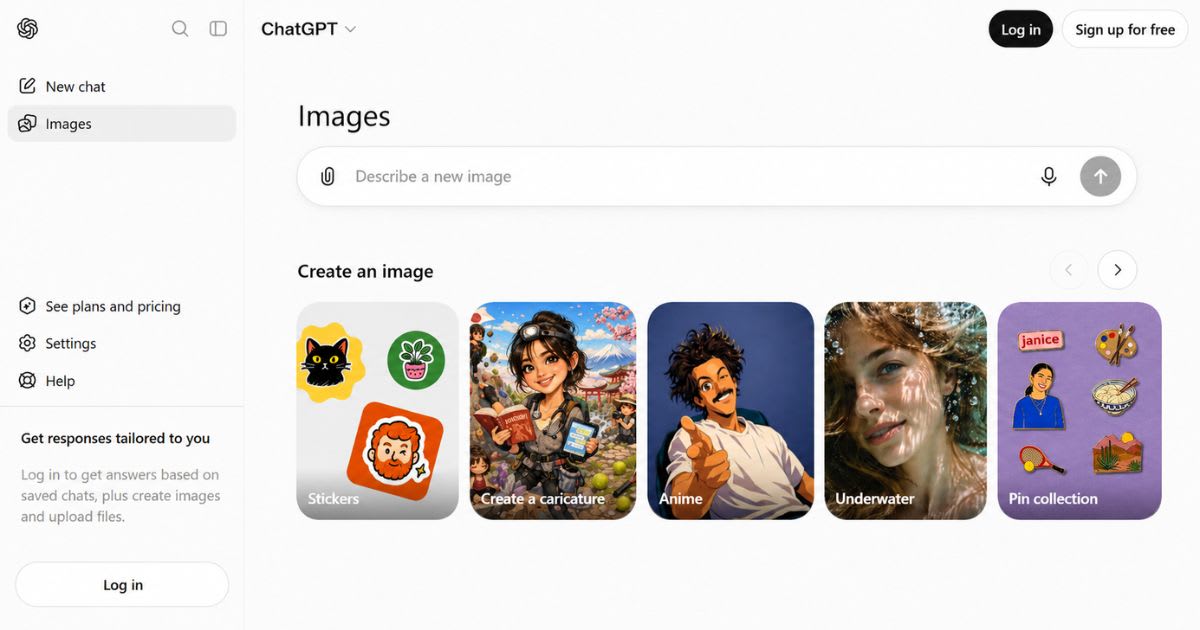
Understanding GPT Image 2 vs Nano
Banana Pro starts with knowing what each model actually is. GPT Image 2 is
OpenAI's newest major model for image generation and editing tasks. Its
architecture supports text and image inputs, flexible sizes, and high-fidelity
image inputs for editing. OpenAI also offers dedicated generation and
editing API endpoints, giving developers room to build custom production
workflows around the model.
Nano Banana Pro Explained
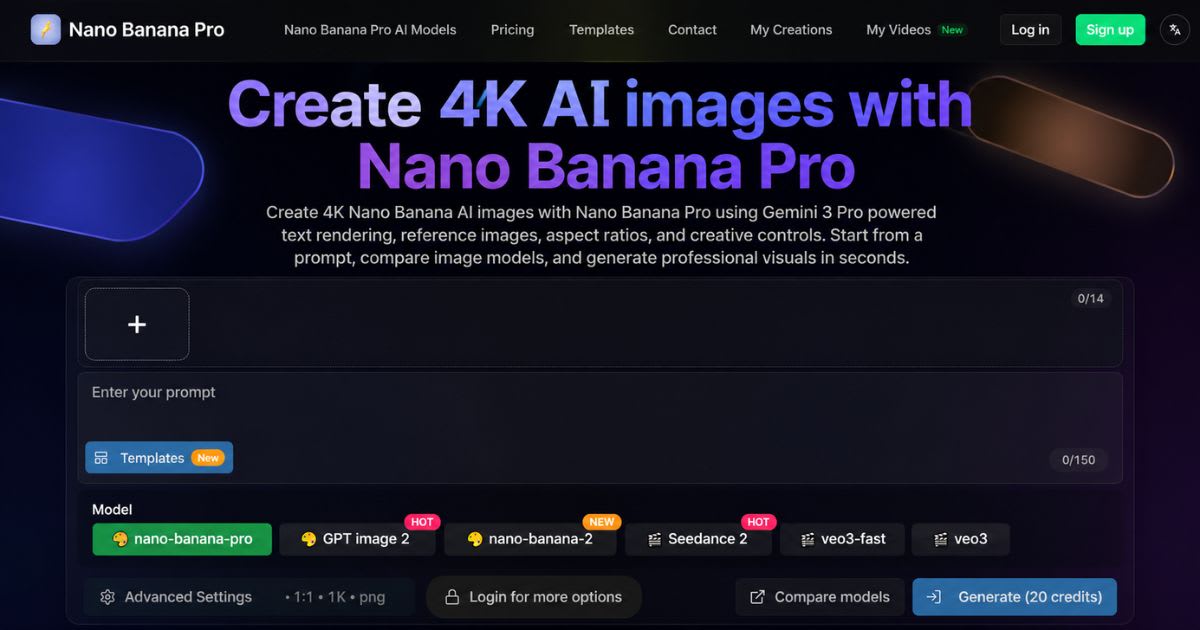
The second half of this AI
Image Generation Tools matchup is Google's own model. Nano Banana Pro is
Google's Gemini 3 Pro Image model, built for high-fidelity generation
and editing. Google describes it as a system with strong reasoning, deep world
knowledge, multilingual text accuracy, advanced creative controls, and
support for output up to 4K resolution.
How I Tested GPT Image 2 and Nano Banana Pro on 20
Prompts
A fair GPT Image 2 comparison
needs more than one attractive portrait to prove anything useful. Real users
create ads, product shots, thumbnails, diagrams, interfaces, and posters every
day. This 20-prompt framework covers many different image-generation challenges
instead of repeating one visual style. The test focused on image quality,
prompt adherence, text accuracy, composition, realism, editing
behavior, and everyday usability. These factors matter because a striking
image can still fail if it skips one instruction or produces broken typography
somewhere in the frame.
The 20-Prompt Test Categories
|
Test |
Prompt
Type |
Main
Evaluation |
|
1 |
Photorealistic
portrait |
Realism |
|
2 |
Product
photograph |
Materials |
|
3 |
Social
advertisement |
Text |
|
4 |
Billboard |
Typography |
|
5 |
YouTube
thumbnail |
Composition |
|
6 |
Product
packaging |
Text
and layout |
|
7 |
UI
mockup |
Spatial
accuracy |
|
8 |
App
screenshot |
Interface
structure |
|
9 |
Scientific
infographic |
Information
density |
|
10 |
Educational
diagram |
Labels |
|
11 |
Architecture |
Structural
accuracy |
|
12 |
Interior
design |
Object
placement |
|
13 |
Food
photography |
Texture |
|
14 |
Fashion
image |
Fabric
and lighting |
|
15 |
Cinematic
scene |
Lighting |
|
16 |
Multi-object
scene |
Spatial
control |
|
17 |
Presentation
slide |
Layout |
|
18 |
Multilingual
signage |
Text
rendering |
|
19 |
Creative
concept |
Prompt
fidelity |
|
20 |
Image-editing
task |
Editing
accuracy |
How the Images Were Judged
Judging GPT Image 2 and Nano
Banana Pro fairly means scoring against the brief, not looks alone. The test
judged each prompt against the requested outcome, never against personal
taste alone. A model earns more credit when it keeps the subject accurate, follows
the layout, and renders readable text. This method cuts down the
usual “which picture looks nicer” bias in most reviews.
GPT Image 2 vs Nano Banana Pro: Image Quality
Compared
The biggest surprise in this image
quality comparison is how close both models perform on ordinary photorealistic
scenes. Both produce convincing skin, materials, lighting, and environments
without visible strain. The real gap only shows up once prompts combine dense
text, multiple objects, or strict spatial accuracy demands. Across the
tested prompts, GPT Image 2 scored higher for photorealism and text rendering
overall. Nano Banana Pro scored higher for compositional control and spatial
reasoning in busier scenes. These results line up with how OpenAI and
Google each position their respective models publicly.
Photorealism: GPT Image 2 Has the Edge
Text
rendering is where
this comparison gets interesting for creators. GPT Image 2 holds a strong
advantage here. It handles headlines, labels, and dense small text well.
Nano Banana Pro is also highly capable and officially supports accurate multilingual
text. Still, in crowded layouts, GPT Image 2 comes out slightly ahead.
Composition and Spatial Control: Nano Banana Pro
Takes the Lead
Here, the gap flips in Google's
favor. Nano Banana Pro gains real ground once a prompt gets spatially
complicated. Picture a desk with a laptop on the left, a notebook in the
center, and a cup behind it. That kind of layered object placement is
exactly where Nano Banana Pro performed strongest during testing, handling spatial
reasoning better than GPT Image 2 in these scenes.
Lighting, Reflections, and Materials: Both Models
Stay Strong
Lighting is a subtler test in this
matchup. Realistic lighting separates a convincing image from a
synthetic-looking one. GPT Image 2 handles studio lighting, gradients,
and glass well, and it also nails reflective surfaces. Nano Banana Pro
stays strong too, and it shines once lighting has to interact with a busy, layered
composition.
Prompt Accuracy and Creative Fidelity: Following
Instructions Matters Most
Prompt
fidelity is where
these two models really separate from older tools. Good image generation
starts with one thing: following instructions. Visual beauty comes second. If
you ask for five objects and get four, no amount of polish can fix that. GPT
Image 2 excels at keeping detail accurate in realistic scenes. Nano
Banana Pro excels at holding structure across multi-object prompts.
Resolution, Aspect Ratios, and Image Generation Limits: Different
Approaches
On raw resolution, both models
take different approaches. Resolution matters most when you plan to crop,
print, or enlarge an image later. Nano Banana Pro has a clear edge here, since
it supports native 4K output. GPT Image 2 takes a different route and
supports flexible image sizes instead of one fixed 4K tier.
GPT Image 2 Resolution and Custom Dimensions: Built
for Production Workflows
GPT Image 2 supports custom
dimensions, giving developers real flexibility when an exact canvas matters
most. This flexibility helps production workflows where an image must
fit a specific website slot, ad, or video layout size without extra
cropping.
Nano Banana Pro and 4K Output: A Clear Resolution
Advantage
Nano Banana Pro is the stronger
pick once native 4K output sits near the top of your list. Google
explicitly promotes high-resolution generation with 4K support built
into the model. Still, never choose it solely because 4K sounds impressive — composition
quality still matters most.
Prompting Guide: How to Get Better Results
Good prompting shapes every result
far more than luck does. A detailed prompt does not automatically create a
better image on its own. The goal is useful specificity: tell the model
what matters most, then explain how details relate. This approach improves AI
image prompts without turning every request into a lengthy novel.
The Best GPT Image 2 Prompt Formula: Subject,
Setting, Style
A strong prompt follows this
order: subject, environment, composition, lighting, camera style, mood,
and text. Try this: “Create a photorealistic ceramic mug on dark marble,
viewed at 45 degrees, with warm morning light and clean negative space
for a headline.”
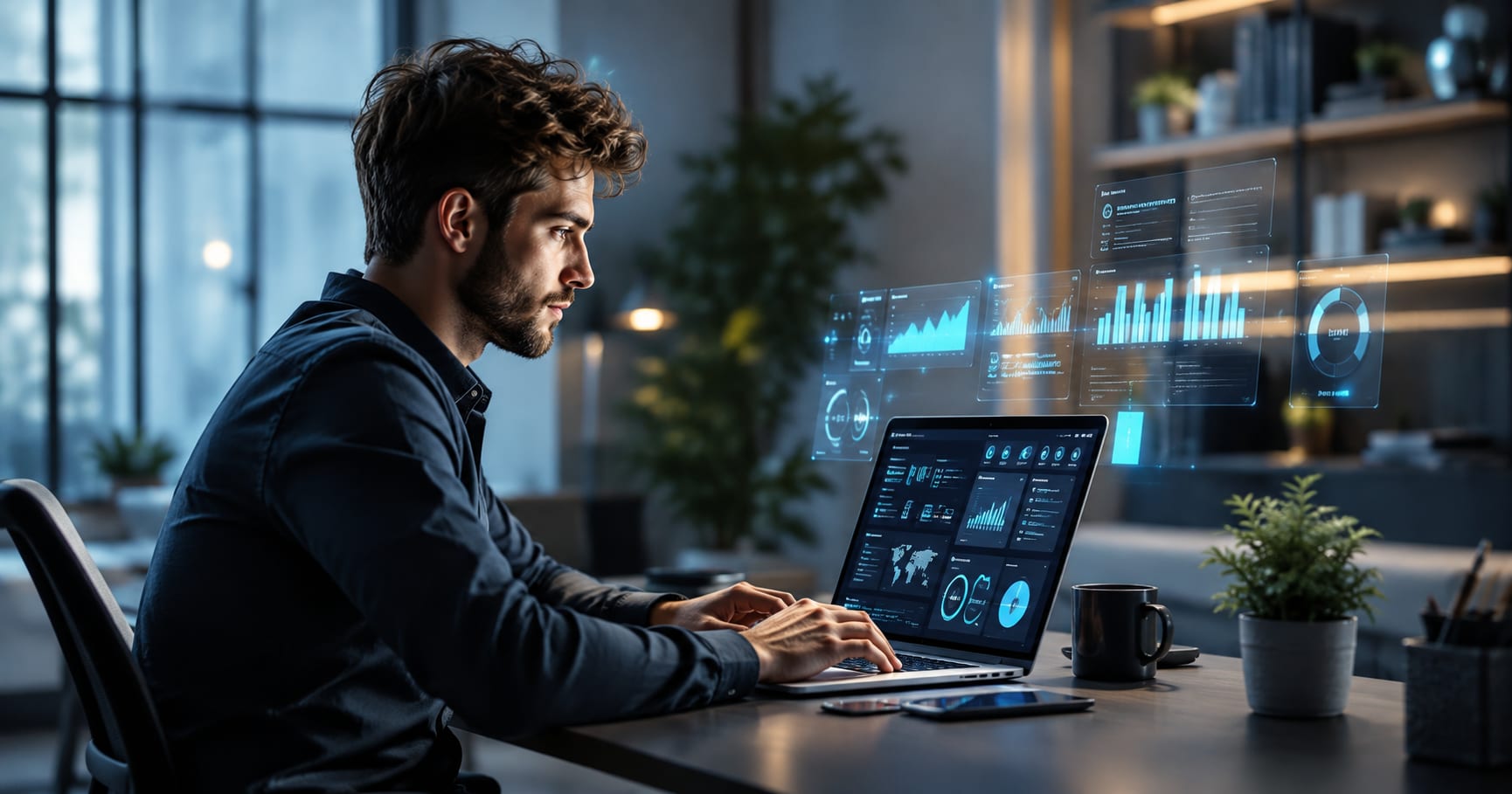
Photorealistic portrait Prompt For GPT image 2
“Create a photorealistic editorial-style
image for a modern technology article. Show a confident young professional
sitting at a sleek desk, working on a laptop with an advanced AI-powered
digital interface visible on the screen. Surround the subject with subtle
futuristic elements such as floating data visualizations, glowing interface
panels, and soft abstract technology patterns. Use a clean premium workspace
with realistic lighting, natural skin texture, authentic facial details, and cinematic
depth of field. Keep the composition professional and uncluttered, with
enough negative space on one side for an article title. Realistic photography,
ultra-detailed, natural colors, sharp focus, realistic shadows, high dynamic
range, cinematic composition, photorealistic, 8K quality, editorial
photography, no text, no logos, no watermark. Aspect ratio 1200×630
(16:9).”
How to Prompt Nano Banana Pro Effectively
Nano Banana Pro benefits from clear
relationships stated between every object in the scene. Instead of listing
objects separately, explain where each one sits relative to the others. This
helps the model understand depth, layering, and the full visual hierarchy
across the frame.
Photorealistic portrait Prompt For Nanobanana Pro
Hyper-realistic medium portrait of a modern
professional in a minimalist, bright corporate office, looking slightly
off-camera with a confident natural expression. Shot on Hasselblad H6D-100c,
85mm lens, f/1.8 aperture, soft natural window side lighting, shallow depth
of field with smooth background bokeh, ultra-detailed skin textures,
natural pores, photorealistic editorial photography style, 8k
resolution, cinematic lighting.

Common Prompting Mistakes to Avoid
The biggest mistake is requesting
too many unrelated things without explaining their relationships clearly. Vague
text instructions like “add some text” give the model almost no useful typographic
guidance at all. Name the exact wording, placement, and hierarchy instead
for reliable results.
Image Editing and Multi-Image Compositing Compared
Editing tells another side of the
story entirely. Image generation is only half of any real creative workflow
today. GPT Image 2 supports image input and output through dedicated editing
capabilities and high-fidelity image inputs. Google positions Nano Banana
Pro as a generation and editing model with advanced creative controls built in.
Both models handle object removal, background swaps, and style
changes reasonably well across tests. GPT Image 2 feels more natural when an
edit must preserve realistic photographic detail nearby. Nano Banana Pro
becomes stronger once an edit also needs broader structural changes
across the scene.
Object Removal and Background Swaps
Both models handle common edits
such as removing an object or swapping a background smoothly. GPT Image
2 feels natural when the edit must preserve realistic photographic detail
around the changed area. Nano Banana Pro shines once the edit needs a broader structural
change too.
Style Transfer and Image Transformation
Style changes can easily destroy
the original subject if the model handles them carelessly. A successful edit
should shift the visual treatment while preserving identity and
structure. GPT Image 2 suits photographic transformations, while Nano
Banana Pro suits scene restructuring during transformation.
Multi-Image Compositing
Compositing is a demanding test
inside this workflow for either model. Multi-image work depends heavily on
strong reference control across every combined element. A designer might
supply a product photo, background, and logo for one final composite.
Nano Banana Pro's compositional strength helps here, while GPT Image 2
remains strong for high-fidelity image editing overall.
Character and Subject Consistency
Character
consistency matters most
when the same person or product appears across several scenes. Google
highlights consistency and advanced creative control as strengths of
Nano Banana Pro specifically. No model guarantees perfect identity
preservation, so strong reference images still help either way.
Speed, Pricing, and Free Access in 2026
Cost is a practical factor in this
decision for developers. Price comparisons get confusing fast once different billing
models enter the picture. GPT Image 2 uses token-based pricing: $5
per million text input tokens, $8 per million image input tokens, and $30 per
million output tokens under standard rates. Nano Banana Pro also uses
token-based API
pricing through Google's current Gemini API structure. Google lists
Gemini 3 Pro Image output at $120 per million image tokens, roughly $0.134 for
1K/2K images and $0.24 per 4K image generated.
GPT Image 2 Pricing Explained
GPT Image 2 billing depends on actual
usage, not one fixed per-image number quoted upfront. Charges include input
text tokens, input image tokens during editing, and output image token costs.
Quality tiers also let developers balance cost against final output
quality.
Nano Banana Pro Pricing Explained
Nano Banana Pro's API pricing
uses token-based output billing tied directly to resolution chosen. A
1K/2K output costs roughly $0.134, while a 4K image costs about $0.24. Google
AI Studio also offers free access in supported regions for casual
experimentation.
Can You Use Either Model for Free?
ChatGPT
Images 2.0 is available
across ChatGPT plans, giving casual users an easy entry point. Google AI
Studio similarly offers free access to Gemini models in available
regions worldwide. Developers building production apps should still budget for
standard API pricing at scale.
GPT Image 2 vs Nano Banana Pro: Best Model for Each
Use Case
Picking between the two models
gets easier once you name your exact use case. The best model depends entirely
on what you actually create day to day. A marketer needs reliable marketing
creatives; a designer needs spatial precision across a layout.
Matching each model to its strongest workflow compounds small advantages
into major time savings.
Best for Marketing and Advertising
For marketing, this comparison
favors OpenAI's model in nearly every test run. GPT Image 2 is the stronger
pick for marketing work needing photographic realism and readable copy. Product
hero images, promotional graphics, and branded scenes benefit from its
strong text handling and realism. This makes it especially useful for advertising
visuals and social campaigns.
Best for Product Photography
For product shots, the balance
leans toward OpenAI's photographic strength. GPT Image 2 has the edge for
straightforward product photography needing polish and accuracy. Its
handling of materials, reflections, and lighting gradients suits commercial
imagery well. Nano Banana Pro still performs well, but GPT Image 2 feels
more photographic for one clean shot.
Best for Thumbnails and Storyboards
GPT Image 2 is the safer general
choice for realistic thumbnails paired with readable headlines. Nano
Banana Pro becomes stronger once a thumbnail or storyboard frame needs several precisely
placed subjects. Its spatial reasoning outweighs GPT Image 2's photographic
edge in those crowded layouts.
Best for UI Mockups and Infographics
For structured screens, the
advantage tilts firmly toward Google's model. Nano Banana Pro suits UI
mockups and infographics because structured interfaces demand
careful positioning throughout. Buttons, panels, and navigation elements need
to sit inside predictable regions reliably. Google specifically promotes
diagrams and infographics as strong, intended use cases for the model.
Which AI Image Model Should You Choose in 2026?
The final call comes down to your
priority. GPT Image 2 is the better general-purpose choice for many creators
building everyday content. Its strongest combination remains photorealism, text
rendering, and reliable prompt adherence across varied prompts. These
strengths translate directly into marketing, product, and thumbnail workflows.
Nano Banana Pro deserves the win once composition matters more than pure
photographic polish. Its strengths in spatial reasoning, structured
layouts, and native 4K output make it a serious alternative. Google
continues positioning it as a high-fidelity generation and editing model.
Where GPT Image 2 Clearly Wins
In the broader picture, OpenAI's
model wins on polish. GPT Image 2's clearest advantage is pairing photographic
quality with genuinely readable text output. That combination
matters because commercial images often need both elements working together.
Its strong text rendering, realism, and instruction following
suit marketers and everyday creators best.
Where Nano Banana Pro Clearly Wins
On the flip side, Google's model
wins on structure. Nano Banana Pro's strongest territory remains complex
composition involving several interacting objects at once. Its structural
understanding becomes more valuable as a scene's object count keeps
climbing. It also holds a clearer advantage in native 4K workflows
needing large, detailed output.
Final Takeaway
The GPT Image 2 vs Nano Banana Pro
debate is not really about finding one universal winner. GPT Image 2 is the
stronger all-rounder for realistic commercial imagery across most
everyday tasks. Nano Banana Pro is the stronger specialist for complex
visual structure and high-resolution design work. If you create
images every week, test both models against your own recurring prompts
directly. Your workflow remains the real benchmark, not any single image
quality comparison on paper. A model that saves editing rounds per image
often beats a technically superior model overall.
Frequently asked questions
Is ChatGPT image better than Nano Banana?+
It depends on the task. GPT Image 2 is a strong choice for photorealistic AI images, detailed prompts, and image editing. Nano Banana Pro is particularly strong for complex graphic designs, accurate text, product mockups, and data-rich visuals.
What is better than Nano Banana Pro for image generation?+
There is no single model that is better for every workflow. GPT Image 2 is one of the strongest alternatives if you prioritize realistic images, flexible image sizes, and high-quality generation and editing.
Is Nano Banana Pro worth it?+
Yes, especially if you create professional graphics, infographics, product mockups, or images containing detailed text. Google also supports up to 4K output and advanced editing controls, making it valuable for demanding creative workflows.
What are the key differences between Nano Banana Pro and GPT Image 2?+
GPT Image 2 focuses on fast, high-quality image generation and editing with flexible image sizes. Nano Banana Pro emphasizes studio-quality control, complex designs, accurate text, real-world knowledge, and Google Search grounding.
How good is GPT Image 2?+
GPT Image 2 is OpenAI's state-of-the-art image generation model for high-quality generation and editing. It supports both image inputs and outputs, making it useful for creating new visuals and modifying existing images.
Which version of GPT is better?+
For image generation, GPT Image 2 is the relevant OpenAI model. It is specifically designed for high-quality image generation and editing, while other GPT models may be better suited to text, reasoning, or coding tasks.
Related articles
 AI Image Tools
Free AI T-Shirt Design Generator: Instant Mockups(2026)
Try a free AI t-shirt design generator to create realistic apparel mockups in seconds, with no design skills or studio needed.
 AI Image Tools
5+ Negative Prompts For Images That Actually Work (2026)
Discover 150+ negative prompts AI images creators use to fix hands, skin, and lighting for real, camera-like photo results.
 AI Image Tools
AI Image Generator Pricing (2026): Every Tool Compared
AI image generator pricing compared: real monthly costs, free tiers, hidden fees, and how to cut your bill in 2026.
New AI tool reviews, in your inbox.
Get new reviews and comparisons in your inbox. No spam, unsubscribe anytime.
Comments (0)
Be the first to comment.