Best AI Productivity Tools for Teachers in 2026
Discover the best AI productivity tools for teachers in 2026 for lesson planning, grading, assessments, and classroom support.
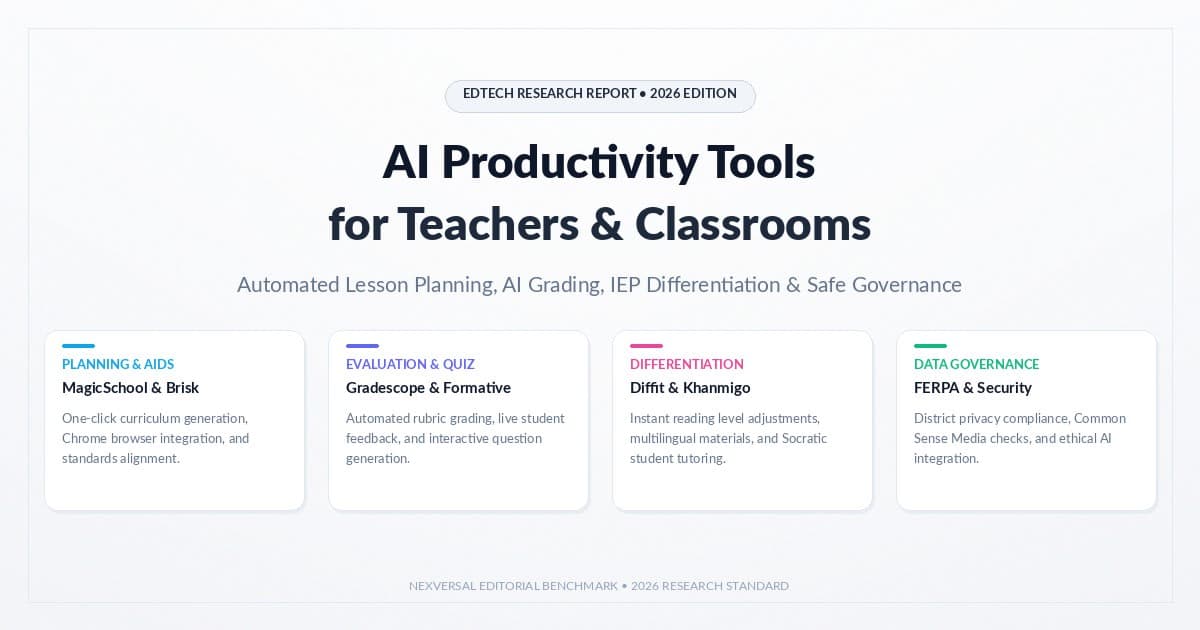
Introduction
AI is
changing how teachers work. AI productivity tools for teachers help with
lesson plans, activities, grading, and daily tasks. These tools don’t replace
teachers. They handle busy work. That gives you more time for your students. Some
tools plan lessons. Others make quizzes. Some build differentiated materials or
give quick feedback.
Each tool solves one part of your day. But you still need to check
the work. Look for errors, bias, or content that doesn’t fit your class. The
right tools can cut your workload. They should never replace your judgment.
This guide shows where AI truly saves you time in 2026.
Quick Summary: Top AI Productivity
Tools for Teachers at a Glance
Here’s a fast
look before the details. This table compares AI productivity tools for
teachers by use, integration, and price. Prices change a lot. Always check
the tool’s own site first.
|
Tool |
Primary
Use |
Key
Strength |
Pricing/Access |
Best Fit |
|
MagicSchool.ai |
Lesson
planning, admin tasks |
80+ tools,
Raina chatbot |
Free; Plus
$8.33/mo annual; custom Enterprise |
Individual
teachers to districts |
|
Brisk
Teaching |
In-browser
planning & feedback |
Works
inside Google Docs/Classroom |
Free
educator tier; custom district plan |
Google
Workspace users |
|
Wayground
(ex-Quizizz) |
Quizzes,
formative checks |
AI
Generation Hub, accommodations |
Free tier;
paid upgrades |
Review
& formative days |
|
Diffit for
Teachers |
Reading-level
differentiation |
One text
turns into many levels |
Free tier;
paid plans |
Mixed-ability
reading groups |
|
Khanmigo |
Tutoring,
teacher planning |
Socratic
virtual tutor |
Free for
verified U.S. teachers; $4/mo individual |
Math &
ELA tutoring support |
|
Gemini for
Education / NotebookLM |
Research,
source-grounded notes |
Uses only
your own uploaded sources |
Free for
qualifying schools |
Research-heavy
assignments |
|
Gradescope |
Structured
assessment grading |
Batch
grading for MC, short answer, math |
Free for
individual instructors; per-student institutional |
High-volume
structured grading |
Look at the
list. Few tools do it all. Most do one job well. That job is planning, grading,
class time, or reading levels. So two or three good tools beat one big tool
that tries to do it all.
How AI Productivity Tools Reclaim
Hours for Busy Educators
Every tool
here fixes one thing. Small, same-day tasks eat up your nights. A first rubric
note or a quick quiz does not need real new ideas. It just takes time you don’t
have. Good administrative paperwork reduction gives that time back.
Teacher
workflow automation works best
on drafts. It’s not built for real decisions. A lesson plan or a feedback
comment still needs your check first. Think of these tools as a fast helper.
They are not a stand-in for you.
Classroom
scenario: A 6th-grade
teacher spends every Sunday night on sub plans and parent notes. She uses a Chrome
extension for teachers like Brisk. It builds drafts from her own lesson
files. Her task drops from an hour to about fifteen minutes.
Best AI Tools for Automated Lesson
Planning and Curriculum Design
Automated
lesson planning tools turn one
topic into a full first draft. You get goals, steps, and materials fast. They
don’t replace your own subject knowledge. But they save you time. A blank page
turns into a quick edit. The best planning tools work with what you already
teach. In-browser curriculum drafting lets you build a lesson right from
a text you already picked. You never have to leave your tab.
MagicSchool.ai
(Raina)
MagicSchool.ai gives you
more than 80 tools built around school standards. You reach them through Raina,
its own AI chat assistant. Its site lists a free plan. The Plus plan costs
$8.33 a month, billed yearly ($99.96/year). Enterprise pricing is custom for
districts. MagicSchool says it follows FERPA, COPPA, GDPR, and SOC 2 rules. Check
the exact terms with your district first.
Brisk Teaching (Brisk Next, Brisk
Boost)
Brisk
Teaching works as a
browser add-on for Chrome and Edge. It sits right inside Google Docs and
Classroom. Brisk Next helps you plan. Brisk Boost runs student
activities. It links to Canvas and Schoology through LMS integration
(Canvas, Google Classroom, Schoology). Brisk earned ESSA Tier IV status
from Leanlab Education in January 2026.
Eduaide.ai (Erasmus), Twee, and Conker
Eduaide.ai builds plans
through its assistant, Erasmus. It turns a topic into a lesson or a quiz
fast. Twee and Conker do smaller jobs well. They turn any text
into worksheets or quick comprehension checks.
Google Gemini for Education and Google
NotebookLM
Gemini for
Education works inside
Google Workspace for Education and Google Classroom. It’s free
for schools that qualify. Google NotebookLM answers questions from your
own files. It builds source-grounded study outlines using only what you
upload. Nothing else.
Best AI Productivity Tools for Grading
and Formative Assessments
Grading tools
make up a huge share of AI productivity tools for teachers today. Formative
assessment generators turn a text or topic into quiz questions or exit
tickets. This takes minutes, not hours.
Rubric-based
grading and feedback tools speed
up the boring parts of grading. But essays, creative work, and IEP-linked work
still need your full read. A grade should never be final until you check it.
Classroom
scenario: A high
school biology teacher needs a fast check after a lab. She uploads her lab
sheet to Wayground’s AI Generation Hub. In under two minutes, she gets five
ready-to-edit questions.
Wayground (formerly Quizizz)
Wayground used to be called Quizizz. It changed its name on June 24, 2025. It now makes slides, flashcards, videos, and reading passages, not just quizzes. Its AI Generation Hub turns one file into many formats at once. This is great for gamified review assignments and quick checks, all in one place.
Formative AI (Luna AI), QuestionWell, and Class Companion
Formative
AI’s Luna AI gives you real-time
student progress tracking during live checks. QuestionWell turns any
text into standards-based questions. Class Companion gives students constructive
bi-directional student feedback. It works like a simple writing
companion and grammar checker for early drafts.
Snorkl and Gradescope
Snorkl records how students explain their work, in speech or writing.
This supports multimodal student response evaluation. It’s great for
math class, where the steps matter as much as the answer. Gradescope
handles big, structured tests. It offers a free plan for solo teachers, and
per-student pricing for schools.
Top AI Platforms for Interactive
Classroom Engagement and Delivery
Interactive
classroom slide decks and higher-order
thinking discussion prompts shine on review days. They work best for live
talk, not for building a full new lesson. Most of these tools also make slides,
posters, and worksheets. You don’t need design skills to use them.
Curipod And Parlay Genie
Curipod builds live, discussion-based slide decks. It mixes polls, open
questions, and drawing prompts in one deck. Parlay Genie writes higher-order
thinking discussion prompts for class debates. It also helps guide the talk
that follows.
Padlet (Magic Padlet) and Canva Magic Studio
Padlet’s Magic Padlet
tools help you build shared boards fast, with AI-written prompts. Canva
Magic Studio, including Magic Write, turns one topic into slides,
worksheets, and posters. All in a few clicks.
Adobe Express (Firefly) and Microsoft Copilot / Designer
Adobe Express, built on Firefly,
and Microsoft Copilot and Designer do similar work. Each one
lives inside its own app world. Check what your school already pays for first,
before you add a new tool. A few smaller tools also help here: Gibbly, Suno for
class songs, Groovelit, WeWillWrite, Socrait, and Grouper. Each one covers a
small, specific need. Check each vendor’s site before you use one school-wide.
AI Tools for Differentiated
Instruction, IEPs, and Accessibility
These AI
productivity tools for teachers need to reach every student, not just the
average one. Differentiated instruction and reading levels solve one
common problem: one class, many reading levels, one lesson to write. IEP
support and learning differentiation tools can draft goals and notes. But
an IEP is a legal paper. Your special education team must still check and sign
off on any AI draft. Classroom scenario: A middle school reading teacher
has three reading levels in one class. She runs this week’s article through
Diffit. In minutes, she gets three versions. She checks each one for tone
before she hands them out.
Diffit for Teachers
Diffit takes one
piece of text and makes several reading levels from it. It’s a strong text
leveler and reading comprehension tool for mixed classes. Still, always
read the result first. A lower reading level doesn’t always mean the right tone
for young readers.
Khanmigo (Khan Academy)
Khanmigo plays two roles. For students, it’s a Socratic virtual tutor.
For teachers, it’s a planning helper. Khan Academy made it free for all
verified U.S. teachers, with help from Microsoft. A single or family plan costs
$4 a month, or $44 a year, for up to ten kids.
Goblin Tools and EnlightenAI
Goblin Tools includes Magic ToDo and the
Formalizer. It offers neurodivergent task breakdown for executive
functioning and neurodivergent support. It splits big tasks into small,
clear steps. EnlightenAI (EnlightenMe.ai) builds different explanations
for different student needs. Check its current features before you use it for
IEP work.
K–12 Data Privacy, FERPA Compliance,
and Safe AI Governance
FERPA is a U.S.
law. It protects private student records. Schools must limit who can see this
data, and only for real school reasons. This covers grades, IEP notes, and classroom
behavior and attendance tracking too.
COPPA adds rules
for kids under 13. A school can sometimes approve a tool on a parent’s behalf.
But that right has real limits. It does not cover every use of a child’s data. A
vendor may say it “supports” FERPA or COPPA. That’s not the same as your school
being fully compliant. Data processing agreements (DPAs) for schools set
the real rules for a vendor. Groups like Common Sense Media rate tool
privacy on their own, which helps you compare choices.
Single
Sign-On (SSO) and SIS rostering, through tools like Clever or ClassLink, limit stray accounts. Add
clear data rules and admin approval on top. Together, these steps matter more
than any single claim on a vendor’s homepage. Never type student names, grades,
or behavior notes into a tool your school hasn’t approved. Teacher-in-the-loop
instructional oversight stays a must for every tool on this list. Digital
Promise and ISTE+ASCD both offer guides for schools. They help build
a responsible AI integration framework around these choices.
How to Choose the Right AI
Productivity Stack for Your Classroom
So many AI
productivity tools for teachers exist now. Start with your real problem,
not the longest feature list. If planning eats your nights, try MagicSchool or
Brisk first. Pick the tool that fits your actual struggle. One teacher usually
needs a free plan and maybe one paid tool. A school needs more: a responsible
AI integration framework. That means a short, approved tool list, a signed
DPA, SSO rostering, and one contact person. Groups like CDW Education
can help build that list.
Pedagogy-aligned
instruction design should guide your pick, not a flashy demo. Two or three tools
that solve real problems beat ten tools nobody uses well.
For broader context outside
education-specific platforms, see Free AI productivity tools and AI chatbot
comparisons on Nexversal.
Related articles
 AI Productivity Tools
10 Best Free AI Productivity Tools in 2026
See 10 free AI Productivity tools for work and study in 2026 — ChatGPT, Gemini, and Claude compared side by side. Find your fit fast.
 AI Productivity Tools
AI Tool for Excel Formulas: Never Guess Again (2026)
Looking for the best AI tool for Excel formulas? We compare 6 free and paid options for generating, fixing, and explaining formulas, with pricing.
 AI Productivity Tools
Automate Your Inbox With AI: Under an Hour (2026)
Automate your inbox with AI in under an hour — sort, draft, and reply without living in your inbox all day.
New AI tool reviews, in your inbox.
Get new reviews and comparisons in your inbox. No spam, unsubscribe anytime.
Comments (0)
Be the first to comment.