Klap AI Review 2026: Features, Pricing and My Test
Klap AI review (2026): I tested Klap with Hindi, English, and music-only videos. See pricing from $14.50/mo, the free trial problem, and my verdict.
Introduction
Klap
AI review: Does Klap really turn long videos into short clips?
Does the free trial work? Why does the button say Generate 7 Shorts
but make more? I tested Klap on three videos in four runs. The Hindi movie gave
me 13 clips. The English podcast gave me 11 and then 14. The music-only video
failed to process. Klap works well for speech videos. But the free trial would
not generate anything for me. Klap also picked the clip counts and lengths on
its own. I tested custom prompts, captions, the editor, and Instagram
scheduling too. Below, you will see the real pricing, the trial problem,
and my verdict.
Last
tested: November 2026.
Klap
AI Key Takeaways
•
Best for: podcasts, interviews, tutorials, and
other videos with clear speech.
•
Not for: music-only videos or anyone who needs
a free tool.
•
Price: Basic costs $29 a month, or $14.50 a
month on the yearly plan.
•
Free trial: one video, but it kept asking me to
upgrade.
•
My results: 13 clips from a Hindi movie clip,
then 11 and 14 clips from an English podcast.
•
Verdict: a careful yes. Check every clip
before you post.
My
Klap AI Review Verdict
In this Klap AI review, Klap worked well for podcasts
and tutorials. It finds the best parts and makes short clips. I
liked the custom prompts, the caption tools, and the editor.
But
the clip picks were not always on topic. The language results
also changed between clips. AI saves editing time but cannot replace human
judgment. I say yes, but with care. Check each clip before you post.
Klap
AI Pricing
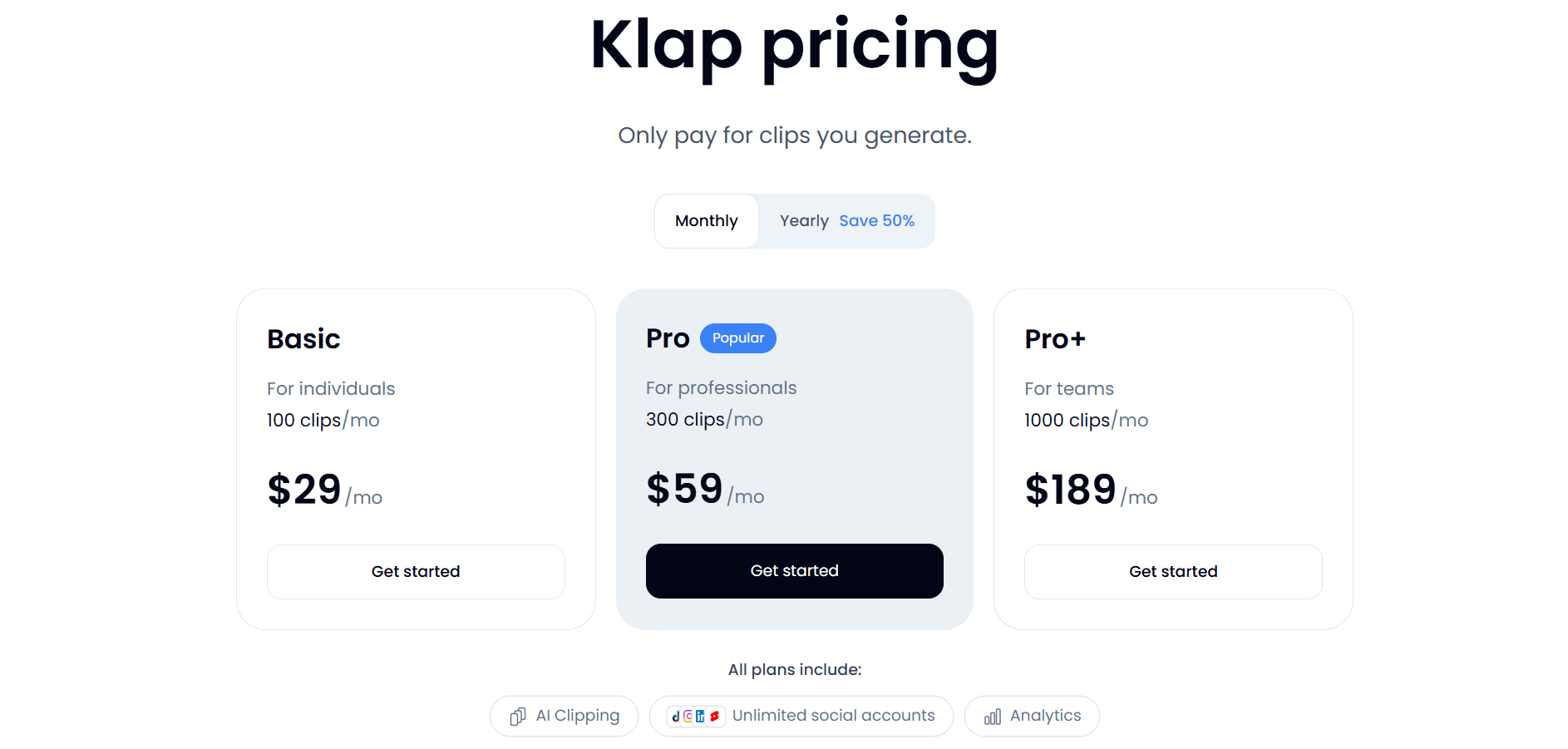
Klap has three paid plans: Basic, Pro, and Pro+.
It also gives a free trial for one video. Klap says you can preview and
edit clips in the trial. Downloading and posting need a paid plan. My trial did
not work that way.
|
Plan |
Monthly
billing |
Yearly
billing |
Clips |
|
Basic |
$29/month |
$174/year ($14.50/month) |
100/month |
|
Pro |
$59/month |
$474/year ($39.50/month) |
300/month |
|
Pro+ |
$189/month |
$1,134/year ($94.50/month) |
1,000/month |
Klap
charges yearly plans upfront for the whole year. Klap counts each
generated short as one clip. It does not charge by the length of your source
video. Prices can change so check the official
Klap website
before you subscribe.
•
My account: it showed a lower yearly Pro price of $29.50
a month ($354 a year) instead of $39.50.
•
Discount note: my account showed 50 percent off on yearly
billing.
•
Monthly Pro: it stayed at $59.
Prices checked: 15 November 2026.
The Free Trial Problem
The free trial needs its own section in
this Klap AI review. Klap has no free plan at all. It offers one trial
video with no credit card. On paper, you can preview and edit the
clips. My check did not match that.
I
used a 17-minute video on a second trial account. Each time I changed a
setting, Klap showed an upgrade option. I reset all default settings
and clicked generate. It still asked me to upgrade. Nothing told me which parts
were free. So I left without making a video.
•
What to do: Expect to pay for one month of Basic
if you want to test Klap properly.
•
Free options: See free AI tools for a video generator.
What
Is Klap AI and How Does It Work?
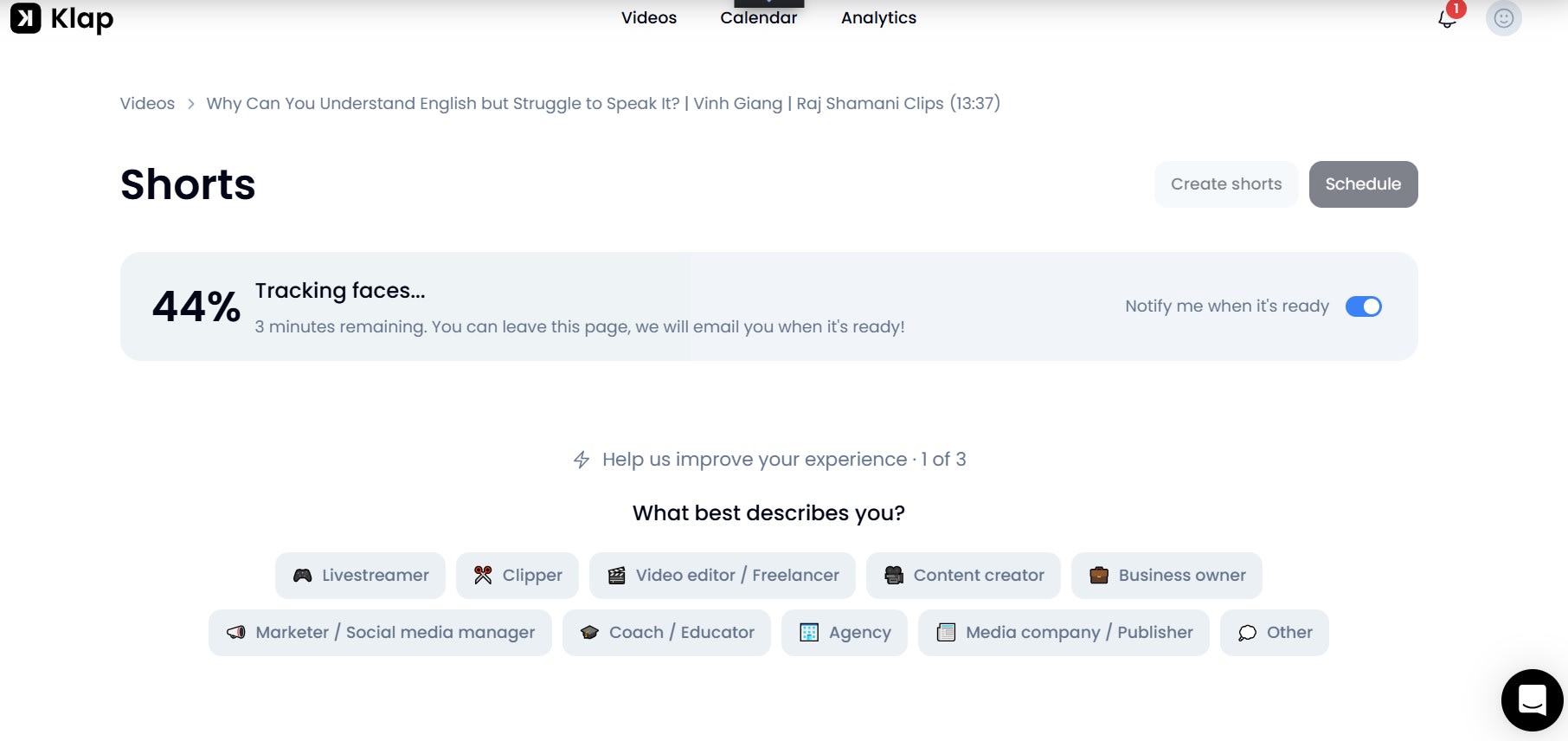
Klap is an AI video repurposing tool.
It takes a long video and finds moments that work as short clips. You
paste a YouTube link or upload a video. All my test videos came
from YouTube links.
Klap
adds captions to each clip and fits it to a vertical frame. It
says it works with podcasts, talks, and lessons. It also lists over 99 languages.
•
Make videos from scratch: See how
to create a video on MakeShot AI.
•
Compare video generators: See Veo 3 vs Kling AI.
How
to Use Klap AI
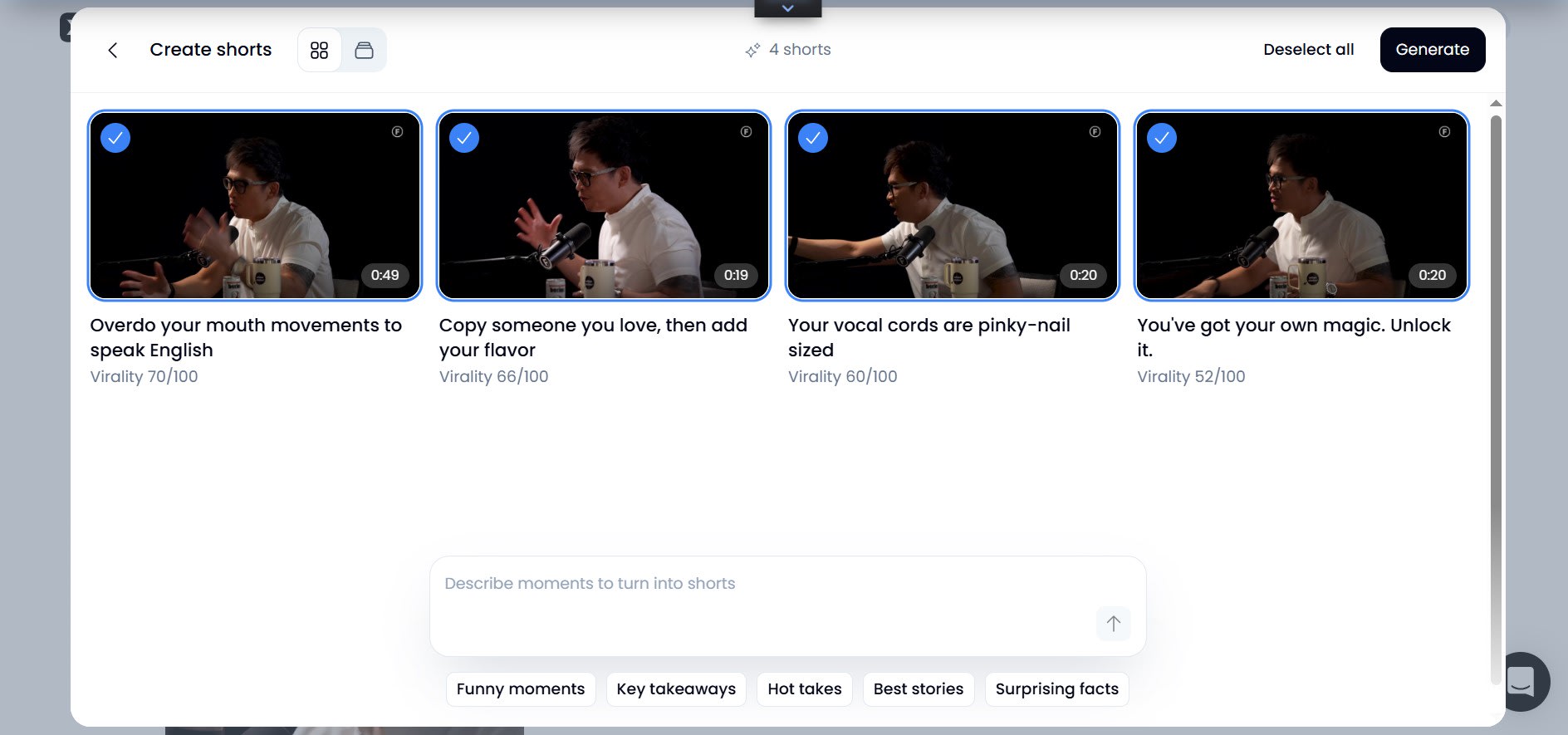
•
Add your video: Paste a YouTube link. All my test
videos came from YouTube links.
•
Pick the moments: Choose types like Funny Moments or
Surprising Facts. Or write a custom prompt.
•
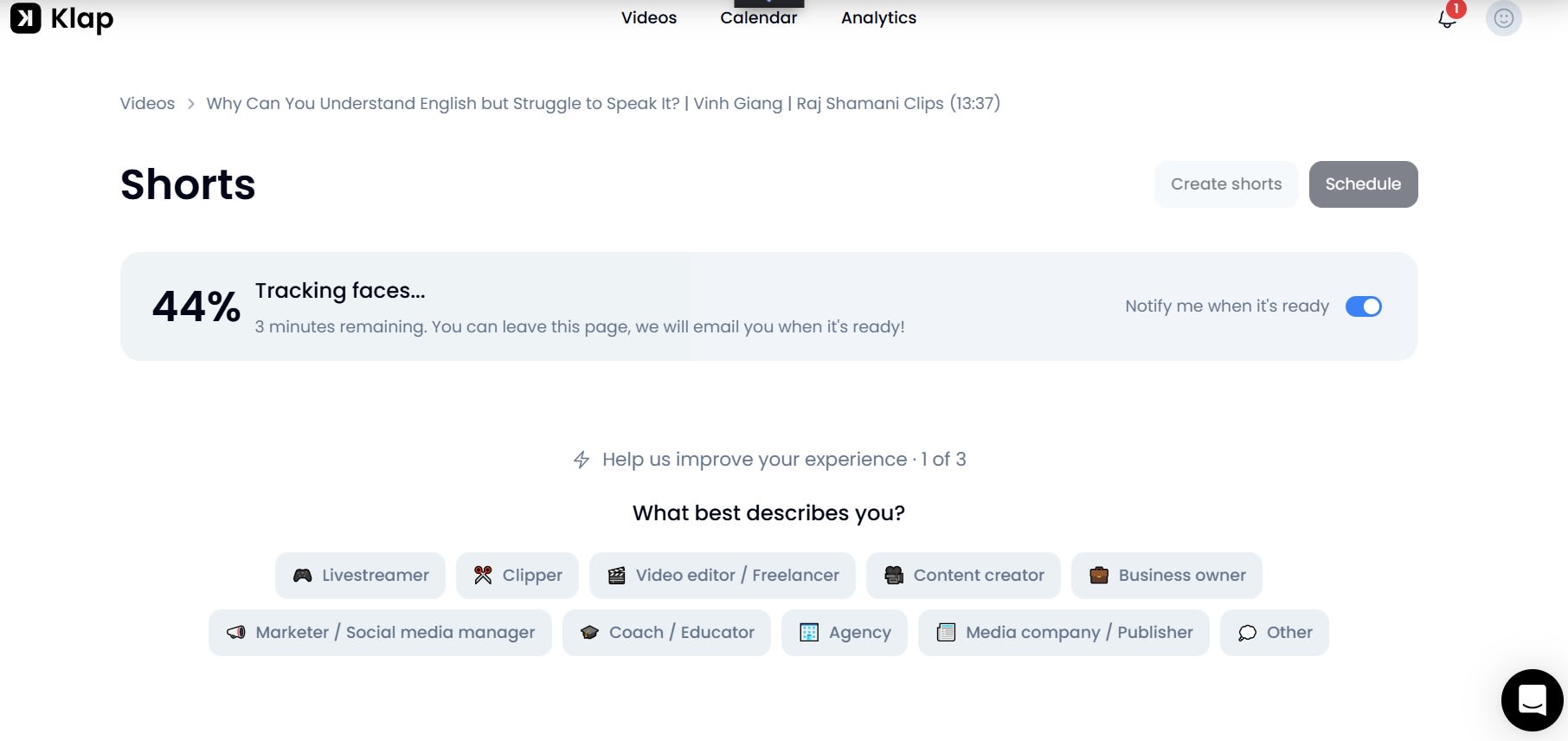
Generate clips: Klap took about nine minutes to
analyze my 13-minute podcast.
•
Edit the clips: Trim, reframe, change captions, and
edit the title.
•
Download or schedule: Export a clip or schedule it to
Instagram.
How
I Tested Klap AI
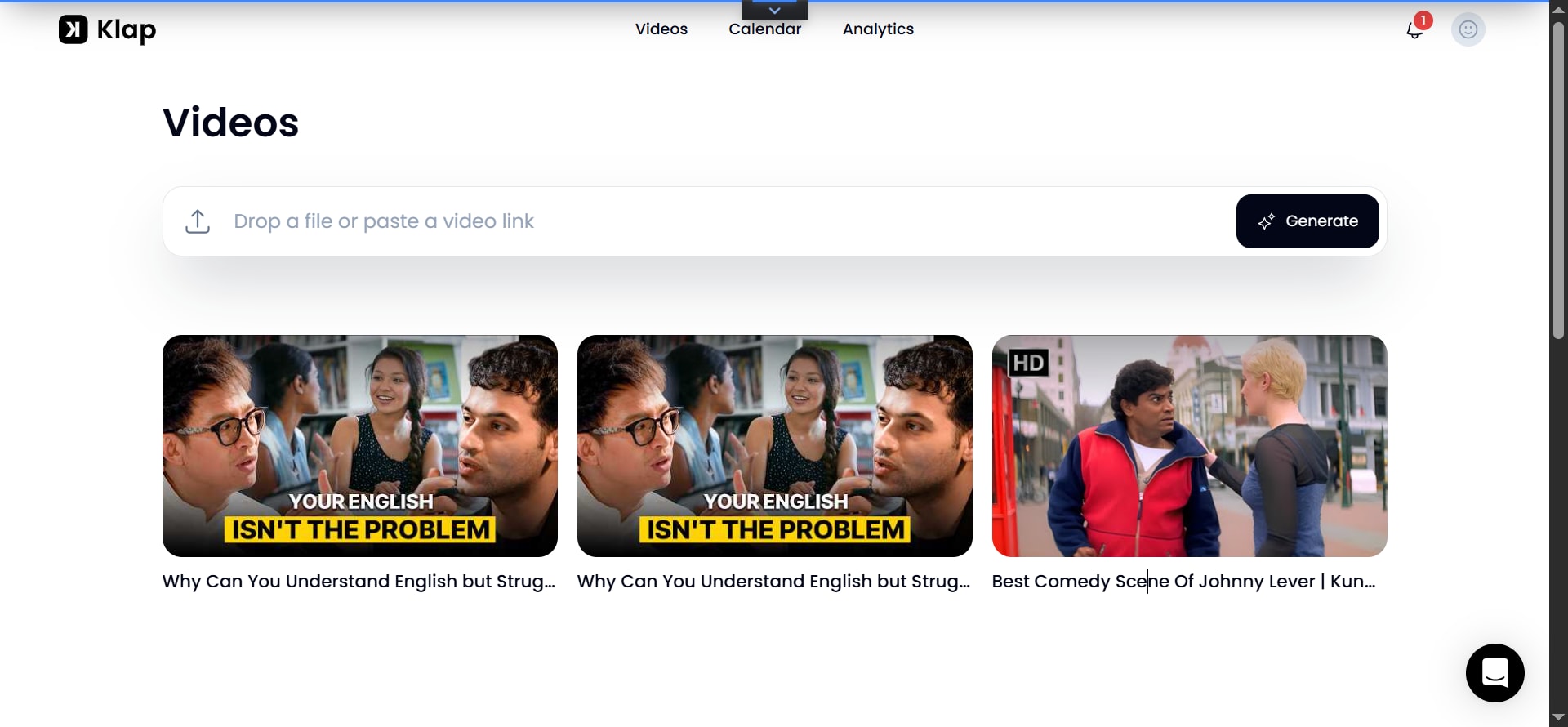
I used three videos in four runs. I ran the
main tests on my Pro account. I checked the free trial on a separate
account. Each video type shows a different side of Klap.
Hindi
Comedy Movie
I
used a 17-minute Hindi comedy movie clip. I picked Funny Moments,
Surprising Facts, and Best Scenes. Klap made 13 clips and chose
the lengths itself. Some ran 18, 25, 30, or 43 seconds.
Music-Only
Video
I
also tried a music-only video with no real speech. Klap could not
process that video. Klap made no clips from it. This showed me that Klap
needs spoken content.
English
Podcast
I
used a 13-minute English podcast. It was about why people get English
but cannot speak it. I ran it twice with new prompts. I also tested Urdu
titles, the editor, and Instagram scheduling.
Klap
AI Features: What Can You Do With It?
AI
Video Clipping and Moment Selection
Klap
finds moments you can turn into shorts. You choose the moment types
you want. One option, Best, stays on and you cannot turn it off.
•
Funny moments:
jokes and light scenes.
•
Best stories:
short tales inside a longer talk.
•
Surprising facts:
facts that make viewers stop.
•
Strong opinions: bold
views from the speaker.
•
Analogies:
comparisons that explain an idea.
•
High-tension moments:
scenes with drama or stress.
Clip
Count
The
button said Generate 7 Shorts. Klap made 13 clips on the Hindi
movie and 11 on the English podcast. I could not change that number. Treat the
button as a rough guess. It is not a promise from Klap.
Clip
Length
I set
the clip length range to 30 seconds to 1 minute and the ratio to
4:5 for one test. Klap made all the clips between 30 seconds and 1 minute. So
it followed my length setting.
Titles
and Transcripts
Klap
also made titles and transcripts for the clips. I could
see what each short held before I opened it. That made clip selection
much faster.
Custom
Prompts
Custom
prompts gave me the most control. My first prompt
gave 11 clips. Some were good but off topic. One used a childhood story
and another used a cooking analogy.
•
First prompt: “Extract the most useful tips, surprising
facts, step-by-step insights, and key takeaways that provide immediate value.”
•
Second prompt: “Focus strictly on practical English speaking
tips, step-by-step fluency exercises, and overcoming the struggle of speaking
English without any fluff.”
Second
Run With a Focused Prompt
I ran
the same podcast again with the second prompt. This time Klap made 14
shorts. Their topics fit the podcast better. One title was “The Biggest
Secret to Speaking English.”
Generate
More
Klap
also has a Generate More option. Use it when you want more clips from
the same source video. After the first set, Klap suggests 4, 5, or 6
more videos. You can preview each one before you keep it.
Captions
and Emoji Styles
You
can turn captions on or off. Klap also gives you many caption styles.
Its emoji styles include Microsoft, Apple, and Twitter. Some emojis and
highlights felt like too much. I cut them to keep the captions clean.
Languages
and Transcripts
On
the English podcast, I chose Urdu for titles and subtitles. Klap made
them and kept the English transcript. The Hindi movie gave mixed
results. Some text came out in Hindi. Others used English or Roman Urdu.
Check the words before you export.
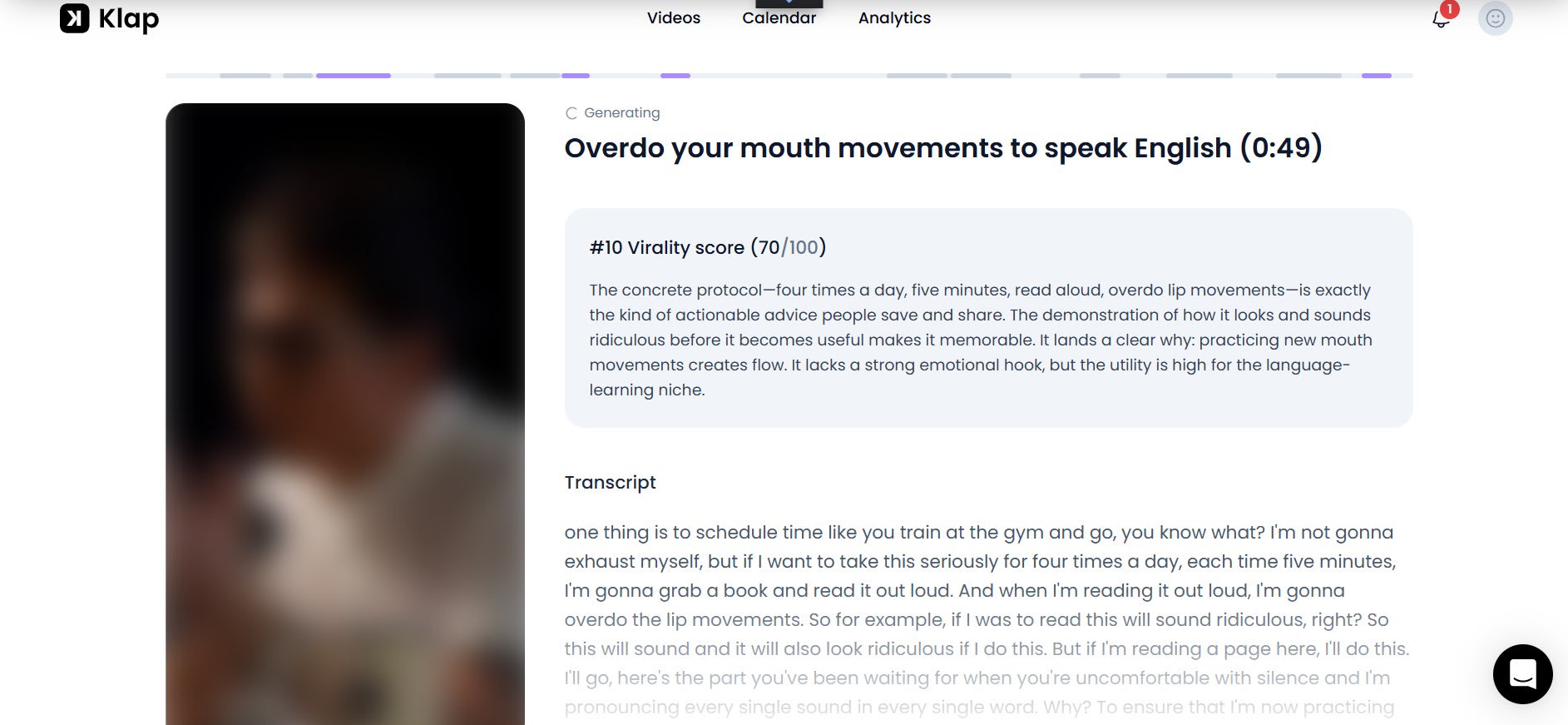
Virality
Scores
Klap
shows a virality score and a reason for each clip. On my English
podcast, scores ran from 69 to 82 out of 100. After my focused prompt,
one clip scored 85 out of 100.
Score
Reasons
Klap
also gives a reason for each score. In the Hindi movie test, one clip
scored well. It showed a man in a car having a funny talk with another person.
A score is not proof of success. Real results depend on your audience, topic,
and platform.
Video
Editor
The
editor lets you trim a clip, change framing, edit captions and
titles, and switch aspect ratios. Vertical and square layouts both work.
I had to fix a few things here. The main ones were extra emojis and scene
changes.
Reframing
and Templates
The reframing
tool helped me the most. One shot showed most of the speaker’s body. I
changed it to focus on the face. Klap also gives you built-in templates
to start from. I made a custom template and changed its subtitle style.
Intro
Titles
You
can add or drop intro titles, even TikTok-style ones. You can
change the title text and language. You can also turn the intro off.
B-Roll,
Images, and Logo
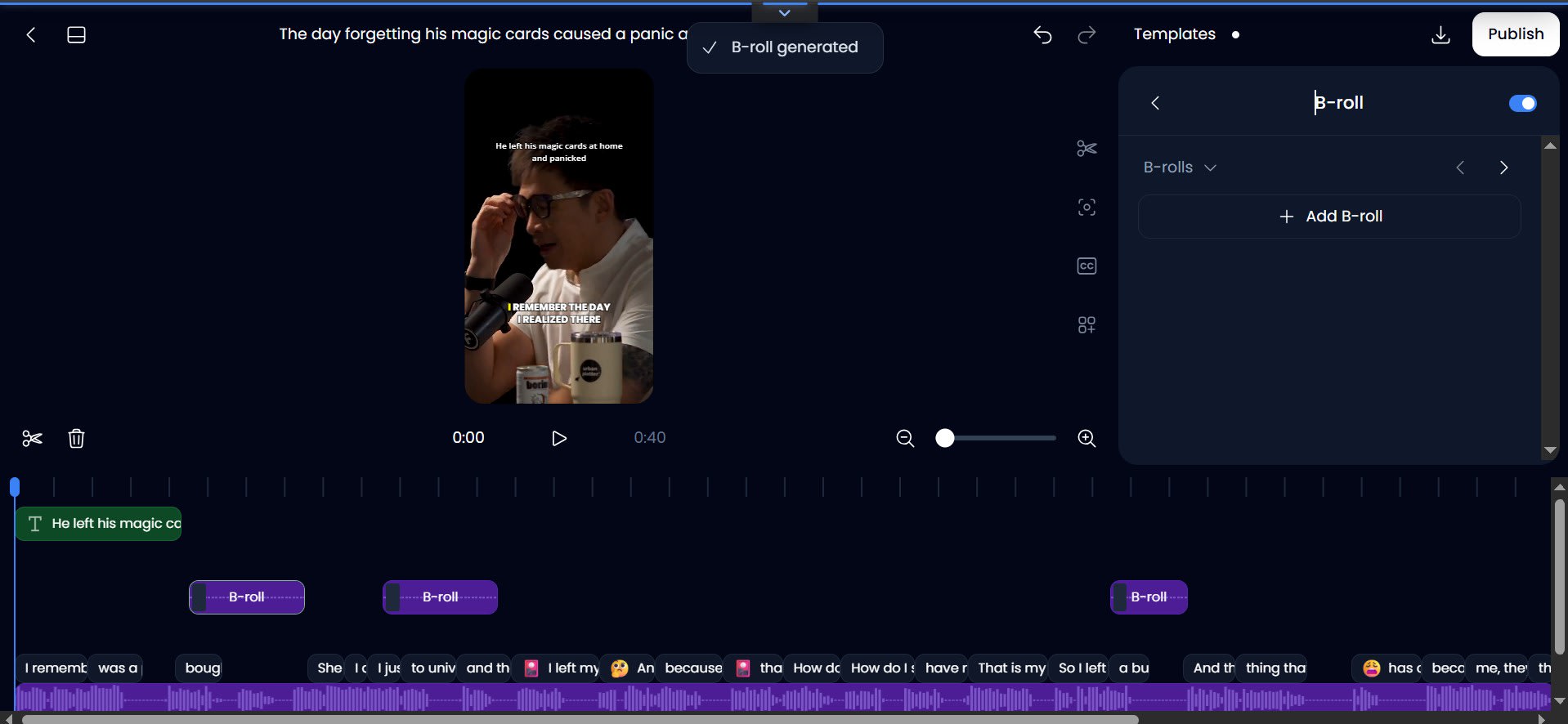
B-roll adds matching background footage to a
clip. If a speaker says he went to school by bus, Klap can show a bus
moving behind him. You can add photos from its library. You can also
upload your logo and move it.
Automatic
Scene Splitting
In
one clip, Klap split the video into seven scenes. That makes a clip easy
to change. But automatic scene changes are not always smooth.
Check each cut so the clip still feels natural.
Download
and Rendering
I
downloaded a 42-second clip to test the export. The preview said it was low
resolution. Klap said the file would look better after download. It rendered
the clip to 100 percent and then saved it. The quality looked good to me. I did
not check the exact resolution.
Watermark
I
found no watermark on my paid export. Klap’s own info says paid
exports carry no Klap branding. The download steps were quick and
easy.
Instagram
Scheduling
Klap
can connect to your social media accounts and schedule clips. I
connected Instagram and picked the clips I wanted. I scheduled two clips
for the first day. Both went live at the exact time I set.
Automatic
Scheduling
I
also tried the auto scheduling option. If you click schedule without
picking dates, Klap picks one video per day. One clip goes today and the
next goes tomorrow. You can change each date and time before you
confirm. I hit no daily limit with two clips.
Supported
Platforms
Klap’s
pricing information lists TikTok, YouTube, Instagram, LinkedIn,
and Facebook. I only tested the Instagram option. A scheduled clip is
not a posted clip yet. Check the account and time first.
•
Related: See AI tools for social media marketing.
My
Experience With Klap AI: Testing Results
My tests for this Klap AI review
showed that Klap works best with clear speech. The English podcast
gave me the best results. In the first run, Klap needed about nine minutes
to analyze the 13-minute video.
|
Test |
Video |
Clips made |
Result |
|
1 |
17-minute Hindi comedy movie clip |
13 |
Worked. Transcripts mixed languages. |
|
2 |
13-minute English podcast, first run |
11 |
Worked. Some clips were off topic. |
|
3 |
Same podcast, second run with a focused
prompt |
14 |
Worked. Topics matched better. |
|
4 |
Music-only video |
0 |
Failed. No speech. |
The
clearest lesson is about prompts. A focused prompt gave me clips that
matched the topic. A broad prompt gave me off-topic clips. So
describe the moments you want in clear words.
What
I Liked About Klap AI
•
One workspace: I made clips, edited captions, and
scheduled posts in one place.
•
Custom prompts: They let me ask for the exact moments
I wanted.
•
Editor: It offers trimming, reframing,
templates, captions, and logos.
•
Preview before posting: I could review every clip before I
scheduled it.
•
Scheduling: Both of my Instagram posts went live
on time.
What
I Didn’t Like About Klap AI
•
Free trial: It asked me to
upgrade and never generated clips.
•
Off-topic picks: Some clips
needed a second run or a better prompt.
•
Mixed transcripts: The Hindi movie
gave Hindi, English, and Roman Urdu text.
•
Music-only video: Klap could not
process it.
•
Clip count: The button said
7 but Klap made 11 or 13 clips.
•
Extra edits: Some emojis and
scene changes needed manual fixes.
What
I Have Not Tested Yet
I did not test every feature. Here is
what I had to skip. I will update this page when I test more.
•
Caption errors: I read the captions but did not count
the mistakes.
•
Export resolution: My download looked good, but I did
not record the pixel count.
•
Time saved: I did not time a manual edit for
comparison.
•
Other platforms: I only connected Instagram, not
TikTok, YouTube, LinkedIn, or Facebook.
•
File upload: All my test videos came from YouTube
links.
•
API and MCP server: I did not build anything with them.
•
Analytics page: I did not check how my two posted
clips performed.
Who
Should Use Klap AI?
I suggest Klap to anyone who makes long
videos. That includes podcast hosts, coaches, and teachers.
Teams with training videos can use it too.
Klap
is a weak fit for music videos and videos without speech. It may also
cost too much if you post short videos only now and then. Count the clips
you need before you pick a plan.
•
Related: Read the Creatify AI review for another video tool.
Is
Klap AI Worth It?
I had a good time with Klap, mostly on the English podcast.
Custom prompts gave me clips that fit the topic. But Klap still needs human
review. Some picks miss the point and some transcripts need fixes.
The final word of this Klap AI review: I would consider Klap if I often publish long videos. The free trial did not work for me. So I would start with one month of Basic and test one real video before paying for a year.
Frequently asked questions
Is Klap free?+
No. Klap has no free plan. It has a free trial: one video, no credit card. In my check, the trial asked for an upgrade even when I changed nothing, and nothing said which feature was free. Downloading and posting clips always need a paid plan.
Does Klap work on videos without speech?+
No. Klap works on content where there is speech — podcasts, interviews, webinars, and similar videos. My music-only test video was rejected, and Klap made no clips from it.
Can Klap post directly to TikTok and YouTube?+
Yes. Klap schedules posts to TikTok, YouTube, Instagram, LinkedIn, and Facebook. I connected Instagram and scheduled posts from inside Klap.
How many clips do you get per video?+
It varies. Klap's rule of thumb is about 5 clips from a one-minute video. In my test, a 17-minute video produced 13 shorts, a 13-minute video produced 11, and a refined prompt produced 14. You can also ask for 4 more shorts after the first set.
Why does Klap say "Generate Seven Shorts" but make more?+
The button label does not match what Klap does. I clicked it twice. It made 13 shorts the first time and 11 the second time. There is no option to change the number. Klap decides the count from the moments it finds in your video.
Does Klap transcribe in other languages?+
Yes, Klap says it transcribes in 99+ languages, including Hindi and Urdu. In my test, the Urdu titles looked natural. But the Hindi transcription mixed scripts — some clips were in English, some in Roman Urdu, and one was half Hindi and half Roman Urdu.
Related articles
 AI Video Tools
Free AI Tools for a Video Generator: 10 Free Picks for 2026
See 10 free AI tools for a video generator in 2026. Compare watermark rules, monthly credit limits, and video resolution before you pick one.
 AI Video Tools
Veo 3 vs Kling AI: Which AI Video Generator Wins in 2026?
Veo 3 vs Kling AI: only one nails native audio and true 4K. See which wins on quality and price before you choose
 AI Video Tools
How to Create a Video on MakeShot AI: A Step-by-Step Guide
Learn how to create a video on MakeShot AI with text-to-video or image-to-video, pick a model, write prompts, and check credit costs before you publish.
New AI tool reviews, in your inbox.
Get new reviews and comparisons in your inbox. No spam, unsubscribe anytime.
Comments (0)
Be the first to comment.