Kepler Developer Tools: The Complete Guide to Agentic Development
Master agentic workflows with Kepler Developer Tools. Orchestrate multi-repo AI agents, stop merge conflicts, and ship code faster.

Introduction
Kepler developer tools
help teams run AI coding agents the right way. AI is no longer just for
finishing one line of code. Teams now run full AI coding agents across
many files at once. GitKraken built Kepler to manage this new kind of work.
This guide shows what Kepler
does. You will learn why it matters. You will see how it fits a real team. We
keep the words simple. No hard jargon here. Just clear facts you can use today.
What Is Kepler?
Kepler is a delivery engine for teams that use AI agents. It sits
between raw AI code and a clean pull request. You do not need to watch messy
logs. You see one clear view of every task instead. GitKraken calls this an Agentic
Development Environment, or ADE. The idea is simple. You turn AI text into
safe, ready code. You set the plan. Kepler runs the agents that do the work.
Why GitKraken Built Kepler
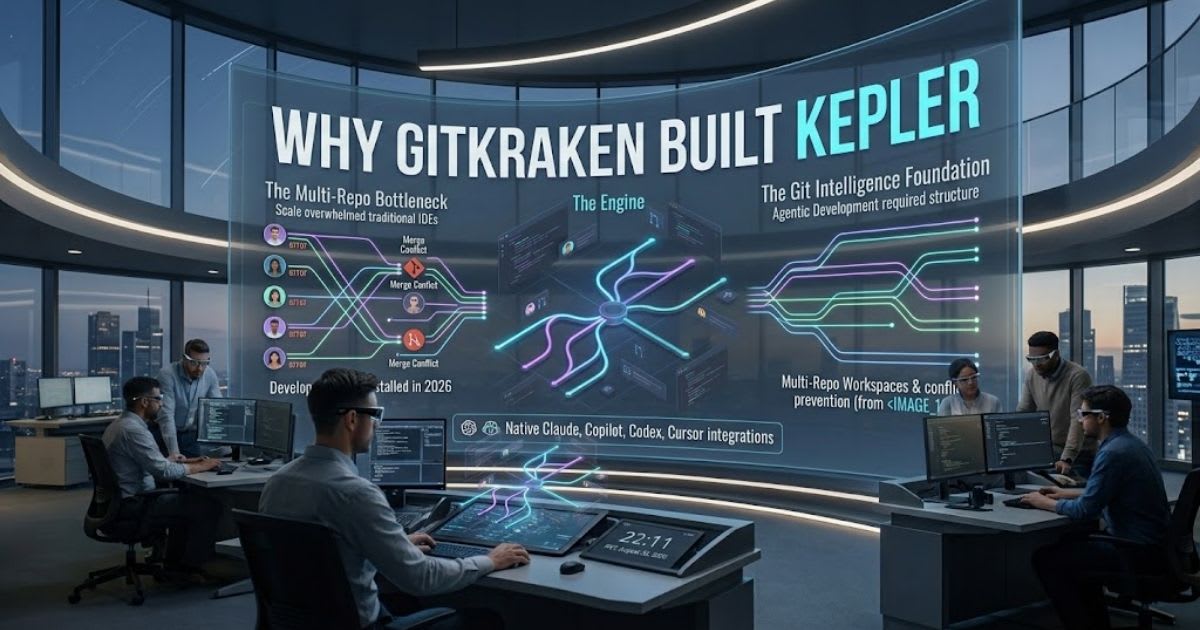
Teams often use many AI tools with no shared system. This wastes time.
Engineers lose track of which agent touched which file. Kepler fixes this. It
gives every AI coding agent one shared home.
Who Should Use Kepler
Kepler fits teams that already run AI agents on real work. It is not just
for one quick test. It helps leads who need clear visibility. It also helps
developers who want less cleanup work.
Why Old Coding Tools Fall Short
Old code editors were built for one person. That person types one file at
a time. This breaks down fast with many AI agents. Branches crash into each
other. Logs pile up fast. You lose track of what changed. This causes real
stress. It is often called context switching fatigue. Kepler developer tools
fix this problem. Each task gets its own clean space. You stop watching
terminals. You start reviewing finished work.
The Real Cost of Context Switching
Every time you jump between tasks, your focus resets. This slows you
down. It can also cause more bugs. Kepler removes this cost. It keeps every
task in one clear, visual space.
ADE vs IDE: What Is the Real Difference?
An IDE is one person working on one file. An ADE takes a wider view. It
handles many agents at once. It manages many repos too. Think of an air traffic
tower, not a single cockpit.
The
table below shows the key differences.
|
Feature |
Traditional
IDE |
Kepler
(ADE) |
|
Main
work unit |
Single
file lines |
Whole
tasks across repos |
|
Workspace |
Shared
local folder |
Separate
Git worktrees |
|
Branch
syncing |
Manual
rebasing |
Automatic
rebasing |
|
Commit
history |
Manual
git staging |
Auto-cleaned
commits |
What This Shift Means for You
This shift changes your daily role. You move from typist to team lead.
You check finished tasks. You approve merges. Your time goes to real choices,
not repeat typing.
Tasks: The New Unit of Work
Kepler treats a "task" as one full job. It is not one small
edit. One task can touch a backend, a screen, and an API together. This matches
how real product work happens. Each task gets its own space. This space is
called a Git worktree. Your main project folder stays clean. There are no file
overlaps. There are no half-finished edits left by mistake.
Launching a Cross-Repo Task
You can start one task across many repos. This takes just one step.
Kepler tracks every repo tied to that task. You never lose sight of a change
that spans your full product.
Why Task-Based Work Reduces Errors
Small, separate edits often break things. One repo changes, but another
does not catch up. Grouping related work into one task keeps files in sync. You
ship a full, working change, not a broken piece.
How Kepler Handles Multi-Repo Projects
Most real products use more than one repo. A change in one service often
needs a matching change in another. Kepler developer tools track these
links. They flag conflicts before real damage happens.
Task Starts → Live Conflict Check →
Auto-Rebase → Clean Branch Ready
Kepler also cleans up messy commit steps. It turns them into one clear
history. When two agents touch the same code, the rebase engine sorts it out.
You get a clean branch with no manual cleanup.
Catching Conflicts Before They Happen
Kepler checks for conflicts while agents still work. This is an early
warning system. Your team fixes small issues right away. You do not find a
broken merge days later.
Which AI Agents Work With Kepler?
Kepler does not lock you into one AI model. It uses an open standard
called the Agent Client Protocol (ACP). Many tools can plug into it.
This gives your team real freedom as new models launch. You can connect Claude
Code. You can connect GitHub Copilot CLI. You can also connect Codex CLI. All
from your local setup. You can even run several agent sessions at the same
time.
Running Multiple Agents at Once
Parallel sessions let one engineer watch several AI agents at
once. Each agent works on a separate task. This raises real output per person.
No one needs to write more code by hand.
How Kepler Fits Your Existing Workflow
Kepler does not ask your team to drop current tools. It works well over
SSH. It also works inside WSL, which stands for Windows Subsystem for Linux. It
connects to your CI/CD pipeline too, with no extra rework. It links right to
Jira, Linear, and GitHub Issues. A normal ticket becomes a trackable Kepler
task in one step. You always see live branch status. You know exactly when a
task is ready to merge.
No Need to Rebuild Your Stack
Teams keep their current ticket tools. They keep their code host. They
keep their pipeline too. Kepler adds one layer on top. It does not replace what
already works well.
Code Quality and Team Oversight
AI agents that write code still need human checks. Kepler builds this
check into every step. This is called human-in-the-loop review. No pull
request goes live without a real person's okay.
Agent Finishes Task → Scope Check → Human
Review → Merge
Team leads get a Kanban-style view. They see every active task across the
team. Kepler flags agent drift early. This means it warns you when an agent
goes off task. This keeps AI code within safe limits.
Why Human Review Still Matters
AI agents can misread a task. They can make a risky guess and not know
it. Human review catches these slips early. Kepler developer tools make
this review fast. It is not a slow, painful step.
Tracking Agent Drift in Practice
When an agent edits files outside its task, Kepler flags this drift right
away. A lead can pause the task. They check the change. They redirect the agent
before more time gets wasted.
Getting Started With Kepler Developer Tools
Setting up Kepler takes only a few steps. Download the app for macOS,
Windows, or Linux. Connect it to your local repos. Then set your agent
credentials and launch your first task. This setup works best when you start
small. Try one task on one repo first. Scale up to multi-repo work later. This
lets your team learn the flow before bigger projects.
A Simple First Task to Try
Start with a small, low-risk task. A minor bug fix works well. A small
screen tweak works too. Watch how Kepler handles the worktree, the conflict
check, and the final review step.
What to Watch For Early On
Watch how Kepler reports conflicts in your first week. Early tasks show
how well your repos are set up for agent work. You may find small fixes worth
making before you scale up.
Kepler and Software Engineering Intelligence
Team leads need more than a task list. They need real data on speed. They
need to see where work slows down. Kepler sends task and merge data into Software
Engineering Intelligence (SEI) tools your team already uses. This means
leads see delivery speed in one place. They see task volume and review time
too. You stop guessing if AI coding agents save real time. The data
shows it, tied to real merged code.
Common Questions About Kepler
Here are direct answers to the questions teams ask most before they try
Kepler.
Is Kepler Free to Use?
Kepler is in public preview from GitKraken right now. Pricing may change
as the tool moves toward full release. Check GitKraken's official site for the
latest plan details.
Does Kepler Replace My Current IDE?
No, it does not. Kepler works next to your IDE, not instead of it. You
still write and review code in your normal editor. Kepler manages the AI agent
layer around it.
Can Small Teams Use Kepler?
Yes, they can. A small team running even two or three AI coding agents
can still benefit. You do not need to be a large company to use it well.
Benefits of Using Kepler for Your Team
Kepler brings clear, real gains to teams running AI agents. Each benefit
solves a problem most teams already feel every day. Here is what stands out
most.
●
Less time spent untangling messy branch conflicts
●
One clear view for every active AI task
●
Faster pull requests, with less manual cleanup
●
Support for many AI models, not just one
●
Built-in human review before code goes live
These gains add up fast for busy engineering teams. You spend less time
on cleanup work. You spend more time on real product decisions.
Limitations to Keep in Mind
No tool is perfect, and Kepler is still new. It is in public preview, so
some features may still change. Teams should test it on smaller projects first,
before full-scale use. Kepler also needs a bit of setup time to connect your
repos and tools. Teams with very simple, single-repo projects may not see a big
gain right away. It shines most with larger, multi-repo work.
Final Thoughts
Kepler gives teams a real way to run AI agents safely. It swaps messy
terminal chaos for clear tasks. It adds clean branches and human review at each
step. For teams that use AI agents now, this closes a real gap. If your team
runs several AI agents across repos today, Kepler developer tools are
worth a test. Start with one task. Watch how it handles conflicts. Then expand
once you trust the flow.
Source: GitKraken — Introducing Kepler
Frequently asked questions
Where can I download Kepler developer tools?+
You can download Kepler from GitKraken's official website. It works on macOS, Windows, and Linux. Since it's still in public preview, check GitKraken's site for the current signup steps.
What are people saying about Kepler developer tools on Reddit?+
Reddit talk about Kepler is still small since the tool just launched. Most posts show up in developer and AI coding subreddits, with early user reviews. As GitKraken Kepler grows, expect more real feedback there.
Is Kepler developer tools free to use?+
Kepler is free to try during its public preview stage. Full pricing after the official release has not been shared yet. Check GitKraken's site for the latest plan details before you commit.
What is GitKraken Kepler?+
GitKraken Kepler is the official name for this Agentic Development Environment. It lets teams run many AI coding agents across repos safely. Human review stays built into every step of the process.
What is Kepler.gl on GitHub, and is it the same as GitKraken Kepler?+
This is a different tool, not related to GitKraken's Kepler. Kepler.gl is an open-source tool for mapping large geo data sets, first built by Uber. Do not confuse the two in your content.
Related articles
 AI for Business
AI and Blockchain for Business Automation: A Complete Guide
AI and Blockchain for Business Automation: see how they pair to build faster, safer, more trusted workflows for your firm today.
 AI for Business
GitKraken for Teams: Scale Multi-Repo Dev Velocity In 2026
Scale developer velocity with GitKraken for Teams. Master multi-repo workflows, stop merge conflicts, and speed up code reviews.
 AI for Business
Best AI Tools for Real Estate Agents in 2026: Ultimate Guide
Discover the best AI tools for real estate agents in 2026 — voice, CRM, and lead generation platforms compared with pricing.
New AI tool reviews, in your inbox.
Get new reviews and comparisons in your inbox. No spam, unsubscribe anytime.
Comments (0)
Be the first to comment.