Best Free AI Writing Tools in 2026: Complete Guide
Discover the best free AI writing tools to create blogs, SEO content, and more. Compare features and start writing smarter today.
Introduction
Finding the best free AI writing tools can save you hours when
creating content for blogs, websites, social media, and business tasks. These
tools can help you generate ideas, write drafts, improve grammar, and make your
content easier to read. Many platforms now offer useful features without requiring
a paid subscription, making them helpful for students, marketers, bloggers, and
small businesses.
However, free plans often come with limits on usage, features, or
word counts. In this guide, you’ll discover the top AI writing
tools that offer strong value at no cost. We’ll compare their
features, writing quality, ease of use, and limitations to help you choose the
right tool.
Quick Look: Top Free Tools at a Glance
Some tools block real exports the moment you finish a draft. Here
is a fast look at real limits across well-known free tools.
|
Tool |
Free
Plan Limit |
Export
Option |
Best
For |
|
5
starter chapters + 5 monthly |
Direct
PDF export |
Full
non-fiction books |
|
|
ChatGPT
Free |
No
real limit on text chats |
Copy-paste
only |
Fast
ideas and drafts |
|
Claude
Free |
Daily
message cap applies |
Copy-paste
only |
Natural
prose and dialogue |
|
Google
Gemini |
Free
use, no sign-up needed |
Copy-paste
only |
Fast
research and ideas |
|
Sudowrite |
Limited
trial credits |
Export
in trial |
Fiction
plotting and craft |
|
Canva
Docs |
Monthly
AI action cap |
PDF
export only |
Short
guides and lead magnets |
Reading the Fine Print on
Free Plans
Checking monthly limits early saves you from a stalled project
mid-way through. Some tools give real exports for free. Others only let you
copy and paste, so you format the rest by hand.
Picking the Right Free Tool
for Your Goal
Writers finishing full books do best with a tool built just for that. Marketers writing short copy often do better with a fast, general chat tool instead. Match your pick to your real goal, not just the price tag.
Who This Guide Is For
This guide fits writers, marketers, and small business owners who
want real, working tools, not vague promises. It also helps anyone burned
before by a "free" plan that blocked exports at the last step.
Core Best Free AI Writing Tools Assistants
General chat tools act as the backbone for millions of daily
writers. They answer research questions and draft rough notes fast. Still, they
rarely include real book or document layout tools built in.
ChatGPT Free: Best for Fast
Ideas
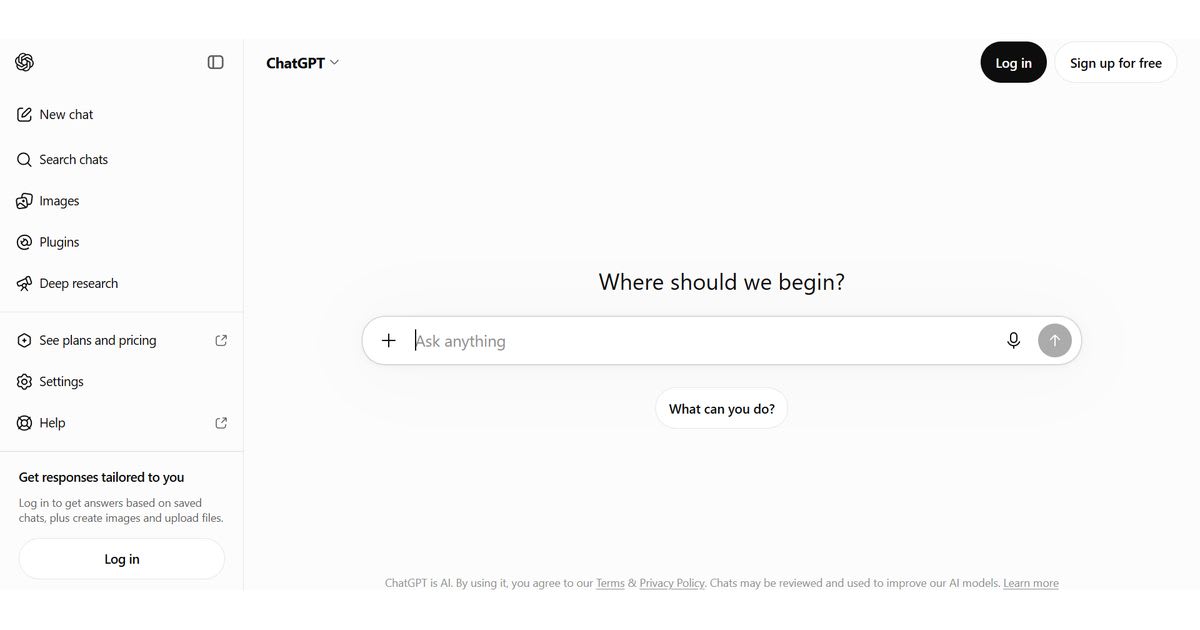
ChatGPT's free tier drafts ideas and outlines fast, with no hard
limit on daily text chats. You still handle all layout work by hand, since it
holds no built-in book or page design tools.
Claude Free: Best for
Natural Prose

Claude tends to write prose and dialogue that reads more natural
than many rivals do. Its free tier holds a daily message cap, so a long,
all-day writing push may hit a wall before you finish one chapter.
Google Gemini: Best for Fast
Research
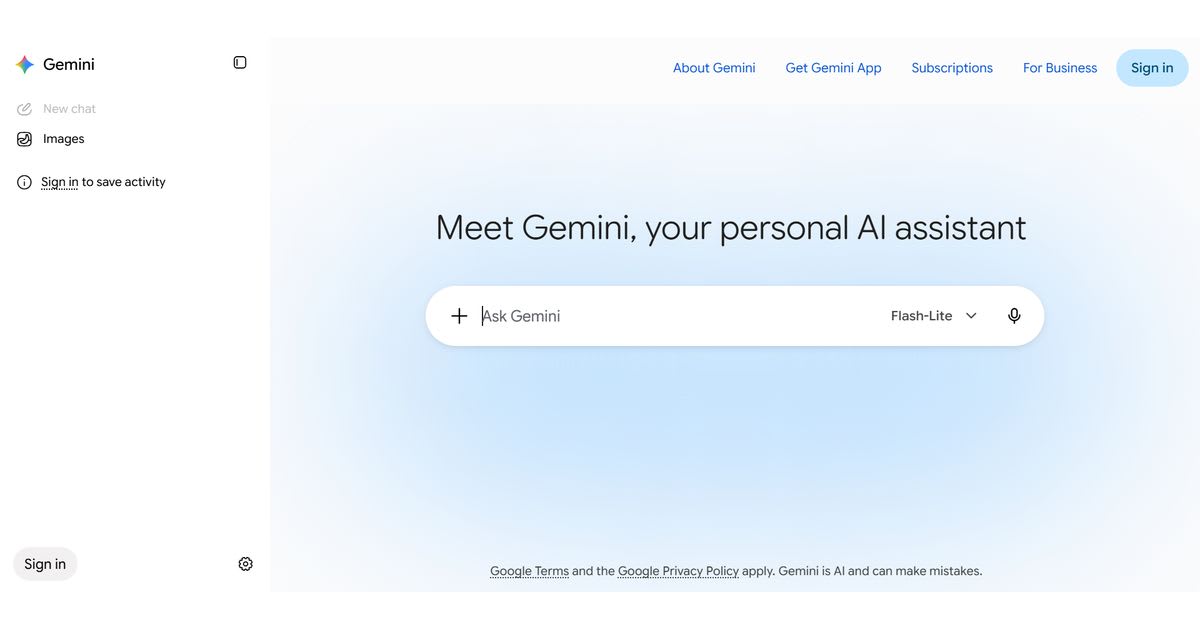
Gemini pulls in live search facts well, which helps with
fact-based work. Its free tier needs no sign-up for basic use, though its story
writing can feel more plain than some other tools here.
Canva Docs: Best for Visual
Guides
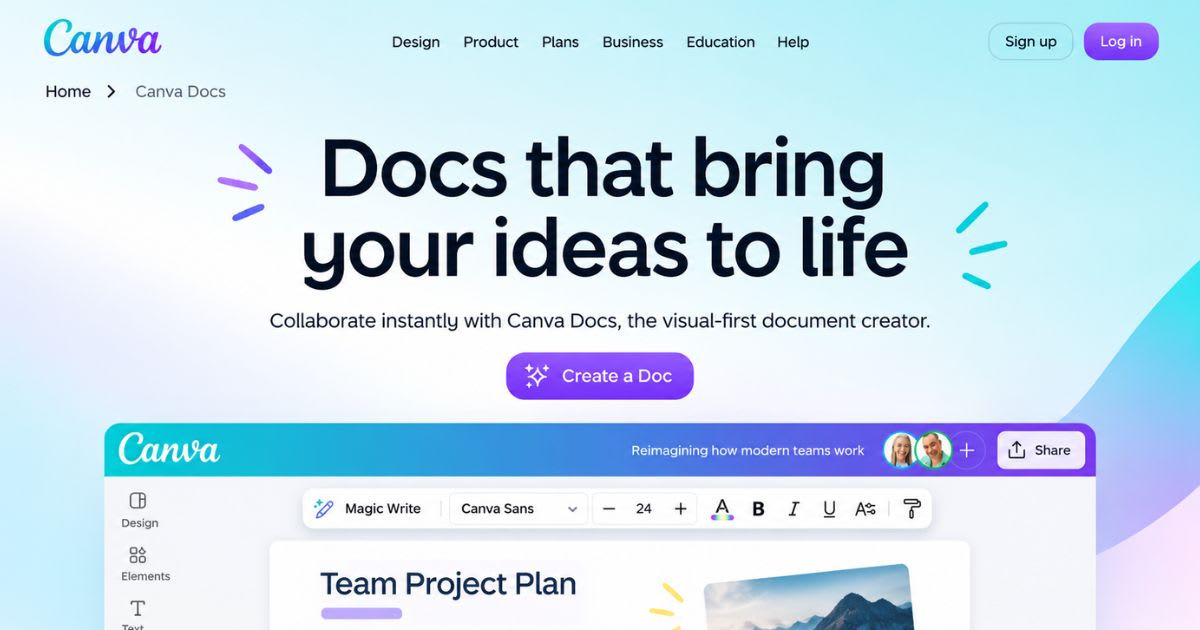
Canva's AI tool fits short, visual work best, like a lead magnet or a one-page guide. Its monthly limit suits small projects well, but runs dry fast on anything book-length.
Free Tools for
Creative Writing and Fiction
Writing
a full book brings many hard tasks for writers. A plain chat tool may not
handle these tasks well. Purpose-built tools can help track plots and keep
characters steady.
Story and Chapter
Tools
Long
fiction needs a steady flow across many linked scenes. A story tool can help
you manage this flow. You can redo one chapter without losing the wider plot. A
plain chat tool may struggle with this task.
World-Building and
Character Tools
A
real world needs small details that readers can remember. Name tools can help
you create names with less effort. Simple plot tools can also help you beat
writer's block fast. You do not need a full app for every small task.
Two Book-Focused
Tools, Compared
Inkfluence
AI focuses on full and structured non-fiction books. It includes chapters, a
cover, and export tools from the start. Sudowrite's free trial focuses more on
fiction writing and craft. Its story-bible tool tracks character motives across
a full draft.
Free AI Editing
and Rewriting Tools
Writing
the first draft is only the first step. Careful editing can turn a rough AI
draft into strong work. Good editing helps readers trust and enjoy your
writing.
●
Sentence tools can cut flat lines and tighten loose phrasing.
●
Paraphrase tools can change the tone for a new audience.
●
Grammar checkers can catch typos and small writing slips.
●
Summary tools can turn long drafts into a quick overview.
Why Editing Still
Matters Most
No
free tool can replace a real editorial pass. These tools can speed up small and
simple editing tasks. A human eye can still catch tone slips and wrong facts. A
grammar check alone cannot catch every problem.
Building a Simple
Edit Routine
Run
each draft through one grammar pass before you finish. Then run one tone pass
to improve the overall flow. This simple habit can catch many small errors
fast. It also keeps editing from becoming a long task.
Detectors,
Humanizers, and Plagiarism Checkers
Search
engines and platforms may flag flat AI-style writing. A checker can help you
find these patterns before you post. You can then fix the weak parts before
readers see them.
|
Tool Type |
Main Job |
Risk It Cuts Down |
|
AI Content Detector |
Flags flat, machine-style phrasing |
Weak reader trust |
|
Text Humanizer |
Adds natural rhythm and change |
Stiff, robotic drafts |
|
Plagiarism Scanner |
Checks text against public sources |
Accidental copied text |
Why This Step
Matters for Publishing
Sites
like Amazon KDP have their own rules for AI-made content. They may also have
rules about AI content disclosure. Checking your work can help protect your
name and account. This matters on any platform where you publish content.
Free AI Tools for
SEO and Marketing
Ranking well online means giving clear answers to real reader questions. Free tools can speed up keyword work and basic page setup. You can use them without paying for a trial. The simple flow starts with finding a target keyword. Next, build a rough outline around that keyword. Then write a title and short summary for search clicks.
Blog Idea and
Outline Tools
Fresh
ideas become easier with tools built around search trends. A full outline can
help you cover the topic better. It can also stop your finished post from
missing key points.
Title, Meta, and
Alt Text Tools
Search
clicks often depend on a clear and useful title. Your summary must fit tight
limits and still sound interesting. Alt text tools can help images meet access
rules. They can also support image search.
Free Tools for
Social Media and Copywriting
Busy
social feeds need sharp and quick copy. Free tools can help you write hooks,
captions, and short bios. They can also save time on small daily writing tasks.
●
Hook and caption tools help with short videos and photo posts.
●
Bio and name tools help create stronger profiles.
●
Tag tools can help find current and useful hashtags.
●
Slogan and landing page tools help with small brand work.
Where These Tools
Save the Most Time
These
tools work best for short and repeated writing tasks. Daily captions and ad
lines are good examples. Longer brand copy still needs a human check before
publishing.
The Real Cost of
"Free" AI Tools
Free
software can have hidden costs that surprise new users. Free plans often
include daily caps and slower speeds. Some tools also lock exports behind paid
plans.
Free Tier Limits
to Watch For
A
sudden word limit can break your writing flow. Some tools lock exports like
EPUB or DOCX behind paid plans. Always check export rules before spending time
on a project.
Privacy and Your
Own Work
Pasting
private drafts into free tools can create privacy risks. Some tools may use
text for future model training. This depends on each tool's own settings. Look
for a clear opt-out choice before sharing private work.
Can You Sell What
You Make?
Sale
rights can change by tool and by plan. Always check the tool's terms before
selling free-tier work. Most platforms also expect some real human input. This
input can help make the work truly yours.
Getting the Best
Output From Free Tools
A
few smart habits can improve results without extra costs.
●
Give the tool a clear voice, audience, and tone first.
●
Chain several free tools together for different writing stages.
●
Always add a human check before publishing anything.
●
Keep short style notes to maintain the same tone.
A Simple Free
Production Chain
Start
with research and an outline in one free tool. Draft the long text in a second
tool. Then edit and smooth the text with a third tool. This chain can work
better than one tool for every task.
Common Mistakes
With Free Tools
Many
users expect one tool to handle every writing task. They may feel let down when
the tool falls short. Using focused free tools can solve this problem. Each
tool can handle the task it does best.
Free AI Tools for
Students and Academic Writing
Students
need a specific type of free AI writing tool. They need tools that support
clear essays and original work. Clear and honest writing matters more than
catchy hooks here.
Look
for tools that help build essays and check citations. You should also look for
tools that check plagiarism. These three areas can cause major problems in
school work.
Essay Structure
and Outline Help
A
clear outline can save time and reduce later rework. Free tools can suggest
structures for different assignments. These may include essays, lab reports,
and simple summaries.
Citation and
Source-Checking Tools
Many
free tools can help format APA and MLA citations. This can save time when
writing long papers. It also lets you spend more time on your main argument.
Comparing Free
Tools Across Devices
Free
tools may work differently on mobile and desktop. Some mobile apps may offer
fewer features than desktop versions. Other tools may offer the full free
experience on both devices.
●
Desktop browsers usually offer the fullest free feature set.
●
Mobile apps may cut export options or daily limits.
●
Some tools sync drafts across devices, while others do not.
Why This Matters
for On-the-Go Writers
You
may write ideas during a commute or between meetings. In that case, check the
tool's mobile features first. Make sure it syncs and exports your work well.
Building Your Own
Free Toolkit
You
do not need one tool to handle every writing task. Most writers can build a
small stack of free tools. Each tool can focus on one job and do it well.
A
simple starter set can include one chat tool for ideas. Add one tool for long
drafts and another for editing. You can also add a checker for originality and
plagiarism.
Reviewing Your
Stack Over Time
Free
tools often change their limits and features. These changes can happen without
much notice. Review your toolkit every few months to stay updated. A tool may
add useful free features over time.
Final Thoughts
Best
free AI writing tools in 2026 truly exist. You only need to know which limits
matter for your project. Match each tool to your real goal, not its zero price.
Chain a few free tools together for better results. Add a human check before
you publish your work. Also read each tool's export and privacy rules first.
This approach can create ready-to-publish work without a monthly bill.
Frequently asked questions
What are the best free AI writing tools for students?+
ChatGPT's free plan, Grammarly's free tier, and QuillBot cover most student needs — essays, grammar checks, and paraphrasing. They handle outlines and first drafts well, but students should still edit for accuracy and originality.
What free AI writing tools can I use online?+
ChatGPT, QuillBot, and Copy.ai all work directly in your browser with no download needed. Most offer a solid free tier, though daily word limits apply until you upgrade.
Is there a free AI writing generator?+
Yes, tools like ChatGPT, QuillBot, and Rytr offer free plans that generate text on demand. Output quality is good for first drafts, but free tiers usually cap your monthly word count.
What is the best AI for writing novels?+
Sudowrite is built specifically for fiction and long-form storytelling, with tools for plot and character depth. General tools like ChatGPT also work, but they lack Sudowrite's fiction-focused features.
What are the best free AI tools for content writing?+
Copy.ai and Grammarly both offer generous free tiers for blog posts, social captions, and editing. Ryrob's free AI writer also needs no sign-up, making it a fast option for quick drafts.
Related articles
 AI Writing Tools
The 9 Best AI Writing Tools in 2026, Ranked & Compared
Nine AI writing tools compared on real 2026 pricing, model line-ups and who each one actually suits — from $0 free tiers to $299/month SEO platforms.
 AI Writing Tools
Best AI Copywriting Tools to Write Copy That Sells Fast 2026
Tired of blank pages? These Best AI Copywriting tools turn blank screens into ready copy in minutes. Compare the best picks now.
 AI Writing Tools
Jasper AI Review: Is It Worth It in 2026?
Our full Jasper AI review breaks down pricing, features, and real pros and cons to help you decide if it fits your team in 2026.
New AI tool reviews, in your inbox.
Get new reviews and comparisons in your inbox. No spam, unsubscribe anytime.
Comments (0)
Be the first to comment.