Best AI Tools for Data Analysis in 2026: Needs and Costs
Best AI tools for data analysis: compare ten tools, real prices, hidden setup rules, and how to check AI results before you share.
Introduction
Choosing the best AI tools
for data analysis is hard when every vendor sounds the same.
You may not know which license you need, what each tool really costs, or why an
AI answer can be wrong. This guide solves each problem. You will compare ten
tools, including Excel Copilot, Power BI, Tableau, Julius, ChatGPT, and Claude.
You will see
hidden setup rules, entry prices, and the main catch for each tool. You will
also learn how to match a tool to your spreadsheet, dashboard, or predictive
modeling need. Finally, you get a simple routine to check calculations
before you share them. All prices reflect October 2026 and may change.
Best AI Tools for Data Analysis at a
Glance

The AI
tools for data analysis depend on where your data lives. Excel Copilot suits spreadsheet
users. Power BI, Tableau, Qlik, and ThoughtSpot suit teams that need dashboards.
Julius, ChatGPT, and Claude suit quick file analysis. DataRobot suits predictive
modeling. Each tool has a catch that demos skip. Some need paid capacity.
Some bill by data size. One removed a popular feature in September 2026.
This table compares the best AI tools for data analysis by cost and catch, so
you see the trade-offs early.
|
Tool |
Best for |
Entry cost
(US) |
Main catch |
|
Excel
Copilot |
Spreadsheet
analysis |
From
$9.99/month (Microsoft 365 Personal) |
File must
be saved to OneDrive |
|
Power BI
Copilot |
Governed
dashboards |
Needs paid
Fabric or Premium capacity |
A Pro
license alone does not work |
|
Tableau |
Visual
analytics |
$15 to $75
per user/month (Standard) |
Billed
annually, priced by seat role |
|
ThoughtSpot |
Plain-language
questions |
About $25
per user/month (Essentials) |
Spotter
agent sits in higher tiers |
|
Qlik Cloud
Analytics |
Capacity-based
teams |
From
$300/month (Starter) |
Starter
data limit is fixed |
|
Databricks
Genie |
Data
already in Databricks |
No separate
BI license |
Compute is
still billed |
|
Julius AI |
Quick file
analysis |
Free plan;
Plus $20/month |
Credits run
out faster on big tasks |
|
ChatGPT |
Flexible
file analysis |
Free and
paid plans |
Python
cannot reach the web |
|
Claude |
Code-based
file analysis |
Free, Pro,
and Max plans |
Code
execution must be on |
|
DataRobot |
Predictive
models |
Quote only |
No public
list price |
What AI Data Analysis Tools Do
AI data analysis tools let you ask
questions about data in plain English. They turn your words into queries,
formulas, charts, or code. Then they show the result. Many also
write short summaries of what they found. These tools fall into four groups.
The groups differ in setup effort, cost, and control. Pick the
group first. Then compare the AI tools for data analysis inside it.
Chat tools for files

Julius, ChatGPT, and Claude are chat-style picks among the best AI
tools for data analysis. They work on files you upload and run Python
behind the scenes. Setup takes minutes. Control over governance and
shared metrics stays low.
Spreadsheet copilots
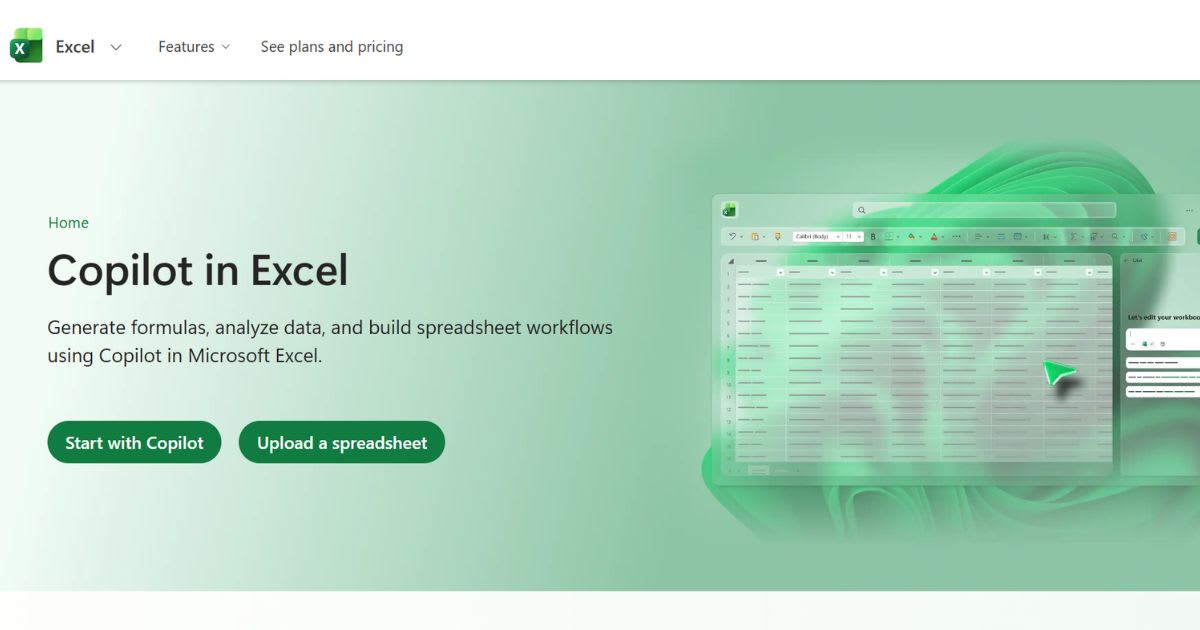
Excel Copilot works inside your workbook. It builds formulas,
charts, and PivotTables from plain prompts. Your data stays in
one file. That keeps small projects simple.
BI platforms with AI
Power BI, Tableau, Qlik, ThoughtSpot, and Databricks sit on top of
governed data. Admins define the metrics once. The AI then
answers questions using those definitions for every user.
Machine learning platforms
DataRobot builds predictive models from your data. It suits
teams that need forecasts or classification. It also costs more and
needs more expertise than a chat tool.
Best AI Tools for Data Analysis in
2026
This list of
the AI tools for data analysis draws on vendor documents and
published pricing from 2026. Where a vendor hides its price, the entry
says so. Prices change often. Confirm them on the vendor site before you
buy. No tool among the best AI tools for data analysis wins every job. Each
fits a different workflow. The sections below show who each tool suits,
what it costs, and what can go wrong.
Microsoft Excel Copilot
Excel Copilot adds a chat pane to your workbook. It builds formulas,
charts, and PivotTables from plain prompts. By default it cannot edit your cells.
Turn on Agent Mode and it can.
•
Best for: Analysts who already work in Excel every day.
• Cost: Microsoft 365 Personal costs $9.99 per month. Microsoft 365
Premium costs $19.99 per month. The business Microsoft 365 Copilot license
costs $30 per user per month, billed yearly, and needs a qualifying Microsoft
365 plan.
• Catch: Copilot in Excel needs AutoSave on, so the file must live in
OneDrive. Agent Mode is not on mobile. Microsoft’s notice also says the =COPILOT cell function ends on September 14, 2026. The side pane replaces
it.
Power BI Copilot
Power BI Copilot answers questions about your semantic models.
It also helps build report pages. Microsoft says owners should prepare
each model for AI first. Clear field names and notes help the AI pick
the right data.
• Best for: Companies that already run governed Power BI reports.
• Cost: Copilot needs paid Fabric capacity (F2 or higher) or Power BI
Premium capacity (P1 or higher).
• Catch: Microsoft says a Pro or Premium Per User license alone is not
enough. Trial capacities are not supported either.
Tableau
Tableau pairs visual analytics with Tableau Agent. The
agent helps you prepare data and build views. Tableau Pulse sends metric
updates. Tableau Next adds agentic analytics in a bundle named Tableau+.
• Best for: Teams that need polished dashboards and role-based access.
• Cost: Standard costs $75 for Creator, $42 for Explorer, and $15 for
Viewer per user per month. Enterprise costs $115, $70, and $35. All are billed
annually.
• Catch: Costs grow with every seat. Agentic features sit in the premium
bundle.
ThoughtSpot
ThoughtSpot centers on asking questions in plain language.
Its Spotter AI agent answers them using your connected data. The tool
aims at business users who do not write SQL.
•
Best for: Business teams that want self-service answers.
• Cost: Published pricing summaries from August 2026 list Essentials at
$25 per user per month, billed annually, for 5 to 50 users and 25 million rows.
Pro adds 25 Spotter queries per user each month. Enterprise is quote-based.
• Catch: Spotter access depends on your tier. Confirm what your plan
includes.
Qlik Cloud Analytics
Qlik Cloud Analytics mixes dashboards, AI insights, and
Qlik Answers, its AI assistant. Higher tiers price by data capacity, not
seats. That suits wide rollouts with modest data. Large data sets raise the bill
fast.
• Best for: Organizations that want many users on one analytics platform.
• Cost: Starter costs $300 per month for 10 users and 10 GB. Standard
costs $825 for 25 GB. Premium costs $2,750 for 50 GB. All are billed annually,
and Enterprise is a quote.
• Catch: Starter has a fixed 10 GB limit. Premium unlocks AutoML.
Databricks Genie
Genie turns plain questions into SQL. It runs on governed Unity
Catalog data. Analysts set up spaces with datasets, sample queries, and
written rules. Business users then ask questions without writing code.
• Best for: Teams whose data already sits in Databricks.
• Cost: There is no separate BI license. Compute is billed like any other
Databricks use.
• Catch: Genie reads table and column descriptions, so weak metadata gives
weak answers. It also works only on data inside Databricks.
Julius AI
Julius lets you upload files and ask questions in chat. It returns
charts, cleaned data, and statistical results. A free plan helps you
test it. Paid plans use credits instead of message counts, which changes
how fast you hit limits.
•
Best for: Solo analysts and small teams with file-based data.
•
Cost: Plus costs $20 per month, or $16 billed annually. Pro costs $45
per month, or $37 billed annually. Higher tiers exist.
• Catch: Complex tasks use more credits. Julius’s own pages describe the
free allowance differently, so check your usage page.
ChatGPT
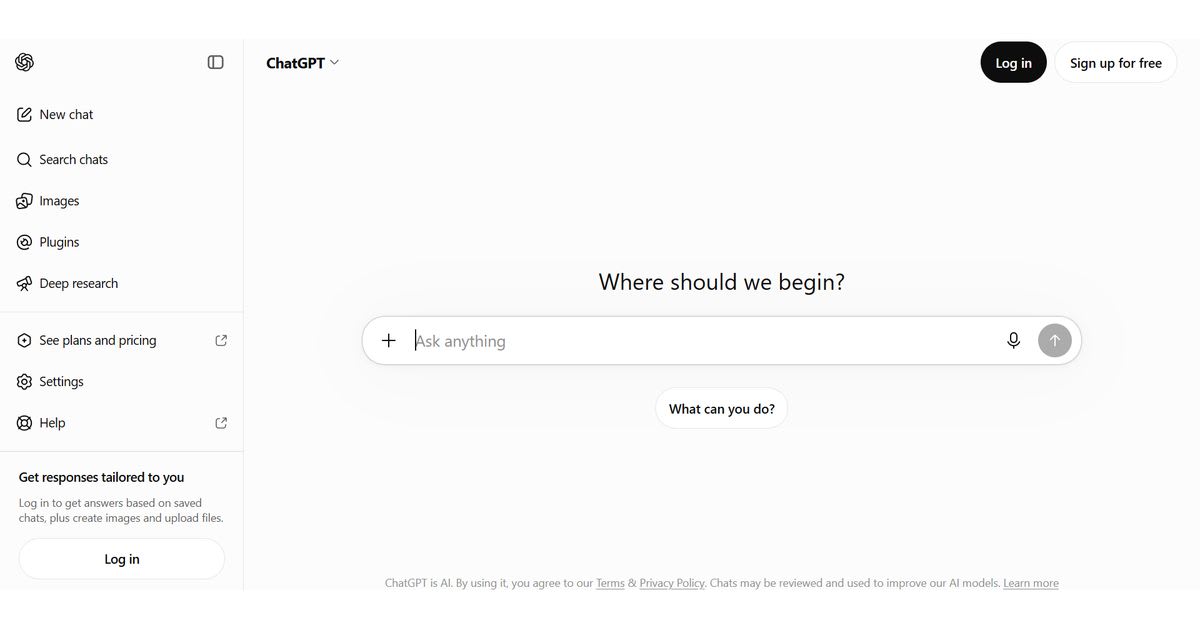
ChatGPT can read uploaded data and build tables and charts.
It runs Python for calculations. OpenAI tells users to review the code,
outputs, and assumptions. A View Analysis link shows how it got the answer.
•
Best for: One-off analysis of large files.
•
Cost: Free and paid plans exist. Limits vary by plan.
• Catch: The Python environment cannot make external web requests, so you
must upload the data. The per-file limit is 512 MB. OpenAI also warns it may
pick the wrong chart type on the first try.
Claude
Claude can run code in a sandbox to analyze CSV
files. It can also build Excel, PowerPoint, Word, and PDF files. Free,
Pro, and Max users turn this on under Settings, then Capabilities.
•
Best for: Turning raw files into formatted reports with formulas.
•
Cost: Free, Pro, and Max plans exist. Limits vary by plan.
•
Catch: Like every chat tool, it can misread a vague question. Ask it to
show its code, then check one total by hand.
DataRobot
DataRobot focuses on predictive modeling. It builds and
compares many models on your data. It also helps you deploy and watch
them. Teams use it to forecast results and sort records into groups.
•
Best for: Data science teams with budget for an enterprise platform.
• Cost: DataRobot does not publish list prices. It sells annual
subscriptions by quote.
• Catch: It is overkill if you only need dashboards or quick charts.
Hidden Requirements in the Best AI
Tools for Data Analysis
Most buying mistakes with the AI tools for data analysis come from setup rules, not from the AI itself. A tool can look perfect in a demo and still fail in your account. These checks take about ten minutes. Run through the list below before you pay. Each point comes from vendor documents, not from sales pages.
• Power BI: Copilot
needs paid Fabric (F2 or higher) or Premium (P1 or higher) capacity. A Pro
license alone does not unlock it.
• Excel: Copilot
needs the file saved to OneDrive with AutoSave on. Agent Mode is not available
on mobile.
• Excel COPILOT function: Microsoft’s notice says it ends on September 14, 2026. Old
workbooks that use it need a new method.
• ChatGPT: The Python
environment cannot browse the web. Upload every file you need.
• Qlik: Starter has
a fixed 10 GB data limit. Higher tiers price by capacity.
• Julius: Plans use
credits, not message counts. Old reviews often describe the old system.
• DataRobot: There is no
public price. Budget time for a sales call.
Best AI Tools for Data Analysis by
Budget
Price shapes your
shortlist as much as features do. The AI tools for data analysis
range from free plans to quote-only enterprise contracts. The numbers
below are entry points, not full bills. Seat count, data size,
and add-ons change the final cost of the best AI tools for data
analysis. Request a quote or run a trial with your own data.
•
Free to start: Julius,
ChatGPT, and Claude all have free access with limits. Our list of free AI
productivity tools covers more
options.
•
Under $50 per month: Excel Copilot through Microsoft 365 Personal or Premium, and
Julius Plus or Pro.
•
Team budgets: Tableau
seats from $15 to $75 per user per month, or Qlik from $300 per month.
•
Enterprise budgets: Power BI Copilot capacity, ThoughtSpot Enterprise, and DataRobot need
paid capacity or quotes.
How to Choose the Best AI Tools for
Data Analysis
Start with
where your data lives. Then match the tool to the people who will
use it. Data location and governance matter more than coding skill.
Use the list below to narrow the AI tools for data analysis. Then trial
your top two tools with the same file. Compare answers, speed,
and cost.
•
Your data sits in Excel files: Start with
Excel Copilot. Move to Power BI when files multiply.
•
You need quick answers from a CSV: Try Julius,
ChatGPT, or Claude. All three have free ways to start.
•
Your company runs on Microsoft: Choose Power
BI Copilot if you can pay for capacity.
•
Your data lives in Databricks: Use Genie.
•
You need governed dashboards for many viewers: Compare
Tableau, Qlik, and ThoughtSpot.
•
You need forecasts or classification: Look at
DataRobot.
•
You work in finance: Read our guide to AI tools for
small business accounting for
finance-specific picks.
•
You want to automate analysis with code: See our list
of free AI coding tools.
How to Check AI Data Analysis Before
You Trust It
Even the AI tools for data analysis can write fluent answers with wrong numbers.
Microsoft’s COPILOT function page says not to use it when you need accuracy
or repeatable results. That warning fits every chat-style tool.
Use this routine
on any result before you share it with a client or manager.
• Check one total by hand. Add one column yourself and compare the result.
• Ask for the method. Request the formula, SQL, or Python behind the answer.
• Check filters and dates. Confirm the time range, region, and segment.
• Run the prompt twice. Different answers signal a weak result.
• Compare with a trusted report. Match key
figures against your source system.
• Keep a log. Save the
prompt, the file version, and the output.
Write clearer prompts
Vague prompts get vague answers from the AI tools for data
analysis. Name the metric, the period, the segment, and
the comparison. Compare “What happened to sales?” with this better prompt.
“Compare monthly revenue by region from January to June 2026. Show the three
largest percentage changes and the formula.”
Protect Your Data Before You Upload It
Many of the
best AI tools for data analysis make uploads easy. That ease can hide risk.
Customer, employee, and financial data need extra care before they leave
your systems.
Check these points
first. Each one takes a minute and lowers your risk.
• Remove personal data: Delete names, emails, and IDs you do not need.
• Read the data policy: Check retention and model-training settings in the vendor’s
documents.
• Ask your IT team: Company
accounts often have admin controls that personal accounts lack.
• Check the region: Microsoft
says Power BI Copilot is off by default outside the US or EU data boundary
until an admin changes a tenant setting.
Final Thoughts
The AI tools for data analysis are not the ones with the
longest feature lists. They fit your data, your budget, and your checking
habits. Start with the tool that matches where your data lives. Then
test it on a file you know well. Check one total by hand. If it
passes, scale up with care. That habit protects every report you
share.
Sources for the Best AI Tools for Data
Analysis
•
Microsoft
Learn: Enable Fabric Copilot for Power BI
•
Microsoft
Support: COPILOT function in Excel
•
Microsoft
Tech Community: COPILOT function update
•
Tableau
•
Qlik
•
Databricks
AI/BI Genie overview
•
OpenAI Help:
Data analysis with ChatGPT
Frequently asked questions
Which ChatGPT version is best for data analysis?+
OpenAI says the best data analysis results usually come from its reasoning models. In the model picker, choose a Thinking option over Instant when you can. Model names change often, so use the highest thinking level your plan offers.
Is ChatGPT still the best AI?+
No single AI is best at everything. ChatGPT is a strong all-round pick for file analysis. Other tools win in specific jobs, such as Excel Copilot for workbooks or Power BI for governed dashboards.
Can I use ChatGPT for data analysis?+
Yes. Upload a file and ask a question in plain English. ChatGPT writes and runs Python code, cleans data, and builds charts. OpenAI says to verify key results before you share them.
What AI is better than ChatGPT?+
It depends on the job. Julius suits quick file work. Excel Copilot suits spreadsheets. Power BI, Tableau, and Qlik suit team dashboards. DataRobot suits predictive models. Test two tools on the same file.
Which AI tool is best for data analysis?+
No single tool wins. Excel Copilot fits spreadsheet users. Julius, ChatGPT, and Claude fit quick file work. Power BI, Tableau, and Qlik fit teams that need dashboards.
Is data analytics still worth it in 2026?+
Yes. The US Bureau of Labor Statistics projects data scientist jobs to grow 34% from 2024 to 2034. All jobs together grow 3.1%. The median pay was $112,590 in May 2024. AI speeds up routine work, so the skill of checking results matters more.
Related articles
 Guides & Tutorials
Best AI Tools Directories in 2026 (Compared and Explained)
Find the best AI tools directories in 2026. Compare the 9 top sites, spot paid listings, and learn how to submit your own AI tool.
 Guides & Tutorials
Best AI Tools for Students in 2026: A Complete Study Guide
Best AI Tools for Students in 2026: simple, honest picks for study, research, writing, notes, math, and career planning that work.
 Guides & Tutorials
How to Create Consistent AI Characters in 2026: The Complete Guide
Create Consistent AI Characters in 2026 with reference images, turnaround sheets, and prompt anchors that stop character drift fast.
New AI tool reviews, in your inbox.
Get new reviews and comparisons in your inbox. No spam, unsubscribe anytime.
Comments (0)
Be the first to comment.